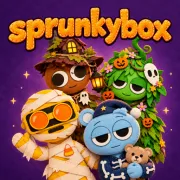






Sprunkybox
Play Sprunkybox online for free. No download, no sign-up. Drag felt Halloween monsters onto the stage, layer their sounds, and experiment with the lineup until you uncover a mix you want to keep.
Game info
| Item | Details |
|---|---|
| Genre | Casual music maker and creative mixing game |
| Platform | Browser, desktop and supported touch devices |
| Play time | Short mixes or longer discovery sessions |
| Price | Free |
| Controls | Mouse, touch, Space, F, and Esc |
| Main goal | Build a seven-character mix and find hidden song combinations |
| Collection | 20 characters, Light and Dark modes, and a Music Book |
What is Sprunkybox?
Sprunkybox puts a 20-character monster band on a Halloween stage with room for seven performers. Each felt character plays one looping part, such as a beat, bass line, melody, voice, or sound effect.
The tray stays below the stage, so you can compare the unused icons while the group plays.
Drag an icon into an open slot and its sound joins the track. Add another, listen to what changes, then select a performer when you want to mute, solo, or remove that layer. Every lineup is playable, so you can follow your ear or search for combinations hidden in the cast.
Certain groups fill the badges above the stage and unlock a song in the Music Book. Separate Light Mode and Dark Mode pages show which tracks you have found in each version.
Light Mode uses a purple night stage with a playful Halloween look. Dragging the black character onto the stage switches the band to Dark Mode. A graveyard replaces the original backdrop, the character designs change, and their sounds become creepier. A familiar group may sound quite different after the switch, so it helps to rebuild the mix a few parts at a time.
How to play Sprunkybox
- Click or tap the opening screen to enter the music stage.
- Pick one of the 20 character icons in the tray below the seven empty performers.
- Drag the icon onto an open stage slot and listen to the loop it adds.
- Add one character at a time and listen for the beat, melody, voice, or effect that joins the mix.
- Select a performer to reveal the mute, solo, and remove controls. These let you check one layer or replace it without clearing the stage.
- Keep an eye on the song badges while trying different groups. A completed combination adds its song to the Music Book.
- Drag the black character onto the stage to enter Dark Mode and hear the cast’s darker sound set.
- Press Space or use the visible reset control whenever you want to clear the stage and start again.
Begin with one or two sounds and let each loop play before filling the remaining slots. With fewer parts running, it is easier to hear who supplies the rhythm and which character changes the mood.
Controls
Desktop
- Add a character: drag its icon onto an empty stage slot with the mouse.
- Manage a performer: click the character, then choose mute, solo, or remove.
- Reset the mix: press Space or use the circular reset button.
- Toggle fullscreen: press F.
- Close an open panel: press Esc or use its close button.
- Open the collection: select Music Book above the stage.
Mobile
- Add a character: touch and drag an icon onto an empty slot.
- Manage a performer: tap the character, then use mute, solo, or remove.
- Open menus, reset, or view the Music Book: use the visible on-screen controls.
The embedded game accepts touch input. A wider screen gives the character tray and all seven stage slots more room, though the exact fit depends on the browser and device.
Sprunkybox tips
Audition one sound at a time
Put one character on the empty stage and let the loop run for a moment before adding the next. Trying several icons this way makes the beat, melody, and effect characters easier to recognise later in a crowded mix.
Because each sound loops, you can listen before deciding whether it belongs.
Build from rhythm to detail
A beat or bass line gives the other parts something to sit on. Add the voices and unusual effects after the pulse feels steady; starting with several busy loops can make every layer harder to hear.
Keep one stage slot open while testing
Run six sounds and keep the last slot available for auditions. Drop in a candidate, listen to the change, and remove it if the track becomes crowded. Fill all seven when the last layer fits or when you want to test a full-stage combination.
Use solo before replacing a character
When the arrangement gets messy, select one performer and use solo. Hearing the loop by itself will tell you whether it clashes with the rhythm or whether another part is covering it. You can then adjust the trouble spot without rebuilding the whole band.
Follow the badges and check the Music Book
Small groups can unlock hidden songs as well as a full stage. Watch the badges above the performers while changing the lineup, then open the Music Book after an unlock to see whether it belongs to Light Mode or Dark Mode.
Change one performer at a time
When a lineup starts filling a badge, keep most of it in place and swap one character. If you replace several performers together, you cannot tell which choice moved the badge forward or broke the combination.
Treat Dark Mode as a second sound set
The black character changes both the scene and the music. Cut the lineup back, listen to the new loops on their own, and build the Dark Mode arrangement from there.
Reset only when the arrangement is truly lost
Mute, solo, and remove are usually enough to fix one awkward layer. Reset the stage when most of the sounds need changing or when you want to try a separate idea from scratch.
Characters and game elements
| Element | Role in the game | Player tip |
|---|---|---|
| 20 character icons | Supply individual musical loops and animations | Audition them in small groups before committing to a full band. |
| Seven stage slots | Limit how many sounds can play together | Leave one open while comparing possible final layers. |
| Mute control | Silences one performer without removing it | Use it to test whether the rest of the mix works on its own. |
| Solo control | Isolates the selected character’s loop | Learn a difficult-to-hear sound before changing the lineup. |
| Remove control | Clears one performer from the stage | Replace a weak layer without resetting the whole mix. |
| Black character | Activates Dark Mode and its altered presentation | Relearn the available sounds after the stage changes. |
| Song badges | Show progress toward hidden combinations | Swap one character at a time when a badge appears promising. |
| Music Book | Records discovered songs in both modes | Check it between experiments to avoid repeating the same search. |
Why players like Sprunkybox
The first character begins playing as soon as it reaches the stage. Every performer after that changes the track and adds another moving figure to the show. The first character starts the track; later choices reshape it while the music keeps playing.
You can hear the change immediately and undo it with the remove control.
Seven slots are enough for a full arrangement, while the 20-character tray leaves plenty of sounds unused. Choosing who stays becomes part of the mix, especially when two loops compete for the same space in the track.
Switching one performer can change the balance without wiping out the parts that already work.
You can stop when a Halloween track sounds right or keep testing character groups to fill the Music Book. Dark Mode opens another version of the cast when the Light Mode combinations start to feel familiar.
More games like Sprunkybox
Shape Rush uses electronic level tracks for a timing challenge built around jumps, flight, and gravity changes.
Brainrot Craft is another game about testing combinations, though its pairings create new elements instead of musical layers.
Kingdom of Marionettes keeps the handcrafted stage look and moves into a darker puppet-theater story with dialogue choices and multiple endings.
FAQ
Is Sprunkybox free to play online?
Yes. You can play Sprunkybox for free in your browser on this page without downloading a separate app or signing up.
What type of game is Sprunkybox?
Sprunkybox is a Halloween music-mixing game. You drag felt monster characters onto a seven-slot stage and combine their beats, bass, melodies, voices, and sound effects.
How do you control Sprunkybox?
Use a mouse or touch input to drag characters onto the stage. Select a performer to mute, solo, or remove it. Space resets the mix, F toggles fullscreen, and Esc closes an open panel.
How many characters can perform in Sprunkybox?
Sprunkybox has 20 character icons and seven stage slots. You can use up to seven performers at once, then replace or remove them to test another sound combination.
How do you find hidden songs in Sprunkybox?
Try specific groups of characters and watch the badges above the stage for progress. A successful combination unlocks a song in the Music Book, which separates Light Mode and Dark Mode discoveries.
What does Dark Mode do in Sprunkybox?
Dragging the black character onto the stage changes the setting from the purple Light Mode stage to a darker Halloween scene and gives the cast a creepier set of sounds.
Can I play Sprunkybox on mobile?
The embedded game supports touch input for dragging, dropping, tapping, and managing characters. Screen fit and performance still depend on your browser and device.
Why is Sprunkybox not loading?
Reload the page and give the game frame time to finish loading. If it still does not start, check that your browser allows embedded game content and try a current browser.
Last updated
Last updated: October 27, 2026. Game availability, browser behavior, controls, character sounds, and hidden-song combinations can change when the embedded build is updated.