



Shape Rush
Play Shape Rush online for free. No download, no sign-up. Guide a geometric character through six rhythm-driven levels, clear spikes and gaps, and adjust when portals change how the single action button works.
Game info
| Item | Details |
|---|---|
| Genre | Rhythm platformer, one-button arcade game |
| Platform | Browser, desktop and supported touch devices |
| Play time | Short level attempts with quick restarts |
| Price | Free |
| Controls | Left mouse button, Spacebar, Up Arrow, or touch |
| Main goal | Reach the end of each level without hitting a hazard |
| Similar to | Automatic runners and precision timing games |
What is Shape Rush?
Shape Rush sends a geometric character forward on its own. You decide when it jumps, climbs, drops, or flips to the ceiling. Since the movement never pauses, you need to read each spike pattern before it reaches the character and make the input in time with the music.
Touch a spike, wall, ceiling, or another solid hazard and the attempt ends. There are no checkpoints, but restarting only takes a moment. Most failed runs point to one specific mistake that you can correct next time, such as jumping too early or holding the Ship too high.
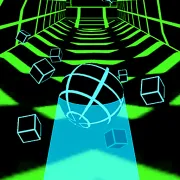
Portals change the movement rules partway through a level. The Cube jumps over hazards. When it becomes the Ship, holding the input raises it and releasing lowers it. In Ball form, each press flips gravity and moves the character from the floor to the ceiling or back again. You still use one button, so keep track of the current form before pressing.
Each of the six levels has a different obstacle layout and electronic track. The earlier courses leave more time to learn how each form moves. Later ones run faster and pack hazards closer together, so an extra tap or a late release can end the attempt.
How to play Shape Rush
- Press Play, pick an available level, and wait for it to load.
- Watch the ground and ceiling while the character moves forward. Spikes, walls, gaps, and portals can arrive quickly.
- Press once to jump in Cube form. Act before the obstacle reaches the front edge of the character.
- Hold the input to make the Ship rise and release it to descend. Short presses make it easier to stay between the floor and ceiling.
- Press once in Ball form to flip gravity. Check where the safe surface continues before moving to the ceiling or dropping back to the floor.
- Pay attention when a portal changes the form. The same press has a different effect after the transition.
- Reach the end without touching a hazard. If you crash, restart and adjust the input that caused the mistake.
Use the music to repeat timing that already worked, and keep watching the route ahead. A portal can change both the obstacle pattern and the effect of your next press.
Controls
Desktop
- Action: use the left mouse button, Spacebar, or Up Arrow.
- Cube: press to jump.
- Ship: hold to rise and release to descend.
- Ball: press to flip gravity between the floor and ceiling.
- Menus and level selection: use the visible buttons in the game frame.
Mobile
- Action: tap the game area.
- Cube: tap to jump.
- Ship: press and hold to rise, then lift your finger to descend.
- Ball: tap to flip gravity.
The embedded build supports touch input. Performance and screen fit depend on the browser and device. Landscape orientation gives you more room to see the route ahead.
Shape Rush tips
Look beyond the nearest spike
Before jumping, check where the Cube will land. Clearing one spike does not help if the same jump drops you onto the next one. When several hazards sit close together, read the whole sequence before making the first press.
Keep Cube inputs clean
Do not press again just because the Cube is still in the air. Extra inputs can throw off the landing or the jump that follows. Press once, watch where the Cube comes down, and work from that position.
Feather the Ship through narrow gaps
The Ship gains or loses height quickly. Use short presses and releases in narrow passages, and try to stay near the middle of the open space. Correct the flight path early, before the Ship reaches the floor or ceiling.
Read the Ball’s next surface
Follow the safe floor or ceiling before you flip gravity. The Ball needs enough horizontal space to reach the other surface. Repeated presses make the next landing harder to judge.
Prepare before a portal
Check which form appears after the portal and release any unnecessary input before crossing it. If you hold the button into a Ship section, the character may climb immediately. Entering without a held input gives you a moment to read the new passage.
Use the soundtrack as a timing check
After you know what a section requires, listen for the beat that lines up with the input. It can help you repeat a successful jump or gravity flip on the next attempt. Keep your eyes on the route when a portal or new pattern approaches.
Fix one miss at a time
When a run ends, work out which input caused it. You may have jumped early, released late, flown too high, or flipped toward the wrong surface. Change that one move on the next attempt and keep the rest of the sequence as it was.
Forms and levels
| Element | Role in the game | Player tip |
|---|---|---|
| Cube | Jumps over spikes, blocks, and gaps | Press once and check the landing before the next input. |
| Ship | Flies through open passages | Use brief holds and releases instead of one large correction. |
| Ball | Switches between floor and ceiling | Trace the safe surface before flipping gravity. |
| Portals | Change the current form and movement rules | Prepare for the new action before crossing the portal. |
| Spikes and solid hazards | End the attempt on contact | Read the full sequence instead of reacting to one obstacle at a time. |
| Progress indicator | Shows how much of the current level is complete | Use it to mark where a difficult pattern begins, not as a reason to rush. |
You can choose from six levels: Dream Dash, Back on Track 2.0, Dry Out 2.0, Base After Base 2.0, Reapers, and Club Madness. Each has its own route and soundtrack. The later levels move faster and give you less time to adjust when the pattern changes.
Why players like Shape Rush
Every form uses the same input, so it takes little time to start playing. Portals keep changing what that input does. A straightforward Cube section can lead directly into a narrow Ship passage or a Ball route along the ceiling.
Restarts are fast. If the same section keeps ending the run, move one jump, release, or gravity flip slightly earlier or later and test it again.
More games like Shape Rush
Run 3 is another automatic platform runner where early route reading and clean jumps matter.
Rush Line adds several parkour moves to a fast obstacle course with short retries.
Tap Road 2 keeps the one-input reaction challenge but uses lane changes on a neon road.
Jelly Hop turns each click or tap into a timed jump through moving platforms.
Chirpy Sky is a shorter one-input flight game. Each tap, click, or Space press flaps a bird through the next pipe gap.
FAQ
Is Shape Rush free to play online?
Yes. You can play Shape Rush for free in your browser on this page without downloading a separate app.
What type of game is Shape Rush?
Shape Rush is a rhythm-based platform game. Your geometric character moves forward automatically while you time jumps, control flight, and flip gravity to avoid hazards.
How do you control Shape Rush?
Use the left mouse button, Spacebar, or Up Arrow on desktop. Tap on a supported touch device. The same input jumps as the Cube, controls height as the Ship, and flips gravity as the Ball.
What do the different forms do in Shape Rush?
The Cube jumps, the Ship rises while you hold the input and falls when you release it, and the Ball flips between the floor and ceiling each time you press.
How many levels are in Shape Rush?
Shape Rush currently has six levels: Dream Dash, Back on Track 2.0, Dry Out 2.0, Base After Base 2.0, Reapers, and Club Madness.
Can I play Shape Rush on mobile?
The embedded build supports touch input. How smoothly it runs on a phone or tablet depends on the browser, device, and current game build.
Why is Shape Rush not loading?
Reload the page and give the game frame time to load. If it still does not start, check that your browser allows embedded game content and try a current browser.
Last updated
Last updated: October 26, 2026. Game availability, browser behavior, controls, and level content can change when the embedded build is updated.