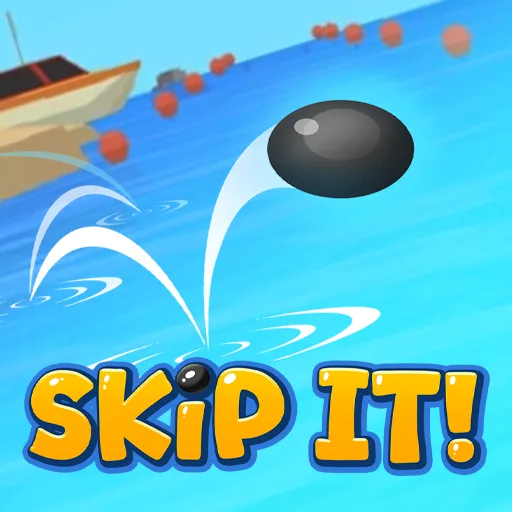




Skip It!
Play Skip It! online for free. No download, no sign-up. Throw a stone across the water, watch it bounce, and see how far it travels before sinking.
Game info
| Item | Details |
|---|---|
| Genre | Arcade stone skipping and distance game |
| Platform | Browser; desktop mouse controls confirmed |
| Play time | Short throws with upgrades between attempts |
| Price | Free |
| Controls | Hold, drag, and release the left mouse button |
| Main goal | Send a stone farther across the water |
What is Skip It!?
Skip It! makes a game out of skipping stones across the water. Set up a throw with the mouse, release, and follow the stone as it skims and bounces. A well-timed launch can keep it moving across the water before it sinks or meets an obstacle. The game measures how far it traveled.
Each throw earns coins based on its distance. Spend them on Strength, Speed, Skipping, or Offline earnings. A short attempt can still pay toward an upgrade for the next one.
You can also unlock stone skins as you progress. They change the stone’s appearance. Your next distance still depends on the throw and the upgrades you have bought.
How to play Skip It!
- Wait for the game to load and select Play.
- Hold the left mouse button and drag to set the throw’s angle and power.
- Release the button to send the stone across the water.
- Watch the skips until the stone sinks or hits an obstacle. The final distance determines your coin reward.
- Spend coins on an upgrade, then make another throw and compare the result.
Once the stone is moving, watch where it loses distance. You can then decide whether to change the next throw or buy an upgrade.
Controls
Desktop
- Hold and drag the left mouse button: set up the throw’s angle and power.
- Release the left mouse button: throw the stone.
Skip It! tips
Watch a full throw before changing anything
Follow the stone until it stops. If it sinks quickly, try a different angle or release moment. If it makes several skips but still falls short, check whether an upgrade would help.
Change one part of the launch at a time
Try a slightly different drag angle or release moment on the next attempt. Changing both sharply makes it harder to tell why the distance improved or fell away. A small correction is easier to compare with your last throw.
Match upgrades to the weak part of the throw
Strength affects the initial throw, Speed helps the stone travel faster, and Skipping supports more water bounces. If the launch itself feels weak, look at Strength. If the stone reaches the water well but loses its skips too soon, consider Skipping. The game also offers Offline earnings for coins away from active throws.
Use coins without forgetting timing
An upgrade can extend a good throw, but it will not choose the release moment for you. After buying one, make a few attempts with a similar launch. You will get a better sense of what the purchase changed.
Upgrades and game elements
| Element | What it does | When to consider it |
|---|---|---|
| Strength | Improves the throw | When the stone needs a stronger start. |
| Speed | Increases travel speed | When more speed could carry it farther. |
| Skipping | Helps the stone bounce farther across the water | When it loses distance after the first skips. |
| Offline earnings | Adds passive coin income | When you want coins between active sessions. |
| Stone skins | Unlockable looks for the thrown object | Check them as you progress through attempts. |
More games like Skip It!
Bat Smash 2 also turns a timed launch into distance and coins, with separate upgrades for flight and bounce. Orbit Kick asks you to time a kick and build distance over repeated attempts. In Ragdoll Launcher, a cannon launch starts a physics run that can continue through bounce pads.
Relic Putt also asks you to place a shot. Drag back to set the putt, then keep the ball off water, spikes, and totems.
FAQ
Is Skip It! free to play online?
Yes. You can play Skip It! in your browser on this page without downloading a separate app.
What is the goal in Skip It!?
Throw a stone so it skips across the water as far as possible. Longer throws earn coins for upgrades.
How do you throw a stone in Skip It!?
On desktop, hold and drag with the left mouse button to set up the throw, then release to launch the stone.
Which upgrades are available in Skip It!?
The four upgrade options are Strength, Speed, Skipping, and Offline earnings. They affect the throw, travel speed, water bounces, and passive coins.
How can I send the stone farther?
Adjust the angle and release timing, then spend earned coins on the upgrade that addresses what shortened your last throw.
Why is Skip It! not loading?
Give the game frame a moment to load. If it stays blank, refresh the page and check that your browser allows embedded game content.
Last updated
Last updated: November 10, 2026. Game availability and controls can change when the embedded build is updated.