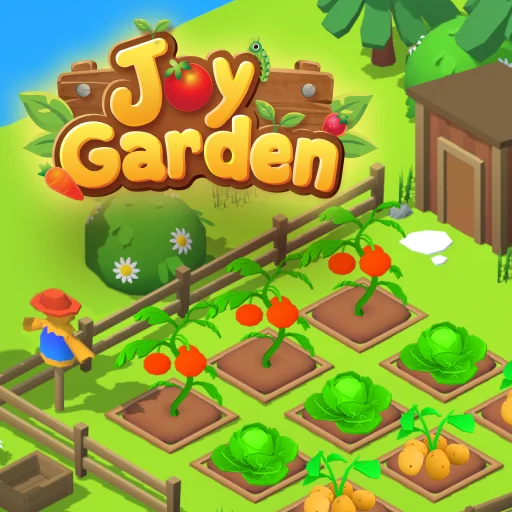






Joy Garden
Play Joy Garden online for free. No download, no sign-up. Plant a few seeds, tend the crops, and sell what you grow to make room for a larger garden.
Game info
| Item | Details |
|---|---|
| Genre | Gardening and farm management game |
| Platform | Browser; desktop pointer controls confirmed |
| Play time | Open-ended garden progression |
| Price | Free |
| Controls | Mouse or touchpad; drag a seed to a plot in the opening tutorial |
| Main goal | Grow and sell crops, then improve the garden |
What is Joy Garden?
Joy Garden starts with a small patch of soil and a few Carrot seeds. Planting gives you something to tend while you decide how to use the space around it. Once a crop matures, harvest it and take it to the Market for Gold. That money goes back into seeds, equipment, and more garden plots.
Plants need attention while they grow. A drooping plant with a water-drop icon needs watering, and bugs can appear among the crops. You can catch bugs with a net and sell them too. The garden eventually offers more plants and upgrades, so the routine changes as your available space and budget grow.
How to play Joy Garden
- Let the game load and follow the first on-screen task.
- Drag the Carrot seed from the bottom bar onto the highlighted empty plot. The tutorial also offers E for this step.
- Plant the remaining seeds in open plots, then check the crops as they grow.
- Water a plant when it droops and shows a water-drop icon.
- Catch bugs with the net when they appear near your crops.
- Harvest mature plants, open the Market, and sell crops or caught bugs for Gold.
- Spend the earnings on more seeds, useful upgrades, or extra plots, then start the next planting cycle.
The opening task points you to one plot. Follow it before filling the rest of the patch; it shows where seeds are stored and how the soil responds when you plant.
Controls
Desktop
- Use the mouse or touchpad to select seeds, plots, and menus.
- In the opening tutorial, drag the Carrot seed onto the highlighted plot. E is also shown as an option for that step.
- Use the visible game controls to open the Market and choose upgrades.
The first task is shown on the game screen. Follow its prompt when an action is unclear; later items and tools appear as the garden develops.
Joy Garden tips
Plant the starting seeds first
The first Carrot seeds are already in the bottom bar. Put them to work before looking at new purchases. The empty plots give you a simple way to learn where planting happens and how long the first crop takes to mature.
Check the water-drop icon
Look over the patch while the plants grow. If one droops and shows the water-drop icon, water it before moving on to another task. A quick check keeps you from overlooking a plant that needs care.
Catch bugs while tending crops
Keep the net in mind as you move around the garden. Bugs can interfere with plants, and the Market also accepts caught bugs. A bug caught during your normal crop check can add to the next seed purchase.
Sell before expanding
Harvested crops sit in your inventory until you sell them. Open the Market and turn the harvest into Gold before choosing a new plot or upgrade. Then you can see how much you have to spend.
Choose upgrades for the work you repeat
As the garden grows, the game offers equipment such as sprinklers and bug-catching birds. Look at the task that keeps drawing you back. An upgrade that handles that task can make the next planting cycle easier to manage.
Garden elements
| Element | Role in the garden | Player tip |
|---|---|---|
| Seeds | Start a new crop in an empty plot | Use the starting Carrot seeds to learn the planting step. |
| Garden plots | Hold the plants you are growing | Check which plots are empty before buying more seeds. |
| Water-drop icon | Shows a plant needs water | Water the drooping plant when the icon appears. |
| Bugs and net | Bugs threaten crops; the net catches them | Check the patch for bugs as you tend plants. |
| Market | Sells crops and caught bugs for Gold | Sell a harvest before planning the next purchase. |
| Gold | Pays for seeds and garden improvements | Keep enough for the next planting cycle. |
Why play Joy Garden?
The first empty plot gives you something to do immediately. Soon a plant droops or a bug appears, and you have a reason to step away from planting. Sell the harvest when it is ready, then use the Gold for another round of seeds.
Later purchases give you a choice between more space and less repeated work. New plots mean more to grow; tools can take over some of the care. If the current patch keeps you busy, a sprinkler may help more than another plot right away.
More games like Joy Garden
Park Empire also turns earnings into upgrades and more space, this time in an amusement park.
Capybara Mart asks you to keep stock moving, collect sales, and expand a small market.
Brainrot Park has a different core action, but it also uses earned coins to grow a managed space.
Crop Runner turns harvesting into a field-clearing game. Sell each load and upgrade the machine to carry more crops.
FAQ
Is Joy Garden free to play online?
Yes. You can play Joy Garden for free in your browser on this page without downloading an app or signing up.
What do you do in Joy Garden?
Plant seeds in garden plots, water crops, keep bugs away, harvest produce, and sell it at the Market. Use the Gold you earn to buy seeds and improve the garden.
How do you plant a seed in Joy Garden?
In the opening tutorial, drag the Carrot seed from the bottom bar onto the highlighted plot. The tutorial also offers E as a keyboard shortcut.
How can you tell when a plant needs water?
Watch for a drooping plant and its water-drop icon. Water that plant so it can continue growing toward harvest.
What can you sell in Joy Garden?
The Market lets you sell harvested crops and bugs you have caught. Both can bring in Gold for seeds and garden upgrades.
Why is Joy Garden not loading?
Give the game frame time to load. If it stays blank, refresh the page and check that your browser allows embedded game content.
Last updated
Last updated: November 1, 2026.