




Park Empire
Play Park Empire online for free. No download, no sign-up. Run a small amusement park, earn money from visitors, and decide what to improve as the grounds fill up.
Game info
| Item | Details |
|---|---|
| Genre | Idle amusement park management game |
| Platform | Browser; desktop mouse controls confirmed |
| Play time | Open-ended park progression |
| Price | Free |
| Controls | Click to select; click and drag to move the camera |
| Main goal | Earn from visitors and expand the park |
| Similar to | Management and idle upgrade games |
What is Park Empire?
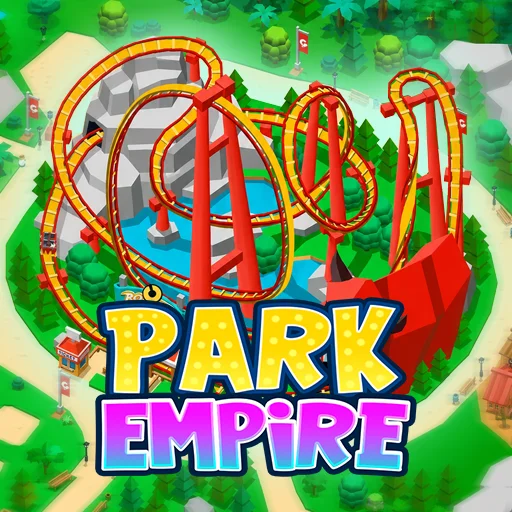
Park Empire starts with a modest park and a limited budget. Visitors pay to use the attractions, and that income gives you choices: improve a ride, make room for more cars, or work on the facilities that handle the crowd. The park is already running when you arrive, so you can watch where visitors go before making the next purchase.
The money loop is simple, but growth creates new demands. A better attraction can earn more, while a full parking lot or slow entrance can keep visitors from reaching it. Managers become available as the park develops and take over some attraction work. Later, you can move on to another park, though some progress starts over there.
How to play Park Empire
- Let the game load, then follow or skip the opening guide.
- Look around the starting park and select an attraction or facility with the mouse.
- Use income from visitors to improve a ride that is already bringing in money.
- Check parking and the entrance as the park gets busier. Expand them when they limit the number of visitors you can serve.
- Add attractions and useful services when the current park can support them.
- Hire managers when available to automate repeated attraction work.
- Continue growing the park, then consider a new park when you are ready for another start.
You do not need to buy every available upgrade as soon as it appears. Watch the flow from parking to the entrance and rides. Spend where the crowd is getting held up.
Controls
Desktop
- Click a facility or menu option to inspect it and choose an upgrade.
- Click and drag across the park to move the camera.
- Use the buttons around the game screen for tasks, management, and settings.
The game opens with a short guide. If you want to explore on your own, its skip button takes you straight to the park.
Park Empire tips
Start with the income you have
Your first attraction is already bringing in visitors. Improving it can give you a steadier budget for the next purchase. Check how much cash you have before opening another part of the park.
Watch the entrance and parking
A ride cannot earn from visitors who never get inside. If parking fills up or arrivals wait at the entrance, spend on capacity there before adding another attraction. Check the route again after the upgrade; the next delay may be somewhere else.
Use marketing when the park can handle it
Marketing campaigns can bring in more visitors. They are most useful when your parking, entrance, and rides have room for the extra crowd. If those areas are already busy, capacity is the more immediate problem.
Give managers repetitive work
When managers become available, use them on attractions that keep drawing your attention back to routine tasks. That leaves you free to inspect another part of the park and plan the next purchase.
Prepare for a new park
Moving to another park can restart some of your progress. Finish the improvements you want in the current park before making that move, and expect to build income again in the new one.
Park elements
| Element | Role in the park | Player tip |
|---|---|---|
| Attractions | Bring in income from visitors | Improve a working ride before buying more than the park can support. |
| Parking | Makes room for arriving visitors | Expand it when cars become the limit on attendance. |
| Entrance and ticket booths | Let visitors into the park | Check for a queue as visitor numbers rise. |
| Marketing campaigns | Bring in more visitors | Run one when the park has space for the extra traffic. |
| Managers | Automate attraction work | Hire them for tasks you keep returning to. |
| New parks | Give you another place to grow | Be ready for some progress to restart. |
Why players like Park Empire
The park changes in ways you can see. More cars arrive, visitors move between attractions, and each improvement gives the next part of the grounds a chance to get busier. You can spend a short session fixing one slow spot, or stay longer to plan a larger expansion.
A full parking lot gives you a clear reason to add spaces. Once cars can get in, you can put the next earnings into a ride or an entrance upgrade. Each purchase changes what needs attention next.
More games like Park Empire
Capybara Mart has a smaller business to manage. Stock shelves, collect sales, and hire help as the market grows.
Brainrot Park also lets you use earned coins to open more park space, with merging at the center of its gameplay.
Pizza Clicker focuses on the income and upgrade loop in a simpler clicker format.
Joy Garden swaps rides for crops, using harvest income to improve a growing garden.
FAQ
Is Park Empire free to play online?
Yes. You can play Park Empire for free in your browser on this page without downloading an app or signing up.
What kind of game is Park Empire?
Park Empire is an idle amusement park management game. Visitors bring in money that you can spend on attractions, parking, services, and new park areas.
How do you control Park Empire?
Use the mouse to choose facilities and menu options. Click and drag across the park to move the camera.
What should I upgrade first in Park Empire?
Start with an attraction that is earning money. When parking or the entrance starts slowing visitors down, improve that capacity before spending on another ride.
What do managers do in Park Empire?
Managers automate work at attractions so the park can keep earning while you focus on other upgrades.
Why is Park Empire not loading?
Give the game time to load, then reload the page if the frame stays blank. Check that your browser allows embedded game content.
Last updated
Last updated: October 29, 2026.