


Capybara Mart
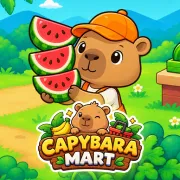
Play Capybara Mart online for free. No download or sign-up. Run the market as a capybara: pick up food, fill shelves, collect sales, and hire help when the shop gets busy.
Game info
| Item | Details |
|---|---|
| Genre | Casual store-management game |
| Platform | Browser; desktop controls confirmed |
| Play time | Open-ended market progression |
| Price | Free |
| Controls | WASD or arrow keys to move |
| Main goal | Stock shelves, collect sales, and grow the market |
| Similar to | Casual management and incremental upgrade games |
What is Capybara Mart?
Capybara Mart is a casual market-management game. At the start, the capybara does everything: picks up food, stocks shelves, and collects money at the checkout. Each sale gives you cash for the next part of the shop.
The first route is short, but the store soon spreads out. An empty shelf can sit on one side while cash piles up on the other. The longer those trips get, the easier it is to leave something waiting.
Staff and upgrades take over the chores that keep getting in your way. That gives you time to open another part of the market, then work out how to keep that new area supplied too.
How to play Capybara Mart
- Press Play and wait for the game frame to finish loading.
- Move the capybara with WASD or the arrow keys.
- Follow the first on-screen tasks to begin picking up food and filling the available shelves.
- Return to the food areas when a shelf needs more goods.
- Let customers buy from stocked shelves, then collect the money waiting at the checkout.
- Spend cash on the facility, upgrade, or helper that saves you the most repeated walking.
- Keep the first shelves stocked while you open more of the market.
If you are not sure what to do next, look for an empty shelf. It is usually the first thing holding the shop back. A quick route between food, shelves, and checkout earns more than a new area that is not ready yet.
Controls
Desktop
- Move: WASD or the arrow keys.
- Tasks: walk up to food areas, shelves, the checkout, and available purchase spots.
- Menus and upgrades: use the visible controls in the game frame.
Mobile
This page confirms the desktop keyboard controls. Touch behavior depends on the embedded build, browser, and device.
Capybara Mart tips
Keep the first route short
Food, the first shelf, and the checkout should stay close together in your routine. Before you open a distant area, make sure the first shelf can stay stocked without a long detour. A smaller shop that keeps selling is better than a larger one with empty shelves.
Restock before you buy
It is easy to spot a new purchase and head straight for it. Refill the shelf that pays for it first. Then collect the next batch of cash and decide whether the purchase still makes sense.
Pick up cash in passing
Do not run back to the checkout every few seconds. Pick up the sales when your restocking route takes you past it. That keeps money moving without turning the whole session into a back-and-forth walk.
Spend help on the annoying job
Watch the job that keeps pulling you away from the rest of the shop. If it leaves food, shelves, or the checkout waiting, that is the place for a helper or upgrade. Fix the problem you keep running into instead of buying every option as soon as it appears.
Give a new area room to work
More space can bring in more money, but it also adds distance. Open the next area after the shelves you have are selling steadily. You will have cash ready for its first task instead of trying to manage two incomplete parts of the shop.
Game elements
| Element | Role in game | Player tip |
|---|---|---|
| Capybara manager | Carries food and handles the jobs around the market | Keep its route short when the shop is still small. |
| Food areas | Supply goods for the shelves | Return when a shelf needs another load. |
| Shelves | Hold goods for customers | Empty shelves stop sales, so check them before heading farther away. |
| Checkout and cash | Turn completed purchases into money you can spend | Pick up cash as part of your usual route. |
| Staff and upgrades | Take over repeated work | Spend on the job that is slowing the shop down. |
| New market areas | Add room and new work | Open them once the current section is selling steadily. |
Why players like Capybara Mart
The work is easy to read. An empty shelf needs food. Cash at the checkout needs collecting. Once you have enough money, you choose whether to make the current route easier or open a new part of the shop.
The capybara keeps the tone light, but the growing floor plan gives you something to think about. A helper can free you from one chore. The next area then asks you to set up another route that works.
More games like Capybara Mart
Brainrot Park also has you reinvest coin income to open more room and improve the setup.
Pizza Clicker is about growing production through generators, upgrades, and well-timed purchases.
Plants vs Brainrots uses earned coins to build a larger automated setup with a different strategy focus.
FAQ
Is Capybara Mart free to play online?
Yes. You can play Capybara Mart in your browser on this page, with no separate app to install.
What type of game is Capybara Mart?
Capybara Mart is a casual store-management game. Move the capybara around the market, stock shelves, collect sales, and buy staff or facilities as the shop grows.
How do you control Capybara Mart?
On desktop, use WASD or the arrow keys to move. Walk up to food areas, shelves, the checkout, and purchase spots to take care of each job.
What is the goal in Capybara Mart?
Grow the market without letting the basic routine fall apart. Keep products on shelves, collect sales, then spend the cash on staff, facilities, and more space.
How do I keep Capybara Mart running smoothly?
Keep shelves stocked before opening another area. Pick up cash as you pass the checkout. If one job keeps interrupting your route, use a staff member or upgrade there.
Can I play Capybara Mart on mobile?
This page confirms the desktop keyboard controls. Touch behavior depends on the embedded build, browser, and device.
Why is Capybara Mart not loading?
Reload the page and give the game frame time to start. If it still does not load, check that your browser allows embedded game content and try a current desktop browser.
Last updated
Last updated: August 13, 2026. Game availability, browser behavior, and controls can change when the embedded build is updated.