




Traffic Rider
Play Traffic Rider online for free. No download, no sign-up. Steer through busy highway lanes, avoid collisions, and complete each mission without getting boxed in by traffic.
Game info
| Item | Details |
|---|---|
| Genre | First-person motorcycle racing game |
| Platform | Browser; desktop controls confirmed |
| Play time | Short career missions and repeatable road runs |
| Price | Free |
| Controls | Arrow keys to steer, accelerate, and brake |
| Main goal | Complete riding objectives, earn cash, and improve your motorcycles |
| Similar to | Highway driving games, traffic-dodging games, and arcade racers |
What is Traffic Rider?
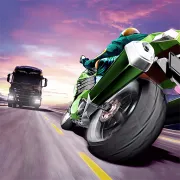
Traffic Rider puts you on a motorcycle in the middle of a busy highway. The first-person view places the road directly in front of you, so nearby cars seem to arrive quickly and a narrow gap can be difficult to judge.
Career mode is split into missions. One might ask you to reach the finish, while another sets a speed, overtaking, or score target. Finish the objective and you earn cash for performance upgrades or another motorcycle.
Other modes open as your career level rises. Endless mode is about distance and survival. Time Trial limits how long you can ride, and Free Ride drops the mission target altogether. Until they unlock, working through the early career stages is the way forward.
How to play Traffic Rider
- Press Play and wait for the game frame to load.
- Click inside the frame so it receives your keyboard input.
- Start with the available career mission and read its objective before riding.
- Hold the Up Arrow to accelerate and use the Left and Right Arrow keys to move between lanes.
- Tap or hold the Down Arrow when traffic blocks the route and you need more space to react.
- Pass vehicles without touching them, but check the lane beyond each overtake before moving across.
- Finish the mission to earn rewards, then spend cash on a useful upgrade or save for another motorcycle.
Read the objective before you start riding. A speed target favors an open lane and steady acceleration. For an overtake target, sitting behind a slow car wastes the run. Timed missions leave little room for repeated braking, although one sensible slowdown is still better than a crash.
Controls
Desktop
- Steer left: Left Arrow.
- Steer right: Right Arrow.
- Accelerate: Up Arrow.
- Brake: Down Arrow.
- Menus, bike selection, and upgrades: use the visible controls in the game frame.
Mobile
This page confirms the desktop arrow-key controls. Touch controls and performance on a phone or tablet depend on the embedded build and have not been verified here.
Traffic Rider tips
Read two vehicles ahead
Do not fix your eyes on the nearest car. Check the vehicle beyond it before you move, then choose a lane where the motorcycle has room after the pass. Squeezing through one gap only to land behind a truck leaves you with nowhere to go.
Make one lane change at a time
Quick left-right corrections often spoil an otherwise clean overtake. Pick a lane, move across, and let the motorcycle settle before setting up the next pass. An early, measured input gives you more room than a sharp turn beside another vehicle.
Use the brake before the gap disappears
Brake while you still have a choice. When two vehicles begin to close both lanes, ease off before you reach their bumpers. You can then follow one of them for a moment and wait for the road to open again.
Do not force every close pass
Close overtakes pay more score and cash, especially at speed, but every attempt needs an exit. Go for the bonus when you can see where you will move next. In heavy traffic, leave a wider margin and keep the mission going.
Match upgrades to the mission
Top speed is useful on open roads and timed missions. Acceleration gets you moving again after a slowdown, while handling helps when a quick lane change is unavoidable. Look at the next objective before putting all your cash into a single stat.
Treat two-way traffic as a short risk
The opposite lane on a two-way road can raise your rewards, but oncoming vehicles eat up space quickly. Move across only when you can already see the route back. Staying too long for one more bonus can leave you facing a gap that is no longer there.
Motorcycles, modes, and upgrades
| Element | Role in game | Player tip |
|---|---|---|
| Career missions | Set objectives and unlock more progress | Read the objective before choosing how aggressively to ride. |
| Motorcycles | Offer different speed, acceleration, handling, and braking | Choose stats that solve the mission you are currently failing. |
| Performance upgrades | Improve an owned motorcycle | Upgrade a weak stat when it repeatedly costs time or control. |
| Endless mode | Rewards distance, speed, and survival | Build a safe rhythm before attempting close overtakes. |
| Time Trial | Measures how far you travel before time expires | Brake early enough to avoid a crash, then return to speed quickly. |
| Free Ride | Lets you ride without a mission target | Use it to learn lane spacing and braking distance. |
Traffic Rider has 34 motorcycles and more than 90 career missions. Before buying another bike, check which part of the next objective keeps causing trouble. An upgrade to your current motorcycle may solve that problem better than a new model with the wrong strengths.
Why players like Traffic Rider
Four arrow keys handle the ride, yet the first-person camera makes each lane change feel immediate. You spend less time learning buttons and more time judging whether that space beside a car will still be open when you reach it.
The missions make you use the same road skills in different ways. Some reward patient, clean overtakes; others make you hold speed against the clock. Cash and upgrades carry the result of each attempt into the rest of the career.
More games like Traffic Rider
Racing Pop is an arcade racer built around knowing when to ease off before a difficult section.
Smash Karts turns driving into a weapon-filled arena battle. Slope Rider keeps the focus on speed and spotting hazards early during a downhill run.
FAQ
Is Traffic Rider free to play online?
Yes. You can play Traffic Rider in your browser on this page without downloading a separate app.
What type of game is Traffic Rider?
Traffic Rider is a first-person motorcycle racing game about riding through highway traffic, completing career missions, and earning rewards for new bikes and upgrades.
How do you control Traffic Rider?
On desktop, use the Left and Right Arrow keys to steer, the Up Arrow key to accelerate, and the Down Arrow key to brake.
What is the goal in Traffic Rider?
Complete each mission objective without crashing. Objectives can ask you to reach a finish point, maintain speed, overtake vehicles, or earn a target score.
How do you earn more points and cash in Traffic Rider?
Ride at higher speeds and pass traffic closely when there is a safe exit. Two-way roads can offer extra rewards for riding in the opposite lane, but they also leave less time to react.
Can I play Traffic Rider on mobile?
This page confirms the desktop arrow-key controls. Touch controls and performance on a phone or tablet depend on the embedded build and have not been verified here.
Why is Traffic Rider not loading?
Reload the page and give the game frame a moment to start. If it still does not load, check that your browser allows embedded game content, then try a current desktop browser.
Last updated
Last updated: September 9, 2026. Game availability, browser behavior, and controls can change when the embedded build is updated.