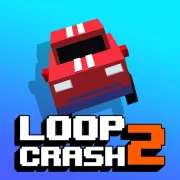


Loop Crash 2
Play Loop Crash 2 online for free. No download, no sign-up. The car steers itself around overlapping roads; you control its speed so it reaches each crossing during a clear gap.
Game info
| Item | Details |
|---|---|
| Genre | Endless arcade driving and traffic timing game |
| Platform | Browser, desktop, and mobile |
| Play time | Short repeatable survival runs |
| Price | Free |
| Controls | D, Up, or Right to accelerate; A, Down, or Left to brake; on-screen controls on mobile |
| Main goal | Complete more laps without colliding with crossing traffic |
| Progression | Earn coins, unlock vehicles, and use tickets in bonus activities |
| Similar to | Speed-control games, traffic-dodging games, and endless score challenges |
What is Loop Crash 2?
Loop Crash 2 puts your vehicle on a fixed road and handles the steering for you. You control how quickly the car reaches each intersection. A collision ends the run immediately.
The Easy layout has two connected loops and two places where traffic crosses your route. Vehicles move in different directions and at different speeds. An opening behind a slow truck may close when a faster car catches up, so you need to watch more than the vehicle nearest to the intersection.
Each completed lap adds to your score and pays coins. More vehicles join the road as the run continues, and the gaps become harder to judge. You can spend the coins on vehicles in the garage. Tickets are used for separate reward activities between attempts.
Hard adds a road through the center of the two loops. The extra traffic creates more crossings and leaves less time between decisions. Easy gives you more room to learn how far the car travels while accelerating or braking.
How to play Loop Crash 2
- Press Play and wait for the game frame to finish loading.
- Claim the opening ticket if the reward prompt appears, then choose whether to save or spend it.
- Start with Easy while learning the acceleration and braking distance.
- Watch the next intersection and the vehicles approaching it from both sides.
- Hold D, Up Arrow, or Right Arrow to accelerate into a clear gap.
- Hold A, Down Arrow, or Left Arrow to reduce speed when traffic will reach the crossing first.
- Complete laps to build score and coins, then use the garage when another vehicle becomes available.
- After a crash, restart and change the speed decision that brought you into the busy crossing.
The brake reduces your speed, but the car keeps moving around the loop. Make the decision while the intersection is still ahead, then give the vehicle time to respond. Switching between both controls at the crossing is usually too late.
Controls
Desktop
- Accelerate: hold D, Up Arrow, or Right Arrow.
- Brake: hold A, Down Arrow, or Left Arrow.
- Steering: automatic along the current loop.
- Menus, garage, rewards, and restart: use the visible buttons in the game frame.
Mobile
- Accelerate: hold the on-screen control at the lower right.
- Brake: hold the on-screen control at the lower left.
- Steering: automatic along the current loop.
Loop Crash 2 tips
Watch the crossing, not your own car
The road already decides where your car goes. Keep your attention on the next crossing and check both streams of traffic. A faster vehicle may close the space behind a slower one before you arrive.
Brake before the gap disappears
Your car keeps rolling while you hold the brake. Start slowing before another vehicle enters the intersection. If a later gap opens, you still have time to accelerate into it.
Use acceleration to leave a dangerous cluster
Sometimes the open gap is safer than slowing down. If several vehicles are gathering behind it, accelerate through before the group reaches the crossing. Check the far side first so you do not enter a space that closes halfway through.
Learn on Easy before adding the center road
Use Easy to learn how quickly the car responds to each control. Its two crossings still become busy, though there is more space to recover from an early brake. Hard adds the center road and gives you more traffic to track at once.
Compare full traffic cycles
Traffic may look orderly for one lap and bunch together on the next. Follow the faster and slower vehicles through a full circuit to see where they meet. This makes the next gap easier to judge before it reaches the crossing.
Pick a practical vehicle for score attempts
The garage has compact cars, larger vehicles, and some unusual rides. Bigger vehicles make tight gaps harder to read. Try them when you want a different challenge, then use a familiar compact vehicle for a serious score attempt.
Treat coins as a result, not a reason to rush
Coins come from completed laps. Rushing the last crossing can wipe out a run just before the next payout, so let the traffic clear when the gap looks doubtful. Longer attempts give you more chances to build the garage balance.
Modes, rewards, and vehicles
| Element | Role in the game | Player tip |
|---|---|---|
| Easy layout | Two linked loops create two traffic crossings | Use it to learn how early each speed change needs to begin. |
| Hard layout | A center road adds more traffic and crossing points | Scan the whole layout before committing to the next gap. |
| Coins | Earned through successful laps and used for vehicle unlocks | Favor several safe laps over one doubtful crossing. |
| Tickets | Open the Prize Wheel or Collect Coins activity | Save a ticket until you know which reward activity you want to try. |
| Prize Wheel | Exchanges a ticket for a random reward chance | Check the available results before spending the ticket. |
| Collect Coins | A separate ticket activity focused on collecting rewards | Learn the basic vehicle timing before risking a ticket here. |
| Garage | Holds the vehicles you have unlocked | Use a compact, familiar ride when chasing a personal best. |
| Score and records | Track how far a run lasts | Improve one difficult crossing decision on the next attempt. |
Why players like Loop Crash 2
Loop Crash 2 is easy to start because there is no steering to learn. Staying alive is harder. The same intersections produce different gaps as faster vehicles catch slower traffic, and one bad arrival time can end a good run.
When a crash happens, you can usually see which decision caused it and adjust on the next try. Runs restart quickly, and the coins carry over to vehicle unlocks. Tickets open side activities between attempts, while Hard mode gives you a busier layout once Easy feels familiar.
More games like Loop Crash 2
Loop Crash is the original version of the same speed-control challenge, with one fixed loop and a simpler progression path.
Racing Pop also handles the steering for you. In that game, you decide when to ease off before each bend; Loop Crash 2 asks you to manage traffic crossings.
Traffic Rider keeps the busy traffic and braking, then gives you direct control of a motorcycle.
Crashy Rush sends an automatically moving car downhill through traffic and other hazards. It also has short runs and vehicle unlocks.
FAQ
Is Loop Crash 2 free to play online?
Yes. Loop Crash 2 runs in your browser on this page, with no app to download and no sign-up required.
What type of game is Loop Crash 2?
Loop Crash 2 is an endless arcade driving game built around speed control. The vehicle follows the road by itself, and each run lasts until you collide with crossing traffic.
How do you control Loop Crash 2 on desktop?
The vehicle steers around the loop automatically. Hold D, Up Arrow, or Right Arrow to accelerate, and use A, Down Arrow, or Left Arrow to brake.
Can I play Loop Crash 2 on mobile?
Yes. The mobile controls place the accelerator at the lower right of the screen and the brake at the lower left.
What is the difference between Easy and Hard in Loop Crash 2?
Easy uses two connected loops with two traffic crossings. Hard adds a road through the center, creating more crossing points and more traffic to track at the same time.
What are coins and tickets for in Loop Crash 2?
Completed laps pay coins for vehicle unlocks. Tickets give you access to the Prize Wheel or the Collect Coins bonus activity.
Why is Loop Crash 2 not loading?
Reload the page and let the game frame finish downloading its files. If it remains blank, check that your browser allows embedded content and try a current browser.
Last updated
Last updated: October 25, 2026. Game availability, browser behavior, and controls can change when the embedded build is updated.