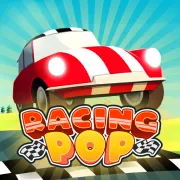

Racing Pop
Play Racing Pop online for free. No download or sign-up. The car follows the course for you. Hold the control on a straight, then let go before the next bend.
Game info
| Item | Details |
|---|---|
| Genre | 3D arcade racing game |
| Platform | Browser, desktop; touch input may work depending on the embedded build |
| Play time | Short races that are easy to replay |
| Price | Free |
| Controls | Hold left mouse button or Spacebar to accelerate; release to slow down |
| Main goal | Finish ahead of the other cars and improve your time |
| Similar to | One-button driving games and arcade racers built around timing |
What is Racing Pop?
Racing Pop is a 3D racing game with no steering input to worry about. The car follows the course itself. You decide how much speed it carries by holding the throttle on a straight and releasing it before a bend.
A corner that looks harmless can undo a good start. Hold too long and the car hits the turn with too much speed. Release too early and it crawls out of the bend. There is only a short window that works, which is why the same track feels different after a few attempts.
You race other cars on short courses with long stretches, sweeping turns, and tighter bends. One bad corner can cost more than a cautious moment on a straight. As you replay a track, you start to remember where the difficult turns begin and where you can stay on the throttle a little longer.
How to play Racing Pop
- Press Play and give the game frame time to load.
- Use the visible buttons in the frame to begin a race.
- Hold the left mouse button or Spacebar to accelerate on a straight.
- Watch the next bend while you are still on the straight before it.
- Release the input before the corner so the car can shed speed.
- Hold again once the car is through the turn and the road opens up.
- If the same corner keeps catching you out, replay the track and change that release point.
Treat each difficult corner separately. Letting off after the turn has already started is usually too late. A sharp bend needs more time off the throttle than a gentle curve. After a loss, move one release point and see how the car responds. Change only one part of the run at a time.
Controls
Desktop
- Accelerate: click and hold the left mouse button or Spacebar.
- Slow down: release the control before or through a corner.
- Menus and restart: use the visible buttons in the game frame.
Mobile
The embedded build may accept touch input, but it varies by browser and device. This page only confirms the desktop mouse and keyboard controls.
Racing Pop tips
Let go before the car turns
The useful moment comes just before the bend. Waiting until the car is already turning leaves little time to slow down. If the first corner sends you wide, use it as a marker and release a little sooner on the next try.
Carry speed out of the corner
Holding at full speed into every corner feels fast until the car loses the line. A brief lift can leave you in a much better position for the straight that follows. Get the car through the bend first, then accelerate.
Watch the road farther ahead
Watching the car makes it easy to react late. Look farther up the road and pick out the next bend before you get there. That usually gives you time for one deliberate release instead of a rushed correction.
Work on the turn that keeps beating you
Wide curves may need only a quick lift. Tighter turns need more time off the throttle. When several corners arrive close together, fix the one that gives you the most trouble before worrying about the rest of the track.
Do not let a rival set your timing
Another car can make you hold the throttle longer than you should. Use the timing that keeps your car on the course. A steady exit often gives you a chance to close the gap without turning the next bend into a mistake.
Game elements
| Element | Role in game | Player tip |
|---|---|---|
| Your car | Follows the course while you control its speed | Hold on the straight, then release before the next bend. |
| Straight sections | Give you room to build speed | Accelerate after you have made it through a corner. |
| Corners | Test when you release the throttle | Slow down before the turn instead of correcting late. |
| Other cars | Decide the finishing order | Keep your own timing rather than copying a risky pace. |
| Finish line | Ends the race | Replay a course and work on one release point at a time. |
Why players like Racing Pop
Racing Pop asks for one input, but it does not let you switch off. You can start a race without learning steering, drifting, or a long list of buttons. The hard part is judging when a little less throttle will get you through a corner faster.
Races are short, so it is easy to jump back in. When a lap goes wrong, you can usually point to the turn that did it and make one adjustment on the next run.
More games like Racing Pop
Tap Road 2 is another fast arcade game where one well-timed input can save a run.
Slope Rider also rewards looking ahead and correcting before a hazard closes the route. Wacky Steps moves more slowly, but each input still needs patience.
FAQ
Is Racing Pop free to play online?
Yes. Racing Pop runs in your browser on this page, so you do not need a separate app.
What type of game is Racing Pop?
Racing Pop is a 3D arcade racer about speed control. The car follows the course while you hold to accelerate and release before corners.
How do you control Racing Pop?
On desktop, click and hold the left mouse button or Spacebar to accelerate. Release it before a corner to slow down.
What is the goal in Racing Pop?
Finish ahead of the other cars. Replaying a track lets you fix a difficult corner and improve your time.
Do I need to steer in Racing Pop?
No. The car follows the course for you. Your job is to decide when to hold the throttle and when to release it before a bend.
Can I play Racing Pop on mobile?
The embedded build may accept touch input, but it varies by browser and device. This page confirms the desktop mouse and keyboard controls.
Why is Racing Pop not loading?
Reload the page and give the game frame a moment to start. If it still does not load, check that your browser allows embedded game content and try a current desktop browser.
Last updated
Last updated: August 10, 2026. Game availability, browser behavior, and controls can change when the embedded build is updated.