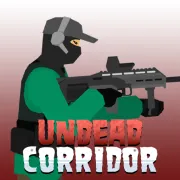



Undead Corridor
Play Undead Corridor online for free. You do not need to download an app. Keep the horde out of reach, reload before they bunch up, and spend your earnings on better weapons between runs.
Game info
| Item | Details |
|---|---|
| Genre | 2D zombie survival shooter |
| Platform | Browser; confirmed desktop keyboard and mouse controls |
| Play time | Short wave-based attempts |
| Price | Free |
| Controls | A/D, mouse, R, Q, and Space |
| Main goal | Survive zombie waves without losing all health |
| Similar to | Horror survival and wave shooter games |
What is Undead Corridor?
Undead Corridor is a quick 2D shooter with one basic rule: do not let the zombies reach you. The spaces are cramped, so every run is a balance between where you aim and where you can move next. Health does not refill during a run, and a rushed reload can cost you.
Shoot the closest threat, make room when the line closes in, then use the currency from a run to buy a better weapon for the next one. Later waves add faster zombies and enemies with more protection. Standing still and emptying a magazine into the crowd soon stops being enough.
Corridor, Hospital, Defense, Rooms, Street, and Training all use the same controls. What changes is the space you are fighting in and how quickly the zombies close the gap. Training is the place to try a weapon before taking it into a regular run.
How to play Undead Corridor
- Press Play and wait for the game frame to load.
- Choose a mode. Start with Training if you want to learn how the weapons feel.
- Use the mouse to aim at approaching zombies and fire before they reach close range.
- Move with A and D before the group pins you against one side of the area.
- Reload with R when you have space, and use Q to switch weapons when the situation calls for it.
- Press Space to kick a zombie back if a reload or missed shot leaves it too close.
- Spend the currency from the run on weapons, then try the mode again or move on to a harder one.
Do not wait for the magazine to run dry before thinking about a reload. If the crowd is already close, make space first. A fast reload will not save a run when a zombie is already in reach.
Controls
Desktop
- Move: A and D
- Aim and shoot: Move the mouse and use the left mouse button
- Reload: R
- Switch weapon: Q
- Kick nearby zombies: Spacebar
- Menus and restart: Use the visible buttons in the game frame
Mobile
The embedded build may offer touch controls, but this page only confirms the desktop keyboard and mouse controls. Mobile behavior can vary by device and browser.
Undead Corridor tips
Reload before you are trapped
An empty magazine is manageable when the nearest zombie is far away. It becomes a problem when the horde is already at your feet. Reload after you clear a small gap, before the next group fills it.
Keep one side open
Use A and D in short moves and leave yourself somewhere to go. Backing away early gives you time to aim. If you wait until the group is on top of you, there is rarely enough room for a clean reload.
Kick, then move
The kick buys a moment. Use Space when a zombie gets inside your firing distance, then step away before you start shooting again. It is an emergency tool, not a replacement for your weapon.
Take new weapons to Training first
Try a new weapon in Training before spending more currency on it. You will quickly see how it handles at different distances and how often it needs a reload. Then you can pick an upgrade because it fixes a problem, not because it happened to be available.
Aim around armor
Some zombies are faster or better protected than the basic walkers. If one keeps taking shots while the rest of the group advances, move away and aim for an exposed area. Do not let a tough target force you into a corner.
Game modes and elements
| Element | Role in game | Player tip |
|---|---|---|
| Corridor | A run through tight zombie-filled spaces | Keep a way back before you reload. |
| Hospital | An enclosed setting where zombie numbers rise | Use early quiet moments to see where the next rush can come from. |
| Defense | A mode where you hold your ground | Leave room to reload instead of firing until the line reaches you. |
| Rooms | A close-quarters clearing challenge | Check the whole room before backing into a corner. |
| Street | A more open survival setting | Keep moving so a large group cannot close from one side. |
| Training | A place to practice with weapons | Test a weapon here before buying it for another mode. |
| Weapons | Your main upgrades between attempts | Buy for the weakness you keep seeing in your runs. |
| Kick | A close-range pushback move | Use it to make room for movement or a reload. |
Why players like Undead Corridor
Each run starts with the same job: aim, move, and keep space between yourself and the next zombie. The controls are easy to learn, but a run can fall apart quickly when a reload comes too late or a retreat lane disappears.
Failed runs are easy to read. You can usually trace the loss to a late reload or a missed chance to move. That makes the next attempt feel worth taking instead of like the same run again.
More games like Undead Corridor
Escape From Spider trades the firing line for objectives and a pursuing threat.
Tung Sahur Horror is another survival escape game, with more stealth, routes, and puzzles than zombie shooting.
FAQ
Is Undead Corridor free to play online?
Yes. Undead Corridor runs directly in your browser, so there is no separate app to install.
What type of game is Undead Corridor?
Undead Corridor is a 2D zombie survival shooter. You shoot incoming zombies in cramped areas, watch your ammunition, and try to outlast tougher waves.
How do you control Undead Corridor?
On desktop, use A and D to move, the mouse to aim and fire, R to reload, Q to switch weapons, and Space to kick nearby zombies away.
What game modes are in Undead Corridor?
Undead Corridor includes Corridor, Hospital, Defense, Rooms, Street, and Training modes. Each mode uses the same controls but puts you in a different survival situation.
How do I last longer in Undead Corridor?
Leave yourself room to move with A and D, reload during a quiet gap, and kick when a zombie gets too close. Spend your earnings on weapons that solve the problem ending your runs.
Can I play Undead Corridor on mobile?
The embedded build may offer touch controls, but this page only confirms the desktop keyboard and mouse controls. Mobile behavior can vary by device and browser.
Why is Undead Corridor not loading?
Reload the page and wait for the game frame to finish starting. If it still does not load, check whether your browser allows embedded game content and try again in a current desktop browser.
Last updated
Last updated: August 6, 2026. Game availability, browser behavior, controls, and modes can change when the embedded build is updated.