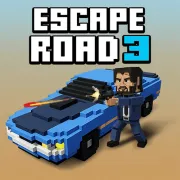




Escape Road 3
Play Escape Road 3 online for free. No download, no sign-up. Steer through an open world, stay ahead of the police, and change vehicles when the current ride can no longer carry the escape.
Game info
| Item | Details |
|---|---|
| Genre | Open-world driving, police chase, and action game |
| Platform | Browser; desktop keyboard controls confirmed |
| Play time | Repeatable survival runs with longer-term unlocks |
| Price | Free |
| Controls | A/D or Left/Right to steer, S or Down to brake, Space to enter or exit, F to use an item |
| Main goal | Keep moving, avoid capture, collect cash, and survive longer |
| Similar to | Open-world getaway games, arcade driving games, and survival chases |
What is Escape Road 3?
Escape Road 3 is an open-world getaway game where a police chase starts as soon as you move. Your vehicle accelerates on its own, leaving you to choose the route, control each turn, and decide when braking is safer than carrying speed into a blocked street.
You can leave a damaged or trapped vehicle, run on foot, and take another ride. The map reaches past the city into suburbs, desert roads, farmland, and water. Depending on where the chase takes you, you may end up controlling a boat, an aircraft, or something stranger than the car you started with.
Cash and unlocks carry progress from one attempt to the next. Achievements, support items, and side activities can pull you away from the safest route, so a run often changes direction halfway through. An empty street may fill with police vehicles and hazards a few seconds later.
How to play Escape Road 3
- Let the game load, then choose an available vehicle and any setup options shown in the garage.
- Press A, D, or an Arrow key to move. The pursuit begins immediately.
- Steer around traffic, buildings, broken bridges, water, and vehicles trying to cut you off.
- Brake with S or the Down Arrow before a dead end. Keep holding it when you need to reverse out.
- Press Space to leave a badly damaged vehicle or one that has been boxed in.
- Reach another usable vehicle and press Space to take control of it.
- Pick up cash and support items when you have room. Press F to use the item you are holding.
- Survive for as long as you can, or follow a side objective and carry its rewards into a later run.
A wide road gives you speed, but it also gives several pursuers room to surround you. A sharp turn can send them into traffic or scenery. Check what lies beyond the corner before you commit, especially when your vehicle is smoking or the road runs close to water.
Controls
Desktop
- Steer left: A or Left Arrow.
- Steer right: D or Right Arrow.
- Brake or reverse: S or Down Arrow.
- Enter or exit a vehicle: Space.
- Use the active support item: F.
- Aim after obtaining a usable weapon: right mouse button or G.
- Fire after obtaining a usable weapon: left mouse button.
- Switch garage tabs: Tab.
- Menus and other choices: follow the prompts shown inside the game.
Mobile
Some versions provide on-screen touch controls, but their layout and performance can vary by device and embedded build. This page confirms the desktop keyboard and mouse controls.
Escape Road 3 tips
Turn before the road closes
The car keeps building speed. If you wait until a wall or roadblock fills the screen, the turn will probably come too late. Look through the next intersection and start steering while the rear of the vehicle still has room to follow.
Brake for dead ends
Speed opens a gap until the street ends. Brake as soon as you spot a missing bridge, deep water, or a dead end, then reverse before the police pack into the same space. A short slowdown costs less than getting trapped at the edge of the map.
Leave a failing vehicle at the right time
Smoke tells you to look for the next ride. If the car still moves and a replacement is visible, use the remaining speed to reach it. Jumping out beside a stopped wreck leaves you on foot with the police already arriving.
Make the pursuers take the harder line
Police vehicles follow aggressively and often hit traffic, obstacles, or one another. Turn around a solid object with a clear exit on the other side. The tighter path forces the vehicles behind you to slow down or pile up.
Save support items for pressure
Watch the cooldown or remaining effect shown in the interface. A quiet stretch rarely needs help. Keep the item for a crowded chase, a narrow exit, or the few seconds when you are leaving one vehicle and trying to reach another.
Collect cash without surrendering the route
Collect cash that already sits near your route. Crossing a crowded street for one pickup can end the run, while staying alive gives you more chances to earn money farther down the road.
Lower graphics before blaming the controls
Busy chases can make the game work hard. If steering starts to feel delayed, lower the graphics setting and close other demanding browser tabs. Smoother movement makes corners and vehicle changes easier to judge.
Vehicles, items, and chase elements
| Element | Role in the game | Player tip |
|---|---|---|
| Auto-accelerating vehicles | Keep the chase moving without a throttle key | Concentrate on route choice, steering, and braking distance. |
| Police and military response | Increase the pressure as the escape continues | Turn around solid obstacles instead of racing every pursuer in a straight line. |
| Vehicle switching | Lets you abandon a damaged ride and continue in another | Leave while you still have enough space to reach the replacement. |
| Support items | Provide temporary offensive, defensive, or recovery effects | Hold an item until it solves a real problem in the chase. |
| Cash and spins | Support vehicle and character unlocks between attempts | Collect safely and let several steady runs build the total. |
| Achievements and side activities | Add goals beyond surviving the main pursuit | Choose one target instead of trying to complete everything in the same run. |
| Wider environments | Move the chase through city, land, water, and air routes | Change vehicles when the terrain makes the current one a poor fit. |
Why players like Escape Road 3
The chase starts with a few steering inputs and quickly becomes messy. One turn opens into a clear road; the next puts a broken bridge, traffic, and several police vehicles in the same place. Because the map is open, surviving depends on reading what is nearby instead of memorizing a course.
Vehicle switching gives a damaged run somewhere to go. You can leave a smoking car, scramble to another ride, and keep moving across a different part of the map. Even a short attempt can add cash or achievement progress, while longer runs uncover more vehicles, item drops, and side activities.
More games like Escape Road 3
Escape Road offers a more focused getaway built around steering and braking. Escape Road 2 adds vehicle switching while keeping the chase inside a busy city.
Dude Theft Auto also lets you explore a 3D city on foot and in vehicles, with loose physics that can change a simple route.
Traffic Rider focuses on clean overtakes and mission targets from a first-person motorcycle view. Smash Karts turns driving into an arena battle with weapon pickups, while Goat Rampage is a shorter chase through a breakable voxel city.
FAQ
Is Escape Road 3 free to play online?
Yes. You can play Escape Road 3 in your browser on this page without downloading a separate app.
What type of game is Escape Road 3?
Escape Road 3 is an open-world driving and police chase game. You steer through traffic and hazards, switch vehicles when needed, collect useful items, and try to keep the escape going.
How do you control Escape Road 3?
Use A and D or the Left and Right Arrow keys to steer. Use S or the Down Arrow to brake or reverse, Space to enter or exit a vehicle, and F to activate a held support item.
Can you leave your car in Escape Road 3?
Yes. Press Space to leave the current vehicle or enter another one. Getting out early can save a run when a damaged car is trapped or heading into a dead end.
What do support items do in Escape Road 3?
Support items give temporary help during a chase. Collect one, watch its status on the game interface, and press F when the police close in or you need cover for a vehicle change.
Can I play Escape Road 3 on mobile?
Some versions provide touch controls, but layout and performance can vary with the embedded build and device. This page confirms the desktop keyboard controls.
Why is Escape Road 3 not loading?
Give the game frame time to load, then refresh the page if it remains blank. Check that your browser allows embedded content, close demanding tabs, or lower the in-game graphics setting if performance is poor.
Last updated
Last updated: October 11, 2026. Game availability, controls, progression, and browser performance can change when the embedded build is updated.