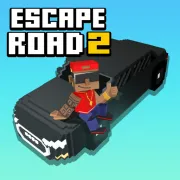





Escape Road 2
Play Escape Road 2 online for free. No download, no sign-up. Pick a street, shake the police, and get out before a damaged car takes the rest of your run with it.
Game info
| Item | Details |
|---|---|
| Genre | Open-city driving, police chase, and survival game |
| Platform | Browser; keyboard controls documented, touch layout may vary |
| Play time | Repeatable survival runs |
| Price | Free |
| Controls | A/D or Left/Right to steer, S or Down to brake, Space to enter or exit |
| Main goal | Avoid capture, collect cash, and survive for a higher score |
| Similar to | Arcade driving games, getaway games, and open-city chases |
What is Escape Road 2?
Escape Road 2 drops you into an open city with the police already closing in. The car handles the throttle once you start moving. You handle the route, the corners, and the moment when another crash would be one too many.
There is no fixed racing line to follow. You can cut across intersections, squeeze through a side street, or circle a building to split up the pursuit. Traffic and roadblocks make those choices messy. Some small objects give way when you hit them; buildings and water do not.
Getting boxed in does not always end the attempt. Press Space to leave the car, run to another usable vehicle, and carry on from there. The change is risky because the police and traffic can still hit you on foot, but it can rescue a run that would otherwise be over. Cash picked up along the way goes toward random vehicle unlocks in the garage.
How to play Escape Road 2
- Choose one of your available garage vehicles and start the chase.
- Tap A, D, or an Arrow key to move. The vehicle accelerates automatically from there.
- Read the next intersection early. Traffic, water, buildings, and police vehicles can take away an exit in seconds.
- Slow down with S or the Down Arrow before a tight turn. The same key lets you reverse when a route closes.
- Pick up cash when it is already near your line through the city.
- Watch the hood for smoke and start looking for another vehicle as the damage gets worse.
- Pull near a usable vehicle, press Space to get out, then press Space again after you reach the replacement.
- Stay on the move as the pursuit grows and see how long you can keep the run alive.
Long straights help you build a gap, though they also let several police vehicles line up behind you. Corners and narrow passages are useful when you can see a way out on the other side. Keep watching the road ahead. The nearest police car is rarely the only thing that can stop you.
Controls
Desktop
- Steer left: A or Left Arrow.
- Steer right: D or Right Arrow.
- Brake or reverse: S or Down Arrow.
- Enter or exit a vehicle: Space.
- Pause: Esc.
- Garage and menu choices: use the visible controls inside the game.
Mobile
Some browser builds use the left and right sides of the screen for steering. A two-finger press handles braking or reversing, and an on-screen button lets you enter or leave a vehicle. The exact layout and performance depend on the device and embedded build.
Escape Road 2 tips
Start each turn early
The car keeps rolling as you steer, and a late turn often sends the rear into a wall or roadblock. Start turning while the whole vehicle still has room to clear the corner. Watching the far side of the intersection makes that timing easier.
Keep the brake available
Do not save the brake for a crash. Ease off as soon as you spot water, a solid barrier, or a packed intersection ahead. If the street really is closed, reverse while there is still space behind you. Waiting a second longer can give the police enough time to seal the way out.
Use the city to break up the chase
Police vehicles tend to bunch together when the route gets tight. Lead them around a building or through a gap that suits your car, then leave from another side. The first pursuer may make the corner; the vehicles behind it often have much less room.
Change vehicles before the final hit
White smoke means the car has taken damage. Once that smoke darkens, start treating the vehicle as borrowed time. Find a replacement before you jump out and pull as close to it as the chase allows. A short run on foot is much safer than leaving the car and searching from the middle of the street.
Spend as little time on foot as possible
You are still vulnerable after leaving the car. Use the direction guide, head straight for a usable vehicle, and get back behind the wheel. If you have time to choose, take the reachable option instead of crossing a busy road for a vehicle that looks better.
Collect cash on a safe line
Take the cash that sits near a route you would use anyway. A pickup across several traffic lanes can cost the entire run, and money in a narrow dead end is usually bait for a pileup. Staying alive gives you more chances to collect cash than one desperate turn does.
Use ramps only with a landing plan
A transport truck can turn a roadblock into a jump, provided there is somewhere useful to land. Check the space beyond the ramp before committing because you cannot correct much in midair. If a damaged car is already airborne, jumping out can trigger the parachute and put you close enough to look for another ride.
Vehicles and chase elements
| Element | Role in the game | Player tip |
|---|---|---|
| Auto-accelerating vehicles | Keep the getaway moving while you handle steering and braking | Plan turns early and leave more stopping room than you think you need. |
| Police response | Adds cars, roadblocks, armored vehicles, and other threats as the run continues | Break line of travel with corners instead of racing every pursuer on a straight. |
| Vehicle switching | Lets you abandon a damaged or trapped ride | Change near a usable vehicle so you are not exposed on foot for long. |
| Vehicle damage | Builds through collisions and is shown by smoke | Start looking for a replacement before the smoke becomes severe. |
| Cash | Contributes to random garage vehicle unlocks | Collect it when it lies near a safe escape route. |
| Breakable scenery | Can open space without stopping the car like a solid building | Learn which small obstacles give way and avoid testing unknown objects during a crowded chase. |
| Hidden and special vehicles | Offer different handling, durability, or unusual effects | Follow a lead only when the route leaves room to escape afterward. |
Why players like Escape Road 2
The first chase teaches almost every button, yet knowing the controls does not make the city predictable. A clear street may end at water. A quiet corner can fill with police cars before you finish the turn. When the current ride starts smoking, the next few seconds become a search for a safe place to get out.
Changing vehicles keeps a bad situation playable. Sometimes you escape a pileup on foot and get another chance in the first car you can reach. Other runs end quickly, but the cash still moves you toward another random garage unlock for the next attempt.
More games like Escape Road 2
Escape Road keeps the getaway focused on steering, braking, and surviving in your current car. Escape Road 3 takes the chase into more environments and adds support items along with more ways to change vehicles.
Dude Theft Auto is a looser 3D city sandbox where you can travel on foot or by vehicle. For a more focused driving challenge, Traffic Rider is about clean high-speed overtakes. Goat Rampage keeps the city chase but adds plenty of breakable scenery.
FAQ
Is Escape Road 2 free to play online?
Yes. You can play Escape Road 2 in your browser on this page without downloading a separate app.
What type of game is Escape Road 2?
Escape Road 2 is an open-city driving and police chase game. You steer an auto-accelerating vehicle, avoid roadblocks and traffic, collect cash, and try to survive an escalating pursuit.
How do you control Escape Road 2?
Use A and D or the Left and Right Arrow keys to steer. Use S or the Down Arrow to brake or reverse, press Space to enter or exit a vehicle, and press Esc to pause.
Can you change vehicles in Escape Road 2?
Yes. Press Space to leave your current vehicle, move toward another usable vehicle, and press Space again to enter it. Change rides before a badly damaged car is destroyed.
How do you unlock more vehicles in Escape Road 2?
Collect cash during a chase and use the vehicle spin on the main menu when you have enough. Each spin awards a random garage vehicle.
Can I play Escape Road 2 on mobile?
The game supports touch controls in some browser builds, including screen-side steering and an on-screen vehicle button. The exact layout and performance can vary by device and embedded build.
Why is Escape Road 2 not loading?
Give the game frame time to load, then refresh the page if it remains blank. Check that your browser allows embedded content and close other demanding tabs if the game runs slowly.
Last updated
Last updated: October 11, 2026. Game availability, controls, and browser performance can change when the embedded build is updated.