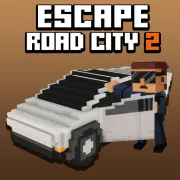





Escape Road City 2
Play Escape Road City 2 online for free. No download, no sign-up. Steer through a crowded city, leave a damaged car, cross the water, and find another way to stay ahead of the police.
Game info
| Item | Details |
|---|---|
| Genre | Open-city driving, police chase, and survival game |
| Platform | Browser; desktop keyboard controls confirmed |
| Play time | Repeatable survival runs with vehicle unlocks |
| Price | Free |
| Controls | A/D or Left/Right to steer, S or Down to brake, Space to enter or exit, F to use a power-up |
| Main goal | Keep moving, change vehicles, collect useful items, and avoid capture |
| Similar to | Open-world getaway games and arcade driving challenges |
What is Escape Road City 2?
Escape Road City 2 starts you in an auto-accelerating getaway car with the police already on your trail. You handle the steering and brakes. The hard part is spotting an open street before the car reaches the intersection.
A smoking car does not have to end the run. Press Space to get out, cross the street on foot, and take another vehicle. If you fall into the water, you can swim to shore or look for a boat. Jumps also open another option: press Space in the air to deploy a parachute and steer toward a safer landing.
Cash collected during a run goes toward garage unlocks. You may also find power-ups, which can help when the road gets crowded. The leaderboard records longer escapes, but most runs still come down to ordinary driving decisions. Turn early, leave yourself room to brake, and start looking for another vehicle before the current one stops.
How to play Escape Road City 2
- Wait for the 3D build to load, close the update notice if one appears, and start from the game menu.
- Press A, D, Left Arrow, or Right Arrow to steer. The vehicle moves forward on its own.
- Check the next intersection before turning. Traffic, walls, water, or a police car may block the street ahead.
- Slow down with S or the Down Arrow before a tight corner. The same control lets you reverse out of a blocked route.
- Watch for vehicle damage. If the car is failing, pull near another vehicle and press Space to get out.
- Reach the replacement and press Space again to enter it.
- After landing in water, swim toward shore or a boat.
- Pick up cash when it lies on a usable route. Press F when you want to activate a collected power-up.
- Press Space while airborne to open the parachute, then guide the character toward a road or another vehicle.
Try to know where you are going before you change vehicles or enter the water. Getting out beside a replacement keeps the walk short. The same applies to swimming: a nearby dock or boat gives you a clear way to continue.
Controls
Desktop
- Steer left: A or Left Arrow.
- Steer right: D or Right Arrow.
- Brake or reverse: S or Down Arrow.
- Enter or exit a vehicle: Space.
- Deploy the parachute while airborne: Space.
- Activate the current power-up: F.
- Garage, leaderboard, settings, and other menu choices: use the visible buttons inside the game.
Vehicles accelerate automatically, so there is no separate throttle key in the confirmed desktop setup.
Mobile
The embedded build may show on-screen controls on supported phones and tablets. Touch layout and performance can vary by device, so follow the prompts inside the game. Desktop keyboard input is the confirmed control method for this page.
Escape Road City 2 tips
Decide where you will leave before entering a street
A street can look open from the entrance and still end at a wall or the water. Check the far end before turning in. Side streets are safer when they lead to another intersection or leave enough room to reverse.
Change vehicles while the current one still moves
Start checking nearby traffic as soon as your car shows damage. If you spot a usable vehicle, pull alongside it while the current car still moves. Press Space, walk over, and get back on the road quickly.
Brake before the corner
The car keeps gaining ground as you approach a turn. Tap S or the Down Arrow before the corner, then steer while there is room for the back of the vehicle to clear the wall. If a street is closed, reverse as soon as you see it. Waiting gives the police time to fill the exit behind you.
Use the water as a route, not a panic button
You move more slowly in the water, so look for a landing point before leaving the road. A nearby shore, dock, or boat gives you somewhere to go. Open water with no visible exit can leave you swimming while the chase closes in from the bank.
Save Space for the right airborne moment
Space has a second job while you are airborne: it opens the parachute. Deploy it early enough to steer toward open ground. A road with nearby vehicles is usually a more useful landing spot than a rooftop or the middle of the water.
Activate power-ups when they solve a problem
You can carry a power-up through a quiet stretch. Use F when police vehicles start closing the road or when you need a few seconds to change rides. Saving it for a cramped crossing can also help when there is little room to correct a mistake.
Collect cash without abandoning the escape line
The safest cash sits on a road you already planned to use. A pile behind a sharp turn may send you into a wall or a group of police cars. You can build the garage balance over several runs, so there is little reason to risk a good escape for one awkward pickup.
Make the pursuit change direction
Several police cars can line up behind you on a long road. Turn around a building and some of them may overshoot, collide, or take the wider line. Check the exit first, since a tight corner is no help when the next street is blocked.
Vehicles, items, and chase elements
| Element | Role in the game | Player tip |
|---|---|---|
| Auto-accelerating vehicles | Keep the pursuit moving while you handle steering and braking | Start turns early and leave room for the rear of the vehicle to clear the corner. |
| Vehicle switching | Lets you abandon a damaged or trapped ride | Stop beside a replacement before getting out whenever the chase allows it. |
| On-foot movement | Connects one vehicle to another | Pick a destination first and avoid spending extra time in the street. |
| Water and swimming | Open a recovery route after leaving the road | Swim toward a visible exit or boat instead of crossing open water without a plan. |
| Boats | Continue the escape across water | Enter near open water and identify where you can return to land. |
| Parachute | Slows an airborne fall and gives you more control over the landing | Deploy with enough height to choose open ground near the next route. |
| Power-ups | Provide temporary help during the chase | Save the effect for a roadblock, vehicle change, or another high-pressure moment. |
| Cash and garage unlocks | Add longer-term vehicle progress between attempts | Collect along safe routes and learn each unlocked vehicle before taking tight streets at speed. |
Why players like Escape Road City 2
The controls are quick to learn, and a run can change direction without warning. One minute you are driving through city traffic. A damaged car may put you on foot, while a missed bridge can send you into the water looking for a boat. A high jump may end with a parachute landing several streets away.
Restarts are quick, and the cash from shorter attempts still helps with garage unlocks. Power-ups and leaderboard scores give you other things to chase, though a long run usually comes from reading the next street well and leaving yourself a way out.
More games like Escape Road City 2
Escape Road City stays in the car and puts more emphasis on tight streets, cash collection, and garage unlocks.
Escape Road 2 lets you abandon a damaged car and take another one during the chase. Escape Road 3 spreads the pursuit across more environments and includes support items. Traffic Rider drops the open police chase for motorcycle missions built around clean highway overtakes.
FAQ
Is Escape Road City 2 free to play online?
Yes. You can play Escape Road City 2 in your browser on this page without downloading a separate app.
What type of game is Escape Road City 2?
Escape Road City 2 is an open-city driving and police chase game. You steer through streets and waterways, change vehicles, collect cash and power-ups, and try to keep the escape going.
How do you control Escape Road City 2?
Use A and D or the Left and Right Arrow keys to steer. Use S or the Down Arrow to brake or reverse, press Space to enter or exit a vehicle or deploy a parachute in the air, and press F to activate a power-up.
Can you leave your car in Escape Road City 2?
Yes. Press Space to get out, move toward another usable vehicle, and press Space again to enter it. You can also continue on foot or swim after falling into water.
What happens if you fall into the water?
Your character can swim after falling into water. Head toward land or a usable boat, then continue the chase in another vehicle when possible.
Can I play Escape Road City 2 on mobile?
The embedded build may provide on-screen controls on supported devices, but the exact touch layout and performance can vary. Desktop keyboard controls are the confirmed option.
Why is Escape Road City 2 not loading?
Give the game frame time to download the 3D build, then refresh the page if it remains blank. Check that your browser allows embedded content and close other demanding tabs if performance is slow.
Last updated
Last updated: October 12, 2026. Game availability, controls, progression, and browser performance can change when the embedded build is updated.