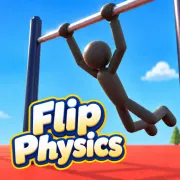


Flip Physics
Play Flip Physics online for free. No download, no sign-up. Build momentum on a horizontal bar, release into a ragdoll flip, adjust the gymnast’s body in the air, and try to catch the bar again.
Game info
| Item | Details |
|---|---|
| Genre | Ragdoll gymnastics, physics, and stunt game |
| Platform | Browser; desktop keyboard controls confirmed |
| Play time | Short attempts with quick resets and replay tools |
| Price | Free |
| Controls | Space, J/K/L/I, Arrow keys, Q/W, O/U/S, and R |
| Main goal | Build a swing, perform a controlled release, and regrab the bar |
| Practice tools | Seven opening lessons, replay, slow motion, gravity settings, and multiple spawn positions |
What is Flip Physics?
Flip Physics is a gymnastics simulator built around a ragdoll athlete and a horizontal bar. The gymnast does not follow a canned flip animation. The shape of the body, the direction of the swing, and the moment you release all change what happens next.
The opening lesson starts with the part every later move depends on: building a swing. Hold Arch while the gymnast moves backward, then release it on the forward swing. Repeating that rhythm makes the arc larger and creates more height and speed for the release.
Once you let go, body position becomes the main control. Tuck pulls the gymnast into a tighter shape, while Layout, Pike, Flash, and Squat give you other positions to test. Twist Left and Twist Right add another direction of rotation. A clean move still needs an exit plan, because the regrab only works when the gymnast returns to the bar with the right height and orientation.
The on-screen counter tracks successful regrabs. You can also reset an attempt, watch a replay, open the choreography view, change the spawn position, and experiment with slow motion, gravity, or twist speed. Those tools make the game useful as a practice space as well as a quick stunt challenge.
How to play Flip Physics
- Start with the opening lesson and wait for the gymnast to begin moving on the bar.
- Hold J or the Up Arrow while the gymnast swings backward.
- Release Arch during the forward swing, then repeat the rhythm to build a larger arc.
- Press Space when the forward swing gives you the height and direction you want.
- Use a body position such as Tuck, Layout, or Pike to control the rotation in the air.
- Slow the movement and line up the hands before the gymnast returns to the bar.
- Catch the bar to register a regrab and continue the sequence.
- Press R to reset when the release or return path cannot be recovered.
The seven-part lesson sequence is the best place to learn the order of these actions. Complete the swing rhythm first, then add release timing and body positions one at a time. Trying every stunt key during the first launch makes it difficult to tell which input changed the result.
Controls
Desktop
- Let go of the bar: Space.
- Arch: J or Up Arrow.
- Tuck: K or Down Arrow.
- Layout: L or Right Arrow.
- Pike: I or Left Arrow.
- Flash position: O.
- Squat position: U.
- Stick the landing: S.
- Twist left: Q.
- Twist right: W.
- Reset the attempt: R.
- Open the keyboard guide: M.
- Hide the control strip: H.
- Replay: P.
- Open choreography: B.
- Pause or resume: Esc.
Click inside the game frame before using the keyboard. If an Arrow key scrolls the page instead of changing the gymnast’s position, click the frame once and try again.
Mobile
This page confirms the browser build and its desktop keyboard controls. Touch controls and mobile performance have not been verified for the embedded version.
Flip Physics tips
Learn the backward and forward rhythm first
The first lesson gives a precise cue: apply Arch on the backward swing and release it during the forward swing. Keep that rhythm for several passes before letting go of the bar. A rushed release usually starts with too little height or an awkward direction.
Repeat one release point
Pick a visual point near the top of the forward arc and use it for several attempts. Releasing from roughly the same place gives you a stable reference. If the return path misses the bar, you can adjust the body position without also changing the launch.
Use Tuck for rotation, then open the body
A tight Tuck helps the gymnast rotate more quickly. Holding it for the whole flight can leave the body spinning past the bar. Move into Layout or another more open position before the return so you have time to read where the hands are going.
Watch the hands before the counter
The regrab counter matters only after the catch. Keep your attention on the gymnast’s hands and the bar as the flight comes back down. A simpler flip that returns in line is more useful than an extra rotation that carries the hands past the contact point.
Change one posture at a time
Arch, Tuck, Layout, Pike, Flash, Squat, and the two twist directions can produce many combinations. Test one change per attempt. If you alter the release, tuck duration, and twist together, a replay will not tell you which adjustment helped.
Use replay and slow motion to diagnose a miss
Replay shows the attempt again while the timing is still fresh. Slow motion is useful when the mistake happens near the bar and is hard to see at normal speed. Check whether the launch was too low, the rotation continued too long, or the hands returned on the wrong side.
Treat gravity settings as separate practice
The settings include several gravity choices. Learn the normal swing before changing them, because a different gravity level changes the size and timing of the whole arc. When you switch, rebuild the release timing instead of expecting the previous rhythm to work.
Lessons, moves, and practice tools
| Element | Role in the game | Player tip |
|---|---|---|
| Seven lessons | Introduce the swing and later parts of the stunt sequence | Follow them in order so each new input has a clear purpose. |
| Arch and Tuck | Build the swing and change the gymnast’s rotating shape | Use Arch with the swing rhythm, then test short Tuck inputs after release. |
| Layout and Pike | Give you alternative body positions in the air | Open the body before the regrab when a long Tuck causes over-rotation. |
| Flash, Squat, and Stick | Add more stunt and landing positions | Learn the basic release and regrab before combining these moves. |
| Twist controls | Rotate the gymnast left or right | Add a brief twist only after the return path is already predictable. |
| Regrab counter | Records successful catches after a release | Favor a controlled return over one more rotation. |
| Replay and choreography | Let you review an attempt from different views | Use them to isolate one missed timing cue. |
| Slow motion and gravity | Change how quickly a practice attempt unfolds | Keep one setting fixed while comparing repeated attempts. |
| Spawn selector | Offers multiple starting setups | Relearn the swing and release point after moving to a new spawn. |
Why players like Flip Physics
Flip Physics gives you more control than a one-button flip game. The same bar can produce a short release, a fast rotation, a twist, or a longer sequence, depending on the swing and the body positions you choose.
Failed attempts are readable. A low launch points back to the swing. Too much rotation suggests an earlier move into Layout. Hands passing beside the bar usually means the release point or return posture needs a small change. Reset and replay tools make it easy to test that correction immediately.
The game also leaves room for experimentation after the tutorial. Different spawn positions and physics settings can turn a familiar release into a new timing problem, while the regrab counter gives every clean catch a clear result.
More games like Flip Physics
Ragdoll Flip trades the horizontal bar for a trampoline while keeping the focus on ragdoll rotation, release timing, and controlled landings.
Flip or Fail uses a ragdoll gymnast and precise release timing, but each stunt begins from a platform and ends inside a target zone.
Flip Spot focuses on aerial rotation and upright landings from raised platforms. Mr Flip adds backflip challenges, target zones, and unlockable moves.
Airborne BMX also asks you to build momentum, fit a trick into the available airtime, and prepare the body or bike for a controlled landing.
FAQ
Is Flip Physics free to play online?
Yes. You can play Flip Physics for free in your browser on this page without downloading a separate app or signing up.
What type of game is Flip Physics?
Flip Physics is a ragdoll gymnastics game about building a swing, releasing from a horizontal bar, shaping the body during a flip, and catching the bar again.
How do you control Flip Physics?
Press Space to let go. Use J or Up Arrow for Arch, K or Down Arrow for Tuck, L or Right Arrow for Layout, and I or Left Arrow for Pike. Q and W twist left and right.
How do you build a bigger swing in Flip Physics?
Follow the opening lesson: hold J or Up Arrow while the gymnast swings backward, then release it during the forward swing. Repeat that rhythm to gain height.
What is a regrab in Flip Physics?
A regrab is a successful catch after releasing from the bar. It keeps the sequence alive and gives you another swing from which to attempt a new move.
Can I play Flip Physics on mobile?
This page confirms the browser build and its desktop keyboard controls. Touch controls and mobile performance have not been verified for the embedded version.
Why is Flip Physics not loading?
Reload the page and give the 3D game time to download. If it remains blank, check that your browser allows embedded content and close other memory-heavy tabs before trying again.
Last updated
Last updated: October 28, 2026. Game availability, browser behavior, controls, and practice settings can change when the embedded build is updated.