

Ragdoll Hit Stickman
Play Ragdoll Hit Stickman online for free. No download, no sign-up. The directional keys move the whole ragdoll, so walking, recovering, and swinging a weapon all come from the same four controls. Fight the AI or share the keyboard with a friend.
Game info
| Item | Details |
|---|---|
| Genre | 2D physics fighting and ragdoll action game |
| Platform | Browser; desktop keyboard controls confirmed |
| Play time | Short duels and open-ended Survival runs |
| Price | Free |
| Controls | WASD for Player 1; Arrow keys for Player 2 |
| Modes | 1 Player, 2 Player, and Survival |
| Main goal | Use movement and weapon momentum to reduce the opponent’s health |
| Content note | Includes stylized stickman combat and weapons |
What is Ragdoll Hit Stickman?
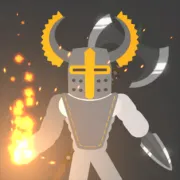
Ragdoll Hit Stickman is a side-view fight between two loose-limbed stick figures. There is no attack button. Pressing a direction shifts the fighter’s weight and sends the equipped weapon through an arc. A quick tap may flick the weapon into the opponent; hold too long and the fighter can lurch past the target or fold onto the floor.
Both fighters have a health bar, and every hit depends on actual contact. A long weapon helps only when it travels through the opponent. Because the body and weapon wobble together, a small correction is usually safer than holding a key and hoping the next swing lands.
The match setup lets you choose weapons, appearances, an arena, and an AI level. You can also leave either fighter on Random and start quickly. Check the arena preview before pressing Go: a narrow floor gives you less room to recover than an open one.
Solo mode pairs you with an AI opponent. Local two-player mode gives each fighter a different set of keys on the same keyboard. Survival keeps one health bar in play and records both the current score and your best score.
How to play Ragdoll Hit Stickman
- Choose 1 Player, 2 Player, or Survival from the main menu.
- Pick a weapon and appearance, or leave the selection on Random.
- In a regular duel, use the arena selector and choose the AI level when playing alone.
- Start the match and watch the countdown before pressing a movement key.
- Use short directional inputs to move the fighter and swing the equipped weapon.
- Make contact while keeping your own fighter away from the opponent’s weapon.
- Watch both health bars and stop chasing when your ragdoll loses its balance.
- In Survival, protect the same health bar while trying to improve the score shown above the arena.
Use the countdown and the first quiet moment to test the weapon. Tap once and notice which way it swings. That quick check tells you where to stand when you move in for a hit.
Controls
One player and Survival
- Move and swing the fighter: W, A, S, and D.
- Return to the setup screen: use the visible back button.
- Toggle sound: use the visible speaker button.
Attacks come from movement itself. Each directional key shifts or rotates the ragdoll, carrying the body and weapon into anything in their path.
Local two player
- Player 1: W, A, S, and D.
- Player 2: Up, Left, Down, and Right Arrow keys.
Both players share the same keyboard, so leave room for two sets of hands. If a key scrolls the page instead of moving a fighter, click the game frame once and try again.
Mobile
Only the keyboard controls have been verified for this embedded build. A desktop or laptop is the safer choice until the touch controls are confirmed.
Ragdoll Hit Stickman tips
Start with taps, not long holds
Holding a key can throw the fighter past the opponent or trap the weapon behind the body. Start with one tap. Add the next input after the feet or torso begin to settle.
Put the weapon between the two fighters
Before moving in, check which side holds the weapon. You want that side to reach the opponent first. If your head or torso is leading, make a little space and turn the ragdoll with a short input.
Learn the swing before closing the gap
Give every new weapon one practice motion. A long blade needs room to rotate; a compact weapon works closer to the body. Once you have seen the arc, you will know whether to fight up close or leave a gap.
Recover after a clean hit
After a clean hit, watch your own fighter for a moment. The swing may have twisted the body into a bad angle. Let it settle, then move again while the opponent is still getting up.
Watch health before chasing
Glance at the green bars before chasing another hit. If yours is lower, back away and fix the weapon angle. Make the opponent cross the open space instead of trading at the center.
Use the AI level as practice
Use the first AI level while learning a weapon or arena. Raise it after you can land a hit and recover without holding one direction through the whole exchange.
Keep local matches readable
If both players hold several directions at once, the fight quickly becomes a knot of limbs. Pause after a knockdown and reset your hands. Short inputs make it much easier to tell which movement landed the hit.
Protect the health bar in Survival
The score can tempt you into chasing every opponent, but one bad exchange may end the run. Fight from a stable position and keep the weapon ahead of the body, especially when the health bar is low.
Modes and match elements
| Element | Role in the game | Player tip |
|---|---|---|
| 1 Player | Pits Player 1 against an AI-controlled fighter | Use the AI level selector to learn before raising the pressure. |
| 2 Player | Lets two people fight locally on one keyboard | Give each player clear access to a separate key cluster. |
| Survival | Tracks a current score and best score around one health bar | Protect balance and health instead of forcing every swing. |
| Weapon selection | Changes the object carried by each fighter | Test the weapon’s arc before moving into close range. |
| Appearance selection | Changes how each stickman looks | Pick contrasting looks so both fighters stay easy to follow. |
| Arena selection | Changes the floor, walls, and available fighting space | Check the preview and note where movement will be restricted. |
| AI level | Adjusts the solo opponent before a duel | Learn the current weapon on the first level, then move up. |
| Health bars | Show which fighter is closer to losing the exchange | Back off when your bar cannot afford another trade. |
Why players like Ragdoll Hit Stickman
Four movement keys are enough to start, yet rounds rarely play out the same way. A single press changes the fighter’s position and the weapon angle at once. Sometimes it lands cleanly; sometimes your own ragdoll ends up in a heap.
Rematches are easy to change from the setup screen. Keep the arena and swap weapons, raise the AI level, or give the second key cluster to a friend. Survival is there when you want a score to chase instead of another single duel.
You can usually see why a hit failed. The weapon began on the wrong side, the fighter leaned too far, or the key stayed down for too long. Fix that one mistake on the next attempt and the same matchup can feel completely different.
More games like Ragdoll Hit Stickman
Ragdoll Arena expands the ragdoll combat into enemy waves, arena hazards, upgrades, and boss fights.
City Brawl uses more conventional beat em up controls, with punches, kicks, grabs, blocks, dropped weapons, and fighter upgrades.
Ragdoll Playground uses the same loose physics in an open 2D sandbox filled with ragdolls, tools, vehicles, weapons, and explosives.
Ragdoll Sandbox takes those experiments into a 3D Build Mode with cars, obstacles, lasers, and explosives.
FAQ
Is Ragdoll Hit Stickman free to play online?
Yes. You can play Ragdoll Hit Stickman for free in your browser on this page without downloading a separate app or signing up.
What type of game is Ragdoll Hit Stickman?
Ragdoll Hit Stickman is a 2D physics fighting game. Directional movement swings the fighter and weapon, so balance, momentum, and contact decide each exchange.
How do you control Ragdoll Hit Stickman?
Player 1 uses W, A, S, and D. In local two-player mode, Player 2 uses the Arrow keys. There is no separate attack button; moving the ragdoll makes its body and equipped weapon swing.
What modes are in Ragdoll Hit Stickman?
The main menu offers a solo fight against an AI opponent, a local two-player duel on one keyboard, and a Survival mode with a current score and best score.
How do you land better hits in Ragdoll Hit Stickman?
Use short directional taps to stay upright, keep the weapon between your fighter and the opponent, and move into range only when the weapon is swinging toward the target.
Can I play Ragdoll Hit Stickman on mobile?
This page confirms keyboard controls for the embedded build. Touch controls have not been verified here, so a desktop or laptop keyboard is the recommended setup.
Why is Ragdoll Hit Stickman not loading?
Give the game frame time to download its files, then refresh the page if it stays blank. Also check that your browser allows embedded game content and close other demanding tabs before trying again.
Last updated
Last updated: October 28, 2026. Game availability, controls, modes, and iframe behavior can change when the embedded build is updated.