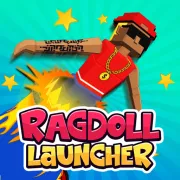


Ragdoll Launcher
Play Ragdoll Launcher online for free. No download, no sign-up. Fire a ragdoll from a cannon, nudge its path in the air, and try to keep the run going by landing on bounce pads.
Game info
| Item | Details |
|---|---|
| Genre | 3D physics arcade and distance game |
| Platform | Browser; desktop steering and touch launch confirmed |
| Play time | Short launches with ongoing upgrades |
| Price | Free |
| Controls | Click or tap to launch; A/D or Left/Right Arrow keys to steer on desktop |
| Main goal | Travel farther and improve your best distance |
| Progression | Power and Offline Earnings upgrades |
| Similar to | Physics launch games and upgrade-based distance challenges |
What is Ragdoll Launcher?
Ragdoll Launcher is a 3D distance game set on a long city course. Each attempt begins with a moving power meter. Click at the right moment and the cannon sends the ragdoll tumbling down the track.
The first landing is often only the beginning. Trampolines and bounce pads can throw the character back into the air, sometimes more than once. Desktop controls let you shift left or right during the flight, so you can line up the next bounce instead of watching the ragdoll miss by a few feet.
The final distance determines how many coins you receive. Spend them on Power for a stronger launch, or put them into Offline Earnings to build passive income. Reaching distance milestones also levels up the cannon and increases its strength.
There is no finish line. You are trying to beat your best distance and reach the next milestone. A mistimed shot may stop near the cannon; a good one can catch several pads before the ragdoll finally loses momentum.
How to play Ragdoll Launcher
- Press Play and give the 3D game time to load.
- Watch the power indicator travel across the meter.
- Click or tap at a strong point to fire the cannon.
- On desktop, use A/D or the Left/Right Arrow keys to adjust the ragdoll’s path in the air.
- Try to land on trampolines or bounce pads for another burst of distance.
- Wait for the ragdoll to stop so the game can record the full run and award your coins.
- Buy Power or Offline Earnings, then take another shot at the next milestone.
For the first attempt, let the indicator make one complete pass. You will see how quickly it moves and where it turns, which makes the next release easier to time.
Controls
Desktop
- Left Click fires the cannon.
- Hold A or the Left Arrow key to move left in the air.
- Hold D or the Right Arrow key to move right in the air.
- Click the buttons in the game frame to buy upgrades and use the menus.
Click inside the game frame before using the keyboard. If an Arrow key scrolls the page instead of moving the ragdoll, click the frame once and try again.
Mobile
- Tap the screen to fire the cannon.
- Tap the buttons in the game frame to buy upgrades and use the menus.
Touch launch is confirmed. Airborne steering is confirmed with desktop keys, but touch steering has not been verified for this embedded build.
Ragdoll Launcher tips
Get the launch right first
Air control cannot rescue every weak shot. Learn the meter’s pace, choose a strong release point, and try to hit the same area again. A clean launch gives you enough speed to reach the first useful pad.
Tap a direction instead of holding it
Long steering inputs can carry the ragdoll past a target. Press left or right briefly, check the new path, then correct again if needed. Once the landing looks lined up, release the key and let the arc play out.
Choose a bounce by what comes after it
The nearest edge of a trampoline is not always the best target. Look farther down the course before steering. A landing near the middle is easier to read, and the next pad matters more than squeezing a little extra distance out of the current jump.
Keep moving down the course
Chasing a pad far to the side can cost more distance than the bounce returns. Favor targets that keep the ragdoll moving forward. Height helps when the next landing still carries you along the track.
Watch where the run loses speed
If clean launches keep falling short of the first good pad, buy Power. Test the new level before spending again; one upgrade may be enough to open a longer route. A strong opening means the landing needs your attention next.
Buy Offline Earnings when you plan to leave
Offline Earnings builds coins between sessions. It suits a player who expects to close the game and return later. Power is the useful purchase when you want the very next launch to travel farther.
Compare similar launches
An early or late release can hide the effect of an upgrade. Fire several shots from roughly the same part of the meter before judging a new Power level. The distance will still vary with the bounces, but the opening should be easier to compare.
Upgrades and game elements
| Element | Role in game | Player tip |
|---|---|---|
| Power meter | Sets the strength of the shot | Learn its pace before choosing a release point. |
| Cannon | Starts each attempt | Check the first landing before making a large correction. |
| Ragdoll | Tumbles and reacts to every impact | Keep it moving forward when choosing between pads. |
| Trampolines and bounce pads | Throw the ragdoll back into the air | Aim near the middle when you have time to adjust. |
| Coins | Pay for upgrades | Wait for the distance to finish counting before spending them. |
| Power | Strengthens later launches | Buy it when good releases still fall short. |
| Offline Earnings | Adds passive coin income | Pick it when you expect to return after a break. |
| Distance milestones | Level up the cannon as you progress | Check the next target before deciding whether to spend or save. |
Why players like Ragdoll Launcher
The cannon takes one click to fire, but two shots from almost the same point can end very differently. A flat landing may kill the run. Catch a trampoline at the right angle and the same launch can travel much farther.
Desktop steering helps you chase those better landings, though every impact changes the ragdoll’s position and the shape of the next jump. You can plan a route through the visible pads, then watch one awkward bounce send it somewhere else.
Most attempts are short, and even a poor one adds a few coins toward the next upgrade. That makes a quick retry easy to justify when a new Power level or distance milestone is close.
More games like Ragdoll Launcher
Ragdoll Arena turns loose-body physics into an action challenge, with enemy waves, two-weapon loadouts, arena hazards, and boss fights.
Kickback Dash also turns distance into coins, with recoil sending a tumbling weapon over rolling hills.
Orbit Kick begins each attempt with a timed kick and has its own Power and Offline Earnings upgrades. Bat Smash 2 uses a cricket swing, then separates its upgrades for flight and ground bounces.
FAQ
Is Ragdoll Launcher free to play online?
Yes. You can play Ragdoll Launcher for free in your browser on this page without downloading a separate app or signing up.
What type of game is Ragdoll Launcher?
Ragdoll Launcher is a 3D physics distance game. Fire a ragdoll from a cannon, steer during the flight, use bounce pads to keep moving, and earn coins for upgrades.
How do you control Ragdoll Launcher?
Click or tap to fire the cannon. On desktop, hold A or D, or the Left and Right Arrow keys, to steer the ragdoll while it is in the air.
What upgrades are in Ragdoll Launcher?
The game has Power and Offline Earnings upgrades. Power strengthens future launches, while Offline Earnings adds passive coin income.
How do you travel farther in Ragdoll Launcher?
Launch when the power meter is strong, make small steering corrections, and line up the ragdoll with trampolines or bounce pads that can extend the flight.
Can I play Ragdoll Launcher on mobile?
The game supports tapping to launch on touch devices. Airborne steering is confirmed with desktop keys, but touch steering has not been verified for this embedded build.
Why is Ragdoll Launcher not loading?
Reload the page and give the 3D game time to start. If it still does not load, check that your browser allows embedded content and close other memory-heavy tabs before trying again.
Last updated
Last updated: October 28, 2026. Game availability, browser behavior, and controls can change when the embedded build is updated.