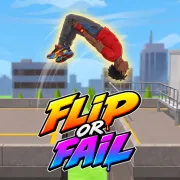



Flip or Fail
Play Flip or Fail online for free in your browser, with no download or sign-up required. Charge the jump, send a ragdoll gymnast across the gap, then stop the flip in time to land on both feet inside the target zone.
Game info
| Item | Details |
|---|---|
| Genre | Physics stunt and ragdoll skill game |
| Platform | Browser, desktop, and mobile |
| Play time | Short stages with quick retries |
| Price | Free |
| Controls | Hold and release the mouse button or touch screen |
| Main goal | Cross each gap and land upright in the marked zone |
| Modes | Classic, Arcade, and Challenge |
What is Flip or Fail?
Flip or Fail turns every stage into a short stunt. The gymnast waits on a ramp or platform, with a marked landing area across the gap. You set the takeoff, control the flip in the air, and try to get both feet underneath the character before they touch down.
One input handles both parts of the jump. Hold on the ground to charge the takeoff and release to launch. While the gymnast is airborne, hold again to keep rotating. Let go before the landing so the body has time to straighten.
The distance, height, and angle change from stage to stage. Timing that produces a tidy landing on one gap may send the gymnast headfirst into the next platform. You have to read the new setup and adjust the two holds instead of repeating a fixed trick.
Classic mode contains 12 level groups with 10 stages in each. Progress there opens more layouts in Arcade and Challenge, while the stars you earn also unlock later challenges.
How to play Flip or Fail
- Press Play and choose an available stage.
- Hold the left mouse button or press and hold the screen to crouch and charge the jump.
- Release the input to launch from the ramp.
- Hold again while airborne to rotate through a flip.
- Watch the gymnast’s feet and the target zone as the landing gets closer.
- Release before contact so the rotation stops with enough time to line up the body.
- Land upright inside the marked area to clear the stage.
Work on the takeoff first. If the gymnast reaches the platform, leave that timing alone and adjust the airborne hold. Changing both holds after every crash makes it difficult to see which part went wrong.
Controls
Desktop
- Charge the jump: hold the left mouse button while the gymnast is on the ground.
- Launch: release the mouse button.
- Flip in the air: hold the left mouse button again after takeoff.
- Stop rotating: release before the gymnast reaches the landing.
- Menus and stage selection: use the visible buttons in the game frame.
Mobile
- Charge and launch: press and hold the screen, then lift your finger.
- Flip and prepare to land: hold again while airborne, then release before contact.
Flip or Fail tips
Learn the gap before chasing extra flips
Use the first attempt on a new stage to learn how far the jump travels and how much time you have in the air. Start with one controlled rotation. A long spin that misses the platform tells you very little. Once the basic arc reaches the target, you can see whether another flip will fit.
Release while the feet still have room to return
Release before the gymnast is directly above the target. The body needs a moment to stop rotating and settle. Watch the feet because they give you the clearest cue before landing. If the head or shoulders keep arriving first, shorten the airborne hold a little on the next attempt.
Fix takeoff power before rotation timing
Adjust the initial charge when the gymnast falls short or sails past the platform. If the distance looks right and the landing angle does not, keep the takeoff timing and change the second hold. Each retry will then answer one clear question.
Aim for the middle of the target
The marked area gives you room to work, though its edges are unforgiving when the ragdoll starts to fold. Aim near the middle so the feet can touch down before the rest of the body drops outside the safe area.
Count a safe landing as progress
Extra rotations make a stunt look better, but an upright landing is what clears the stage. Find the smallest reliable flip first. When you can repeat it, test whether the same arc leaves enough room for another rotation.
Make small timing changes
After a miss, move one release point slightly earlier or later. Replacing the whole attempt hides what you learned from the crash. A small timing change makes it easier to see whether the next landing is closer to upright.
Modes, stages, and unlocks
| Element | Role in the game | Player tip |
|---|---|---|
| Classic mode | Main stage progression across 12 level groups | Start here to learn how different gaps change the timing. |
| Arcade mode | Extra stages opened through Classic progress | Return after the basic hold-and-release rhythm feels consistent. |
| Challenge mode | Harder stages tied to star progress | Build stars on familiar Classic stages before forcing difficult tricks. |
| Target zones | Mark the area where the gymnast must finish upright | Aim toward the center instead of accepting a risky edge landing. |
| Stars | Record stage performance and help open later content | Secure the landing first, then improve the stunt. |
| Characters | Give you visual unlocks as you progress | Treat them as goals without changing your core timing method. |
| Locations | Park, Harbor, School, Rooftop, and Site change the setting and layouts | Read each new platform before reusing the previous stage’s timing. |
Why players like Flip or Fail
Flip or Fail explains its controls quickly, then keeps testing your timing. Hold for a fraction too long and a good jump ends in a ragdoll crash. The impact usually shows exactly what happened: too much spin, a weak takeoff, or a release that came too late.
Retries are immediate, so a crash rarely wastes much time. You can go straight back to the same gap and change the part that failed. The loose ragdoll falls keep those misses funny, while stars, new modes, locations, and character unlocks give you reasons to keep landing the next jump.
More games like Flip or Fail
Airborne BMX also gives you limited airtime for a stunt, with the landing deciding whether the attempt counts.
Curve Rush is another one-input physics game about launch speed and landing angle. In Wacky Steps, awkward movement makes every simple step a timing problem.
FAQ
Is Flip or Fail free to play online?
Yes. You can play Flip or Fail in your browser on this page without downloading a separate app.
What type of game is Flip or Fail?
Flip or Fail is a physics stunt game where you charge a jump, rotate a ragdoll gymnast in the air, and try to land upright inside the marked target zone.
How do you control Flip or Fail?
Hold the left mouse button to charge, release to launch, hold again in the air to flip, and release before landing to stop the rotation. Touch uses the same hold-and-release rhythm.
What counts as a successful landing in Flip or Fail?
The gymnast needs to reach the marked target zone and land upright. Reaching the platform with a bad body angle can still fail the attempt.
What modes are in Flip or Fail?
The game includes Classic, Arcade, and Challenge modes. Classic teaches the main progression, while stars and completed levels open more stages in the other modes.
Can I play Flip or Fail on mobile?
Yes. The browser build includes touch input, using the same press, hold, and release timing as the mouse controls.
Why is Flip or Fail not loading?
Reload the page and give the Unity game frame time to download. If it still does not load, check that your browser allows embedded game content and try a current browser.
Last updated
Last updated: September 19, 2026. Game availability, controls, and progression can change when the embedded build is updated.