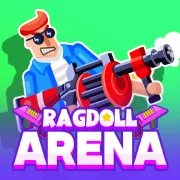
Ragdoll Arena
Play Ragdoll Arena online for free. No download, no sign-up. Fight through waves of loose-limbed enemies with ranged and close-up weapons, then take on the boss at the end of each arena.
Game info
| Item | Details |
|---|---|
| Genre | 2D physics brawler and action shooter |
| Platform | Browser; desktop and mobile controls available |
| Play time | Stage-based arena fights |
| Price | Free |
| Controls | Mouse, keyboard, or touch controls |
| Main goal | Clear enemy waves and defeat each arena boss |
| Progression | Hero upgrades, weapons, modes, challenges, and unlockable skins |
What is Ragdoll Arena?
Ragdoll Arena is a side-view physics brawler where an attack can move an enemy as well as hurt it. A hit may send one ragdoll into the next or push the target toward a wall or hazard. Choosing the right angle often matters as much as dealing more damage.
The campaign has 10 arenas, each with a different boss. Saw blades and lava punish a bad landing, while ice and low gravity change how everyone moves. Other stages add sandstorms, cannons, or jelly pads. These hazards can hurt your hero, but a well-placed attack can send an enemy into them first.
Your loadout holds two of the game’s 12 weapons. The set includes a bow, sword, bombs, boomerang, hammer, lightning staff, rocket launcher, and black hole. Carry one weapon for dependable hits and another for the situations it cannot handle, then switch between them during the fight.
Rewards pay for damage, health, speed, critical hit, and knockback upgrades. Precision, Gold Rush, Boss Rush, and Daily Challenges offer different rules outside the main campaign. Finishing the campaign unlocks Ascension, a harder run with larger rewards and exclusive skins. Daily rewards, quests, and chests support a collection of more than 30 skins.
How to play Ragdoll Arena
- Follow the first arena’s prompts for movement, jumping, and attacks.
- Click an enemy to fire at it. Hold the mouse button to keep attacking the same target.
- Move across the platforms to avoid danger and find a better firing angle.
- Use knockback to push enemies into walls, other ragdolls, or an arena hazard.
- Switch weapons when the second one fits the current enemy or group better.
- Charge the SUPER attack during the fight and save it for a boss or a dangerous group.
- Clear every wave, defeat the arena boss, and spend your rewards before the next stage.
Use the marked enemy in the opening arena to judge the knockback. Fire once and watch where the target lands. Try a jump as well, paying attention to your own landing spot. Those two distances will help when later arenas place several enemies and hazards on the same screen.
Controls
Desktop
- Shoot with automatic aim: Left Click an enemy. Hold to keep firing.
- Move: A/D, Q/D, or the Left/Right Arrow keys.
- Jump: W, Z, Space, or the Up Arrow key.
- Drop through a platform: S or the Down Arrow key.
- Switch weapon: E, Tab, Shift, 1, or 2.
- Use the SUPER attack: R or F.
- Pause: Esc or P.
Click inside the game frame before using the keyboard. If an Arrow key scrolls the page, click the frame once and try the control again.
Mobile
- Drag on the left side to move. Push upward to jump or downward to drop through a platform.
- Tap the red attack stick to fire with automatic aim.
- Drag the attack stick to choose an aim direction, then release to fire.
- Hold the attack control to keep firing.
- Use the on-screen weapon button to switch weapons.
- Press the SUPER button after the attack has charged.
Ragdoll Arena tips
Pick the target that changes the whole crowd
Auto-aim makes it tempting to hold fire on the nearest enemy. Check what is behind the target first. A ragdoll beside a wall or another opponent can cause an extra collision, while one near a hazard may only need a well-placed hit.
Leave yourself a landing spot
Check the landing area before jumping. Escaping one attack does little good if the hero comes down beside a hazard or an enemy. When the current platform still has room, a short step may be safer than crossing the arena in one jump.
Use the drop control to break pressure
Drop through the platform when an enemy crowds your position and the level below is clear. Move as soon as you land so the opponent cannot follow directly onto the same spot.
Carry weapons that solve different problems
Give the two weapon slots different jobs. Keep one dependable attack for ordinary enemies and use the other slot for stronger knockback, groups, or awkward firing angles. Switch while there is still space between you and the target.
Save the SUPER attack for a clear result
Keep a charged SUPER attack when the current wave is almost over. It is more useful on a crowded platform or during a boss opening where the whole attack can connect.
Let arena hazards work for you
Keep a hazard on the far side of the enemy, then use knockback to push the fight toward it. Saw blades, lava, cannons, and other stage features can finish the target for you. Make sure your hero is not standing in the same path.
Upgrade the problem that ends the run
Spend upgrades according to the last loss. Add health if one mistake removes too much of the bar, or speed if the hero cannot reposition in time. Damage and critical hits shorten fights, while knockback gives you more control over where enemies land.
Read a boss before chasing damage
Each boss has its own attacks, so watch the first sequence before committing to a long attack. Note where the boss can reach and how long it takes to recover. Use that opening again instead of trading health for a hurried shot.
Weapons, hazards, and progression
| Element | Role in the game | Player tip |
|---|---|---|
| Bow and other direct weapons | Lock onto a chosen enemy and deal steady damage | Change targets when another enemy has a better angle. |
| Sword, hammer, and knockback tools | Work at closer range and can move enemies sharply | Leave enough room to recover after the hit. |
| Bombs, rockets, and black hole | Affect an area or help start a chain reaction | Wait until several targets share the same space. |
| Weapon slots | Let the hero carry two weapons and switch during combat | Give each slot a different job. |
| Arena hazards | Saw blades, lava, ice, low gravity, sandstorms, cannons, and jelly pads change each fight | Learn how the current hazard moves before fighting beside it. |
| Hero upgrades | Improve damage, health, speed, critical hits, or knockback | Spend on the weakness that caused the last defeat. |
| Extra modes | Precision, Gold Rush, Boss Rush, Daily Challenges, and Ascension change the usual campaign rules | Check the mode’s objective before choosing upgrades. |
| Skins and rewards | Chests, quests, daily rewards, and challenges unlock longer-term collection goals | Complete quests or open chests when you want more skins. |
Why players like Ragdoll Arena
Hits rarely stop at the first target. An enemy can tumble across a platform, collide with another ragdoll, or land in a stage hazard. Auto-aim handles the shot, but choosing the right enemy still matters.
Two weapon slots are enough to change the pace without turning the controls into a long command list. You can keep a dependable weapon ready, switch when enemies gather, and save the SUPER attack for the boss. Upgrades gradually change how much damage you can take and how far each hit throws an enemy.
The arenas also change how you move. Lava makes a landing dangerous, low gravity changes the timing of a jump, and cannons can turn part of the stage into an attack. The extra modes reuse those controls with different objectives after the campaign.
More games like Ragdoll Arena
Ragdoll Hit Stickman uses directional movement to swing a weapon through physics-driven duels, with solo, local two-player, and Survival modes.
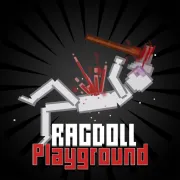
Ragdoll Playground is a 2D sandbox where you arrange ragdolls, weapons, vehicles, and explosives, then watch the scene play out.
Ragdoll Sandbox takes those experiments into a 3D playground with Build Mode, cars, obstacles, lasers, and explosives.
City Brawl has enemy waves, bosses, dropped weapons, and upgrades. Its close-range fights use punches, kicks, grabs, and blocks.
FAQ
Is Ragdoll Arena free to play online?
Yes. You can play Ragdoll Arena for free in your browser on this page without downloading a separate app or signing up.
What type of game is Ragdoll Arena?
Ragdoll Arena is a 2D physics brawler and action shooter. You fight enemy waves, use knockback and arena hazards, switch between two weapons, and defeat a boss at the end of each arena.
How do you control Ragdoll Arena?
Click an enemy to fire with automatic aim. Use A/D or the Arrow keys to move, W or Space to jump, S or Down to drop through platforms, E, Tab, Shift, 1, or 2 to switch weapons, and R or F for the SUPER attack.
What weapons are in Ragdoll Arena?
Ragdoll Arena has 12 weapons, including a bow, sword, bombs, boomerang, hammer, lightning staff, rocket launcher, and black hole. You can carry two weapons and switch during a fight.
How many arenas and bosses are in Ragdoll Arena?
The game has 10 arenas with different hazards and 10 bosses with their own attacks. Clear the enemy waves in an arena to reach its boss fight.
Can I play Ragdoll Arena on mobile?
Yes. The game provides touch controls for movement, jumping, dropping through platforms, aiming, firing, switching weapons, and using the SUPER attack.
Why is Ragdoll Arena not loading?
Give the game frame time to download its files, then refresh the page if it stays blank. Also check that your browser allows embedded game content and close other demanding tabs before trying again.
Last updated
Last updated: October 28, 2026. Game availability, controls, modes, and progression can change when the embedded build is updated.