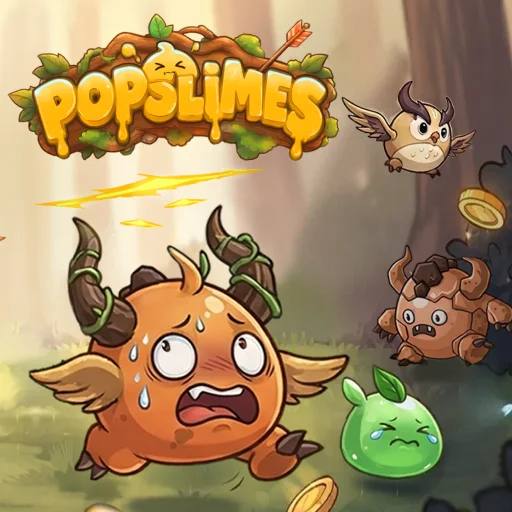






Popslime
Play Popslime online for free. No download, no sign-up. Clear waves of slimes, collect what they drop, and use each haul to make your character stronger.
Game info
| Item | Details |
|---|---|
| Genre | Idle action game with RPG upgrades |
| Platform | Browser; desktop mouse controls confirmed |
| Play time | Stage-based progression |
| Price | Free |
| Controls | Mouse to use menus, upgrades, and the Play button |
| Main goal | Defeat enemies, improve your build, and progress through stages |
What is Popslime?
Popslime opens on a dimmed Stage 1 screen. A prompt points to Unlock The Tree, with its coin cost beside the button. Select it, then press Play for the first fight. Coins earned from enemies go back into the character between stages.
The game mixes idle combat with upgrade choices. Slimes and other monsters provide coins and loot, while the skill tree offers ways to improve your character. Some choices increase damage or attack speed; others change how effectively you handle groups of enemies. Later progress can bring more resources and abilities, including runes, chests, and an archer companion.
How to play Popslime
- Let the game load and follow the highlighted opening prompt.
- Select Unlock The Tree on the Stage 1 panel. The tutorial shows the cost beside it.
- Use Play to start the stage and watch the fight unfold.
- Collect the coins and other rewards earned by defeating enemies.
- Return to the skill tree and choose an upgrade that helps with the enemies you are facing.
- Start the next stage when your character is ready, then repeat the fight and upgrade cycle.
A stage may ask you to defeat a set number of enemies before the next challenge opens. If progress slows, check which resources you have and whether a skill tree node is available. The next affordable node may be what you need to clear the stage.
Controls
Desktop
- Use the mouse to select the tutorial’s highlighted action.
- Click Play to begin a stage.
- Use the mouse to open the skill tree and choose upgrades.
The game shows the next action in its opening tutorial. Follow the highlighted button if the rest of the screen is dimmed; that overlay marks the step the game wants you to take.
Popslime tips
Open the tree before rushing into battle
The first prompt highlights the Tree unlock. Take that step before exploring other menus. It shows where your early currency goes and reveals the upgrade choices that shape later fights.
Spend rewards with a purpose
If a wave is taking too long, look at damage and attack speed options. If many slimes are reaching you at once, an improvement that affects a wider area may help. Read the node’s effect before spending; the next stage will show whether the choice made a difference.
Watch what a stage asks for
The stage objective can change the way you judge progress. When the goal is to defeat a certain number of enemies, clearing that group matters more than waiting for a single large reward. Check the stage panel before choosing the next upgrade.
Revisit the tree after a tougher wave
After a stage, check the resources you earned and the nodes now within reach. Buying an upgrade before the next fight may shorten a wave that gave you trouble.
Keep later unlocks in mind
The game introduces runes, chests, and an archer companion later on. When one appears, read what it does before spending your next batch of resources. It may help with a problem that another damage upgrade would leave unsolved.
Game elements
| Element | Role in the game | Player tip |
|---|---|---|
| Slimes and monsters | Enemies defeated for stage progress and rewards | Watch which group slows your run. |
| Coins | Early currency for unlocks and upgrades | Check the Tree after earning more. |
| Skill tree | Holds character improvements | Read each node before committing resources. |
| Stage panel | Shows where to start the next challenge | Check its objective before pressing Play. |
| Runes and chests | Later progression items | Review them when they first become available. |
| Archer companion | A later automatic helper | Consider how it fits your current build. |
Why play Popslime?
The tutorial has you spend your first coins to open the Tree, then points toward the first fight. After a stage, the new rewards send you back to the tree. Each purchase is easy to test in the next wave.
Enemy waves get tougher as you advance. Extra damage may clear one stage quickly, while a larger attack area helps when the screen fills with slimes. The next fight shows whether the upgrade solved the problem you noticed.
More games like Popslime
Plants vs Brainrots also turns earnings from defeated enemies into stronger automatic defenses.
Rocket Fortress combines wave battles with repeat purchases that strengthen your attacks.
Backpack Dungeon offers another way to shape an RPG build, this time by arranging equipment in a limited inventory.
FAQ
Is Popslime free to play online?
Yes. You can play Popslime in your browser on this page without downloading an app or signing up.
What do you do in Popslime?
Defeat slimes and other monsters, collect coins and loot, spend those rewards on skills, and move through tougher stages.
What should you do at the start of Popslime?
Follow the opening tutorial. It highlights the Tree unlock on the Stage 1 panel, then you can use Play to begin the stage.
What is the skill tree for?
The skill tree lets you spend resources on improvements such as stronger attacks, faster attacks, and other combat bonuses.
How do you control Popslime?
Use the mouse to select the highlighted tutorial action, open menus, choose upgrades, and start a stage with Play.
Why is Popslime not loading?
Give the game frame time to load. If it stays blank, refresh the page and check that your browser allows embedded game content.
Last updated
Last updated: November 3, 2026.