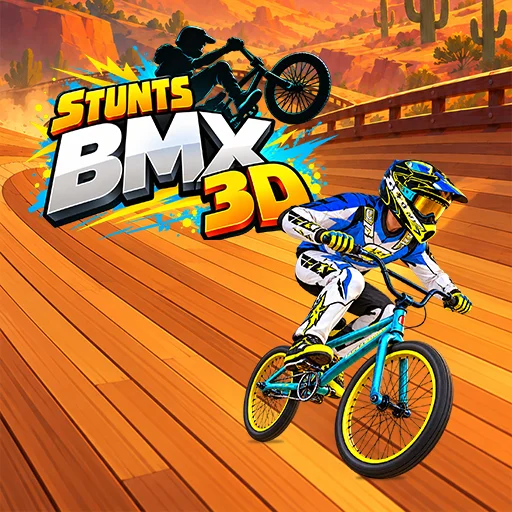

BMX Stunts 3D
Play BMX Stunts 3D online for free. No download, no sign-up. Race a BMX bike over dirt hills and ramps, then bring it down cleanly so you can keep your speed.
Game info
| Item | Details |
|---|---|
| Genre | Side-scrolling BMX racing and stunt game |
| Platform | Browser |
| Play time | Track-based races |
| Price | Free |
| Main goal | Reach the finish ahead of the rival rider |
| Progression | Race rewards, bike upgrades, and new track areas |
What is BMX Stunts 3D?
BMX Stunts 3D puts a rider on a dirt course full of rises, dips, and jumps. Another rider races on the same track. A fast approach helps, but a rough landing can cost the time you gained on the way up. You have to read each slope before deciding how much airtime to take.
The opening screen starts at Downhill Tutorial. It shows a large Race button, with Rider Shop and Bike Shop nearby. Other course cards are locked at first. Start there, then return to the menu after a race to see what opened.
Race rewards can go toward the bike and rider. The game also offers additional bikes and appearance choices. Learn the course before spending everything. A better bike still needs a decent landing.
How to play BMX Stunts 3D
- Let the 3D game finish loading. The first menu shows Downhill Tutorial as the selected track.
- Select Race to enter the opening course.
- Watch the terrain ahead. Prepare for hills, ramps, and dips before the bike reaches them.
- Keep enough speed to clear a rise, then settle the bike for the landing.
- Reach the finish and check the result against the rival rider.
- Return to the menu to review race rewards, shops, and newly available tracks.
The first course lets you see where a jump helps and where staying close to the ground is quicker. If a landing breaks your momentum, try taking that ramp with less speed or a smaller jump on the next run.
Getting started
The opening menu shows Race, Rider Shop, and Bike Shop. Choose the tutorial track and use Race to begin. The tutorial track is the place to learn the riding inputs shown by the game.
BMX Stunts 3D tips
Read the next landing before jumping
Look past the ramp to the slope after it. A jump that clears the first obstacle can still leave the bike badly placed for the next one. A shorter flight often makes it easier to continue at speed.
Carry momentum through smaller bumps
The dirt track is uneven even between major ramps. Keep the bike moving over the small rises so you have enough speed when a larger hill arrives. If you slow down too early, the next jump becomes harder to clear.
Save risky tricks for roomy sections
The game supports tricks, but a race still ends at the finish line. Try a move where the landing is visible and there is time to straighten the bike. On a short hop, a clean landing is usually the better choice.
Check the shops after a race
The Bike Shop and Rider Shop are on the first menu. After collecting rewards, inspect what they offer before starting another track. An upgrade may help with speed or jumping, while a different bike gives you another option for later courses.
Replay the tutorial with one change
When the same ramp keeps causing trouble, change one part of the approach. Take off earlier, lower the jump, or focus on landing squarely. You will know which adjustment helped when you try the ramp again.
Tracks and upgrades
| Element | Role in the game | What to watch |
|---|---|---|
| Downhill Tutorial | Opening course shown on the track menu | Learn the rhythm of the hills before chasing a faster finish. |
| Dirt ramps and dips | Change the bike’s speed and airtime | Look at the landing slope before taking off. |
| Rival rider | Gives each race a finish-line target | Watch how much time a rough landing costs. |
| Bike Shop | Offers bike improvements and other bikes | Review the available options after earning rewards. |
| Rider Shop | Holds rider-related options | Check it from the main menu when new options become available. |
| Locked course cards | Show later areas and challenges | Finish available races to open more of the menu. |
Why play BMX Stunts 3D?
The first menu makes the next step obvious: choose the tutorial and press Race. On the track, the challenge is less predictable. A bump can send the front wheel high, and a landing can either keep the run flowing or give the other rider room to pass.
Race rewards bring you back to the shops. Later course cards add more terrain to learn. You can work on a cleaner route before spending rewards, then see whether the bike feels better on a track you already know.
More games like BMX Stunts 3D
Airborne BMX also puts a BMX rider on short dirt courses, with tricks and landings to manage. Its skill objectives make each run a different challenge.
Stunt Rider 3D moves the jumps to a motorcycle and asks you to balance speed against the landing angle.
Wheelie Party focuses on holding a bike upright through a wheelie. Curve Rush turns downhill momentum and smooth landings into a simple arcade run.
FAQ
Is BMX Stunts 3D free to play online?
Yes. You can play BMX Stunts 3D in your browser on this page without downloading an app or signing up.
What kind of game is BMX Stunts 3D?
It is a side-scrolling BMX racing game with dirt tracks, jumps, rival riders, and bike upgrades.
What appears when BMX Stunts 3D starts?
The opening screen shows a Downhill Tutorial card, a Race button, and Rider Shop and Bike Shop buttons.
How do you make progress in BMX Stunts 3D?
Race through tracks, keep the bike balanced over hills and ramps, and use rewards to improve or unlock bikes and rider options.
Why is BMX Stunts 3D not loading?
The game loads a sizable 3D build. Give the frame time to finish, then refresh if it remains blank and check whether your browser allows embedded game content.
Last updated
Last updated: November 4, 2026. Game availability and embed behavior can change when the game build is updated.