
Wheelie Party
Play Wheelie Party online for free. No download, no sign-up. Keep the front wheel off the road for as long as you can without tipping the motorcycle backward.
Game info
| Item | Details |
|---|---|
| Genre | Arcade motorcycle stunt and balance game |
| Platform | Browser; desktop controls confirmed |
| Play time | Short, repeatable rides |
| Price | Free |
| Controls | Hold and release the left mouse button or Spacebar |
| Main goal | Keep the front wheel raised, earn points, and improve your best ride |
What is Wheelie Party?
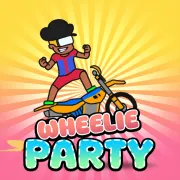
The motorcycle moves forward on its own along an endless road. Hold the control and the front wheel rises; let go and it begins to fall. Either a touchdown or a backward flip ends the ride. Wheelie Party gives you one control, but every extra moment you hold it changes the bike’s angle.
As the ride goes on, small silhouettes show wheelie angles to match for a higher score multiplier. You can adjust toward one when the bike feels steady, though the change in angle may leave you scrambling to bring the wheel back under control.
Wheelies earn coins that you can spend on other motorcycles. There is no finish line; you can keep riding until you lose balance, then try to beat your previous distance or score.
How to play Wheelie Party
- Start the game and wait for the motorcycle to begin moving.
- Hold the left mouse button or Spacebar to lift the front wheel.
- Release briefly as the rider leans back, then press again before the front wheel drops to the road.
- Watch for a wheelie silhouette. If your bike is stable, adjust its angle toward the shown pose for a score multiplier.
- Keep the wheel raised to extend the ride and earn coins. After a fall or touchdown, start another attempt and try to improve your result.
Early runs are mostly about learning when to let go. Hold too long and the rider leans back; wait too long to press again and the front wheel lands. Try shorter presses and watch how quickly the angle changes.
Controls
Desktop
- Raise the front wheel: hold the left mouse button or Spacebar.
- Lower the wheel and correct the tilt: release the button or key.
- Start and retry: use the visible controls inside the game frame.
Mobile
Touch controls have not been verified for this embedded build. The confirmed controls are the left mouse button and Spacebar on desktop.
Wheelie Party tips
Lift gradually
Once the front wheel is up, release before the rider leans too far back. Press again as the wheel starts to sink. Holding through the entire lift is an easy way to flip.
Correct early, in small bursts
Watch the rider’s lean while the wheel is rising. If it looks steep, let go now rather than waiting for a near flip. When the wheel starts dropping, press before it gets close to the road.
Secure the ride before chasing a bonus
Try the silhouette poses after you can hold a steady wheelie. If matching one sends the bike too far back, release and recover instead of holding on for the multiplier.
Keep an eye on the bike
The score can wait until the run ends. Look at the front wheel and the rider’s lean while you play; both tell you when to press or release.
Change one thing on the next attempt
If you flip backward several times, release a little earlier on the next run. If the front wheel keeps landing, press again sooner. Change just one part of your timing so you can tell whether it helped.
Game elements
| Element | Role in game | Player tip |
|---|---|---|
| Front wheel | Must stay above the road | Release briefly to control height, then lift again before it lands. |
| Wheelie silhouettes | Show angles that can raise the score multiplier | Match a pose only when the bike is already under control. |
| Coins | Earned during wheelies and used to unlock motorcycles | A longer, steadier ride gives you more chances to collect them. |
| Other motorcycles | Unlockable rides | Learn the current bike’s balance before changing rides. |
Why play Wheelie Party?
One button is enough to start riding. Keeping the wheel up takes more care: a press that saved one run may send the rider over backward on the next. When you fall, you can usually tell whether you held too long or let go too early.
Once you have the balance down, the silhouette poses give you a reason to change your angle mid-ride. Matching them can raise the multiplier, while longer wheelies earn coins toward another motorcycle.
More games like Wheelie Party
Eggy Car is another balance challenge where small corrections matter more than speed. Airborne BMX puts a bike on ramps and asks you to time tricks and landings. For a different kind of motorcycle run, try Traffic Rider.
FAQ
Is Wheelie Party free to play online?
Yes. You can play Wheelie Party in your browser on this page without downloading a separate app.
How do you control Wheelie Party?
Hold the left mouse button or Spacebar to raise the motorcycle’s front wheel. Release to lower it and correct the bike’s angle.
What ends a run in Wheelie Party?
The run ends if the front wheel touches the road or the rider flips backward. Keep the wheel raised without leaning too far back.
How do score multipliers work in Wheelie Party?
Match the bike’s angle to the small wheelie silhouettes shown during a run to raise the score multiplier.
Can you unlock other motorcycles in Wheelie Party?
Yes. Wheelies earn coins that you can use to unlock other motorcycles.
Can I play Wheelie Party on mobile?
Touch controls have not been verified for this embedded build. The confirmed controls are the left mouse button and Spacebar on desktop.
Last updated
Last updated: September 25, 2026. Game availability and controls can change when the embedded build is updated.