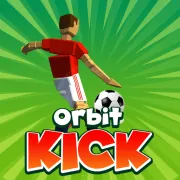


Orbit Kick
Play Orbit Kick online for free. No download, no sign-up. Time the kick, send the soccer ball across the course, and turn the distance from each attempt into stronger upgrades.
Game info
| Item | Details |
|---|---|
| Genre | Casual arcade sports and soccer distance game |
| Platform | Browser, desktop and touch devices |
| Play time | Short kicks with ongoing upgrades |
| Price | Free |
| Controls | Click or tap to kick and use menus |
| Main goal | Send the ball farther and reach new distance milestones |
| Progression | Power, Bounce, and Offline Earnings upgrades |
| Similar to | One-button launch games and upgrade-based distance challenges |
What is Orbit Kick?
Orbit Kick is a soccer distance game built around one shot. A timing indicator moves before every attempt. Click or tap when it reaches a strong position, then watch the ball fly, bounce, and roll until it finally comes to rest.
The game turns that distance into coins. Between kicks, you can put them into Power, Bounce, or Offline Earnings. Power improves the launch. Bounce keeps the ball moving after the first landing. Offline Earnings adds coins while you are away.
There is no match score or opposing team to manage. Your target is the next distance milestone. Reaching one opens another stage and changes the scenery, so each new area shows how far the upgrades have taken you.
Upgrades make a good kick travel farther, though the opening input still matters. Click too early or too late and the extra Power may begin with a weak launch. Hit a strong part of the timing cycle and the ball has more speed to carry through its flight and later bounces.
How to play Orbit Kick
- Press Play and wait for the game frame to finish loading.
- Watch the kick indicator move through its timing cycle.
- Click or tap when the indicator reaches its strongest point.
- Let the ball finish its flight, bounces, and roll so the full distance can be counted.
- Collect the coins awarded for the attempt.
- Spend coins on Power, Bounce, or Offline Earnings.
- Start another kick and try to pass your previous distance or the next milestone.
Let the indicator complete one pass before your first kick. That quick look makes its pace easier to read. It also gives you a consistent point to aim for when you start comparing upgrades.
Controls
Desktop
- Press the left mouse button at the desired point in the timing cycle to kick.
- Click the visible buttons to buy upgrades, continue, or begin another attempt.
Mobile
- Tap the screen at the desired point in the timing cycle to kick.
- Tap the visible buttons to buy upgrades, continue, or begin another attempt.
Every confirmed action uses the mouse or touch screen. Loading time and performance can still differ between browsers and devices.
Orbit Kick tips
Learn the timing cycle before spending coins
Watch the indicator travel across the meter before clicking. Once you know its speed, pick a spot and try to hit it again on the next few kicks. Consistent timing makes the result of an upgrade much easier to see.
Improve Power when the launch is the problem
Buy Power when well-timed kicks still leave the ground without much speed. One level may be enough to reach a nearby milestone, so test the next shot before spending on another.
Use Bounce when good kicks stop too soon
Watch what happens after the ball lands. If the flight looks strong and the ball then loses speed almost at once, put the next coins into Bounce. Get the kick timing steady first, because a better bounce cannot recover distance that was lost at launch.
Treat Offline Earnings as a long-term upgrade
Offline Earnings is useful when you expect to leave the game and return later. The upgrade adds to your coin supply between sessions. For an immediate push toward the next milestone, Power or Bounce has a direct effect on the following kick.
Compare similar kicks
Timing can hide the effect of an upgrade. Try several kicks near the same point on the meter, then compare their distances. If the launch is consistent, you can tell whether extra Power or Bounce is helping.
Spend for the next milestone
Check the next target before opening the upgrade menu. A small distance gap may take only one Power or Bounce level. If the milestone is much farther away, save across several attempts and build both parts of the kick.
Upgrades and game elements
| Element | Role in game | Player tip |
|---|---|---|
| Kick indicator | Sets the quality of the opening shot | Watch its rhythm and click at a repeatable strong point. |
| Soccer ball | Carries the distance from the initial flight through the final roll | Let it stop completely before judging the attempt. |
| Power | Strengthens the opening launch | Improve it when clean kicks still start too weakly. |
| Bounce | Helps the ball keep moving after landing | Choose it when the ground phase ends too quickly. |
| Offline Earnings | Adds passive coin income | Buy it for coin growth between active sessions. |
| Coins | Pay for permanent upgrades between kicks | Spend according to the weakest part of the last few attempts. |
| Distance milestones | Mark progress and unlock new stages | Use the next target to decide whether to buy now or save. |
Why players like Orbit Kick
One kick is enough to understand the basic loop. Watch the meter, click, and see where the ball stops. If it falls short of a milestone, you can adjust the timing or spend the coins on the part of the shot that looked weak.
Attempts are brief, and their coins stay useful after the ball stops. As Power and Bounce improve, familiar stretches pass more quickly and the next stage comes into reach. That steady change gives you a reason to take another kick even after a poor one.
More games like Orbit Kick
Bat Smash 2 starts each distance attempt with a timed cricket swing. Its upgrades cover power, flight, and bounce separately.
Skip It! also begins with a timed launch, then rewards longer trips across the water with coins for the next throw.
Kickback Dash also turns distance into coins, with recoil pushing a tumbling weapon across hills. Curve Rush drops the permanent launch upgrades and asks you to build speed across rolling slopes, then land the ball safely.
Relic Putt is mini-golf. Drag back to set the putt, keep the ball off water and spikes, and pick a relic after the hole.
FAQ
Is Orbit Kick free to play online?
Yes. You can play Orbit Kick for free in your browser on this page without downloading a separate app or signing up.
What type of game is Orbit Kick?
Orbit Kick is a casual soccer distance game. You time one kick, watch the ball travel and bounce, earn coins from the distance, and improve later attempts with upgrades.
How do you control Orbit Kick?
Click on desktop or tap on a touch device to set the kick. Use the same pointer controls to choose upgrades and start the next attempt.
What upgrades are in Orbit Kick?
Orbit Kick has Power, Bounce, and Offline Earnings upgrades. Power strengthens the launch, Bounce extends movement after landing, and Offline Earnings builds passive coins.
How do you kick farther in Orbit Kick?
Wait for the timing indicator to reach its strongest point, then spend coins on the part of the attempt that needs help. Improve Power for the launch and Bounce when the ball stops too quickly after landing.
Can I play Orbit Kick on mobile?
The game supports tap controls on touch devices. Loading speed and performance can still vary by browser and device.
Why is Orbit Kick not loading?
Reload the page and give the embedded game time to start. If it still does not load, check that your browser allows embedded content and try a current browser.
Last updated
Last updated: October 17, 2026. Game availability, browser behavior, and controls can change when the embedded build is updated.