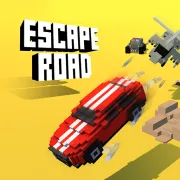





Escape Road
Play Escape Road online for free. No download, no sign-up. Pick a street, stay ahead of the police, and keep an exit open before the city closes around you.
Game info
| Item | Details |
|---|---|
| Genre | Arcade driving, police chase, and survival game |
| Platform | Browser; desktop keyboard controls confirmed |
| Play time | Repeatable survival runs |
| Price | Free |
| Controls | A/D or Left/Right to steer, W or Up to accelerate, S or Down to brake or reverse |
| Main goal | Avoid capture, collect cash, and survive for a higher score |
| Similar to | Open-city getaway games and arcade driving challenges |
What is Escape Road?
Escape Road drops you into an open city with the police already on your trail. There is no course or finish line. You choose the streets while traffic, roadblocks, buildings, and water gradually cut down your options.
Wide roads give you space to build speed, although the police have room to spread out there too. Tight streets can shake a few cars from the pack. Take the wrong turn, though, and you may find a wall, water, or a blocked road waiting at the other end.
Cash scattered around the city unlocks more vehicles between attempts. It is tempting to grab every pickup, even when doing so means crossing traffic or entering a crowded intersection. Passing one up is usually worth it if the road ahead stays clear.
How to play Escape Road
- Choose one of the available vehicles and start the run.
- Hold W or the Up Arrow to accelerate into the city.
- Steer with A and D or the Left and Right Arrow keys.
- Check the next intersection for traffic, buildings, water, and police vehicles moving across your route.
- Press S or the Down Arrow to slow down. Keep holding it to reverse out of a closed street.
- Take cash when you can reach it without giving up your next exit.
- Stay off walls and other solid scenery as more police join the chase.
- Spend the cash you earned on vehicle unlocks, then start another run.
Speed helps until it carries you into a dead end. Look past the open road in front of the car and decide where you will go at the next intersection. Start each turn early enough for the rear of the car to clear the corner.
Controls
Desktop
- Steer left: A or Left Arrow.
- Steer right: D or Right Arrow.
- Accelerate: W or Up Arrow.
- Brake or reverse: S or Down Arrow.
- Menu choices: use the visible buttons inside the game.
Mobile
Keyboard controls are confirmed for the current embedded build. Touch controls vary between browser versions, so use a desktop or another device with a keyboard for the most reliable experience.
Escape Road tips
Look through the intersection
Choose your direction before the front of the car reaches the corner. Check what lies beyond it, especially water, buildings, traffic, or another police vehicle. Turning early gives the rear of the car room to follow.
Keep a second exit
An open street can close quickly once a roadblock appears. Before you commit to a long straight, find the next place where you could turn. A slower route with another exit is safer than a fast road ending beside water or a building.
Use sharp turns to split the pursuit
Several police vehicles reaching the same corner will get in one another’s way. Lead them toward a tight turn that has a clear road on the far side, then change direction before they surround you.
Brake before you are trapped
Use S or the Down Arrow as soon as the far side of an intersection looks crowded. If the street is closed, reverse while you still have room behind the car. Hitting the brakes early is much easier to recover from than hitting a wall.
Collect cash on a safe line
Take cash when it sits along a route you already want to use. A pickup across several lanes or inside a narrow side street is rarely worth the detour. If you stay free, another one will turn up.
Learn the handling of each vehicle
Newly unlocked cars do not all respond the same way. Use the opening streets to feel out the steering and speed, then move your turning point earlier if the car swings wide.
Avoid water and solid obstacles
You can steer around traffic or let a police car pass. Buildings and deep water leave less room to recover, so give the edge of the map extra space when the chase gets crowded.
Vehicles and chase elements
| Element | Role in the game | Player tip |
|---|---|---|
| Getaway car | Carries the run through the city | Learn its turning response before taking a narrow shortcut. |
| Police vehicles | Pursue and try to box in the player | Change direction before several cars reach the same intersection. |
| Roadblocks | Close a route and force a quick choice | Look beyond the nearest street so you already know another exit. |
| Traffic | Creates moving hazards during the chase | Leave space for a traffic car to cross. Its current position can be misleading. |
| Cash | Contributes to vehicle unlocks between runs | Pick it up only when the next section of road remains usable. |
| Buildings and water | Create hard boundaries or run-ending hazards | Brake early when a gap beside them looks too narrow. |
Why players like Escape Road
The small control set makes the first run easy to start. The city is less predictable. A street that worked last time may be full of traffic or police on the next attempt. Longer runs come from reading the space in front of the car as it changes.
Even a short run can add cash toward another vehicle. Unlocking a car gives you a fresh handling problem to learn on the next attempt.
More games like Escape Road
Escape Road 2 lets you leave a damaged car and continue the chase in another vehicle. Escape Road 3 adds more environments and support items.
Smash Karts turns driving into short arena battles with weapons. Traffic Rider keeps the focus on speed as you overtake moving traffic.
FAQ
Is Escape Road free to play online?
Yes. You can play Escape Road in your browser on this page without downloading a separate app.
What type of game is Escape Road?
Escape Road is an arcade driving and police chase game set in an open city. You choose your route, avoid traffic and roadblocks, collect cash, and try to keep the getaway going.
How do you control Escape Road?
Use A and D or the Left and Right Arrow keys to steer. Use W or the Up Arrow to accelerate, and use S or the Down Arrow to brake or reverse.
How do you unlock more cars in Escape Road?
Collect cash during a chase, then use it through the vehicle unlock system between runs. A different car may change how speed and turns feel.
Can I play Escape Road on mobile?
This page confirms the desktop keyboard controls. Touch support can vary between browser builds, so a device with a keyboard is the reliable way to play this embedded version.
What ends a run in Escape Road?
A run ends when the police trap your car or when you hit a dangerous part of the map such as deep water. Keeping an open exit is more important than collecting every cash pickup.
Why is Escape Road not loading?
Give the game frame time to download the 3D build, then refresh the page if it remains blank. Check that your browser allows embedded content and close other demanding tabs if loading is slow.
Last updated
Last updated: October 11, 2026. Game availability, controls, and browser performance can change when the embedded build is updated.