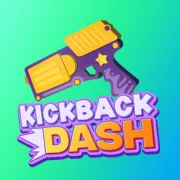



Kickback Dash
Play Kickback Dash online for free. No download, no sign-up. Fire a tumbling weapon across rolling hills, earn coins for the distance it travels, and spend them before the next launch.
Game info
| Item | Details |
|---|---|
| Genre | Physics arcade and incremental distance game |
| Platform | Browser, desktop and touch devices |
| Play time | Short distance runs with persistent upgrades |
| Price | Free |
| Controls | Left-click or tap to fire |
| Main goal | Travel farther, earn more coins, and improve the weapon |
| Format | One continuous stretch of terrain with no separate levels |
| Similar to | One-input launch games and upgrade-based distance challenges |
What is Kickback Dash?
In Kickback Dash, the weapon is both the vehicle and the thing you control. Firing pushes it through the air. Another shot can lift it over a hill, extend a bounce, or send it in a poor direction if the angle is wrong.
The terrain has no finish line or separate stages. A run ends when the weapon loses momentum, and the distance becomes in-game coins. Those coins carry over, so a failed launch still helps pay for the next upgrade.
You only need one button, but timing changes what that button does. Empty the magazine during the first flight and you may have nothing left for the next climb. Wait while the weapon settles at the bottom of a valley and the run may already be over. A useful shot catches the right angle while there is still some motion to build on.
How to play Kickback Dash
- Press Play and wait for the game frame to finish loading.
- Click or tap to fire the opening shot and launch the weapon from the starting slope.
- Watch the weapon rotate and check whether the ground ahead rises or falls.
- Fire again when the recoil can add height or forward speed.
- Save a few bullets for weak bounces and uphill sections.
- Let gravity and the slopes do the work when the weapon is already moving well.
- When the run ends, collect the coins earned from the distance and buy an upgrade.
- Start another attempt and use the stronger launch, extra shot, or greater bullet power to set a new distance.
The weapon keeps moving while it falls, rolls, and bounces, so it rarely needs another shot straight away. Give the current arc time to develop before spending the next bullet.
Controls
Desktop
- Fire and create recoil: press the left mouse button.
- Buy upgrades and use menus: click the buttons shown inside the game frame.
- No steering keys are required for the confirmed browser build.
Mobile
- Fire and create recoil: tap the screen.
- Buy upgrades and use menus: tap the visible buttons.
Both versions use the same single input. The game loads a full 3D build, so startup time and performance depend on the browser and device.
Kickback Dash tips
Let a good bounce work
After a strong launch, wait and see where the weapon lands. A fall onto a downslope can carry it through the next valley without help. The saved bullet is more useful when a climb or awkward bounce begins to slow the run.
Read the weapon’s angle
The weapon keeps rotating in flight, and recoil pushes it away from the direction of the shot. Watch the barrel for a moment before clicking. A small wait can turn a sideways shove into the lift needed for the next hill.
Avoid emptying the magazine early
Rapid clicking burns through the available bullets while the first launch still has plenty of energy. Pause after each shot and check whether the weapon is still gaining ground. Fire again when the arc starts to weaken.
Use terrain before spending power
A downhill landing can rebuild speed for free. Let the weapon roll through a clear dip, then fire near the point where that natural momentum starts to fade. Shooting on every contact wastes the limited magazine.
Fix the weakest part of the run
Let the last run choose the next upgrade. First Shot Power helps when every attempt begins with a weak launch. Bullet Count is useful when a good run ends with an empty magazine, while Bullet Power gives each remaining shot more force.
Compare upgrades over several runs
One lucky bounce can make an upgrade look stronger than it is. Play a few runs before comparing the result. A useful purchase should improve the opening distance, make recoveries easier, or keep the weapon moving for longer.
Upgrades and game elements
| Element | Role in the game | Player tip |
|---|---|---|
| Bullet Count | Adds more shots to an attempt | Choose it when good runs regularly end because no shots remain. |
| Bullet Power | Increases the force produced by each later shot | Use it when extra shots are available but do not restore enough momentum. |
| First Shot Power | Strengthens the launch at the beginning of a run | Improve it when the opening section limits every attempt. |
| Idle Earning | Provides passive coin income | Use it to build coins between sessions; it does not change the current flight. |
| Rolling hills | Turn falls and bounces into forward movement | Let a helpful downslope carry the weapon before spending another bullet. |
| Distance and coins | Connect each attempt to the upgrade screen | Use the result to decide which part of the next run needs help. |
Which upgrade should you buy first?
First Shot Power is a practical early purchase because every run uses it. Once the launch is reliable, Bullet Count gives you more chances to recover from a weak bounce. Bullet Power is easier to appreciate after you know when those extra shots are worth taking.
Idle Earning adds coins between sessions but does not change the current flight. If you want an immediate distance gain, spend limited coins on the part of the run that keeps failing: the launch, the number of available shots, or the force behind them.
Why players like Kickback Dash
Each click has a visible result. A well-timed shot carries the weapon over the next rise; a bad one sends it into a weak bounce or uses a bullet too soon. Runs end quickly, and the coins earned along the way make the restart worthwhile.
The best runs usually include something unplanned. A long bounce might save a bullet, a flip can line up the next shot, and the last round may rescue a poor landing. The input stays simple while the changing angle and terrain keep the timing from becoming automatic.
More games like Kickback Dash
Bat Smash 2 also turns a short attempt into coins and permanent distance upgrades. Its run begins with a timed cricket swing.
Curve Rush is another physics game about using rolling hills to preserve momentum and choosing when to launch. For a one-input climb with faster timing decisions, try Jelly Hop.
FAQ
Is Kickback Dash free to play online?
Yes. You can play Kickback Dash in your browser on this page without downloading a separate app or signing up.
What type of game is Kickback Dash?
Kickback Dash is a physics arcade game about sending a weapon as far as possible. Each run earns coins that you can spend on permanent upgrades.
How do you control Kickback Dash?
Left-click on desktop or tap the screen on a touch device to fire. Each shot creates recoil, so wait for an angle that will carry the weapon forward.
What upgrades are in Kickback Dash?
Bullet Count adds shots, Bullet Power strengthens each shot, First Shot Power improves the launch, and Idle Earning provides passive coins.
Does Kickback Dash have levels?
No. The terrain continues until the weapon loses momentum. After the run, spend your coins and try to beat that distance.
Can I play Kickback Dash on mobile?
Yes. The game supports a tap-to-fire control on touch devices. Loading speed and performance can still vary by browser and device.
Why is Kickback Dash not loading?
Reload the page and allow time for the browser game to download. If it still does not start, check that embedded content is allowed and try a current browser.
Last updated
Last updated: October 15, 2026. Game availability, browser behavior, and controls can change when the embedded build is updated.