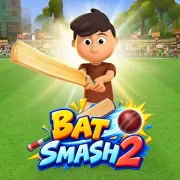


Bat Smash 2
Play Bat Smash 2 online for free. No download, no sign-up. Stop the timing marker in the green zone, launch the cricket ball, and see how far it goes.
Game info
| Item | Details |
|---|---|
| Genre | Casual arcade sports and cricket distance game |
| Platform | Browser, desktop, and mobile |
| Play time | Short batting attempts with ongoing upgrades |
| Price | Free |
| Controls | Left mouse click on desktop; tap on mobile |
| Main goal | Hit the ball farther and reach the next distance target |
| Similar to | One-button timing games, launch games, and upgrade games |
What is Bat Smash 2?
Bat Smash 2 takes the batting part of cricket and makes a whole game out of it. Before each shot, a marker sweeps across a colored timing meter. Click or tap as it crosses the green section, and the batter sends the ball away from the pitch.
Landing is only part of the trip. The ball may keep bouncing and rolling, and all of that movement counts toward the final distance. Once it stops, you collect coins and see whether the shot reached the current target.
Those coins pay for four upgrades. Power strengthens the hit. Ball Fly keeps the ball moving through the air, while Ball Bounce helps after it lands. Offline Coins builds up passive earnings. There are also distance milestones and missions to clear, diamonds to collect, and equipment to unlock.
How to play Bat Smash 2
- Press Play and wait for the game frame to finish loading.
- Watch the marker move across the colored timing meter.
- Click or tap when the marker enters the green section.
- Let the ball complete its flight, bounces, and roll so the game can calculate the full distance.
- Collect the coins earned from the attempt.
- Spend coins on Power, Ball Fly, Ball Bounce, or Offline Coins.
- Swing again and try to reach the next distance milestone or mission goal.
Only one input controls the swing, so clicking repeatedly will not help. When a shot falls short, remember where the marker was and wait a fraction longer or swing a fraction sooner next time.
Controls
Desktop
- Swing: press the left mouse button when the moving marker reaches the green zone.
- Upgrades, missions, and menus: use the visible buttons in the game frame.
Mobile
- Swing: tap the screen when the moving marker reaches the green zone.
- Upgrades, missions, and menus: tap the visible buttons in the game frame.
Bat Smash 2 tips
Wait for green instead of clicking early
The ready ball can make you want to swing immediately. Ignore it for a moment and watch the marker instead. Let it enter the green section before you click. Better timing means a stronger start, and that extra speed carries into the flight and the bounces that follow.
Build Power before chasing expensive options
If several clean hits keep stopping short of the next target, put an early upgrade into Power. Take another shot before buying the next level. You may already have enough force to clear the milestone, and saving the remaining coins leaves more room for a flight or bounce upgrade later.
Balance air time with the landing
Watch where a promising shot loses its momentum. A ball that drops too early needs more Ball Fly. If it reaches the ground with speed but comes to a stop too soon, spend on Ball Bounce. Splitting coins evenly is less useful than fixing the part of the shot that is holding back your distance.
Judge upgrades over several shots
One late swing can make a good upgrade look useless. Give a new level a few attempts, and try to stop the marker in roughly the same part of the green zone each time. Similar hits make it much easier to tell whether the ball is flying longer or keeping its bounce.
Check the current target before spending
Look at the next distance milestone before opening the upgrades. A small gap may take only one focused purchase in Power, Ball Fly, or Ball Bounce. When the target is much farther away, hold onto some coins and work on more than one part of the shot.
Let missions guide the side goals
Missions may ask for Perfect Hits, diamonds, or another objective alongside the main distance target. Check the active mission between swings. Its reward can be more useful right now than spending every coin on another upgrade level.
Upgrades and game elements
| Element | Role in game | Player tip |
|---|---|---|
| Timing meter | Decides the quality of the swing | Click or tap as the marker reaches green. |
| Power | Strengthens the initial strike | Use it when the launch itself feels weak. |
| Ball Fly | Improves the airborne part of a shot | Invest when you need the ball to carry farther before landing. |
| Ball Bounce | Extends movement after the first landing | Build it when strong shots lose momentum too soon on the ground. |
| Offline Coins | Adds passive coin earnings | Treat it as a long-term purchase rather than an instant distance boost. |
| Distance milestones | Mark the next progression target | Check the required distance before choosing an upgrade. |
| Missions and diamonds | Provide extra objectives and rewards | Review the active task so a good attempt can serve two goals. |
Why players like Bat Smash 2
You understand the controls after one swing. The hard part is judging the meter closely enough to repeat a clean hit. When the ball stops just short of a target, it is tempting to try again straight away because you know exactly what needs to improve.
Short attempts feed into a longer upgrade run. Even a near miss pays coins toward the next purchase, and that purchase can put another milestone or piece of equipment within reach. There is always time for one quick shot, though it is easy to stay for the upgrade you are almost able to afford.
More games like Bat Smash 2
Racing Pop is another one-input arcade game built around choosing the right moment.
Tap Road 2 turns a well-timed click into a longer distance run. Tiny Fishing has a different upgrade loop: short attempts earn money for a better next trip.
FAQ
Is Bat Smash 2 free to play online?
Yes. Bat Smash 2 runs for free in the browser on this page, with no separate app to install.
What type of game is Bat Smash 2?
Bat Smash 2 is a casual cricket distance game. Time the swing, watch the ball fly and bounce, then use the coins from that shot to buy upgrades.
How do you control Bat Smash 2?
Click the left mouse button on desktop or tap the screen on mobile when the moving indicator reaches the green part of the timing meter.
What does a Perfect Hit do in Bat Smash 2?
A Perfect Hit launches the ball with more force, giving it a better chance to travel farther before it stops.
Which upgrades are available in Bat Smash 2?
The confirmed upgrades are Power, Ball Fly, Ball Bounce, and Offline Coins. They improve the strike, air travel, ground movement, and passive coin earnings.
Can I play Bat Smash 2 on mobile?
Yes. The game uses a tap to swing on mobile, while desktop players use the left mouse button.
Why is Bat Smash 2 not loading?
Refresh the page and wait for the game frame to load. If it still does not start, make sure your browser allows embedded content or try a current browser.
Last updated
Last updated: September 8, 2026. Game availability, browser behavior, and controls can change when the embedded build is updated.