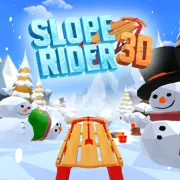






Slope Rider 3D
Play Slope Rider 3D online for free. No download, no sign-up. Steer a sled down an icy 3D route, jump over broken ground, and see how far you can get before a crash ends the run.
Game info
| Item | Details |
|---|---|
| Genre | 3D arcade, winter endless runner |
| Platform | Browser, desktop; other devices depend on the embedded build |
| Play time | Short repeatable distance runs |
| Price | Free |
| Controls | A/D or Left/Right Arrow keys to steer; W or Up Arrow to jump |
| Game modes | Normal and Hard |
| Main goal | Avoid hazards and travel farther than your previous run |
What is Slope Rider 3D?
Slope Rider 3D is a downhill sledding game where the sled moves on its own. You steer toward open snow and jump when a gap or low obstacle cuts off the route. Hitting a hazard or missing the landing ends the attempt.
Normal mode starts at a manageable pace, which makes it easier to learn how far the sled moves with each press. Hard mode gets moving faster and brings in demanding terrain earlier. Fog and narrow paths leave less time to choose a line in either mode.
Gifts collected during a run count toward new sled designs. Some sit in open snow, while others pull you toward an edge or a crowded patch of terrain. Take the easy ones and leave the rest. A gift does little for you if the turn ends the run.
How to play Slope Rider 3D
- Press Play and wait for the game frame to load.
- Pick Normal mode for a steadier start or Hard mode for a faster opening.
- Steer with A/D or the Left/Right Arrow keys.
- Press W or the Up Arrow to jump an obstacle or broken section.
- Watch the ground ahead and move toward a route with space after the first hazard.
- Collect a gift when it is already close to that route.
- After a crash or fall, restart and change the turn or jump that caused it.
Short taps are easier to correct than a long turn. Release the direction once the sled clears an obstacle, then look ahead again before making the next move.
Controls
Desktop
- Steer left: A or Left Arrow.
- Steer right: D or Right Arrow.
- Jump: W or Up Arrow.
- Forward movement: automatic.
- Menus and restart: use the visible controls inside the game frame.
Mobile
This page confirms the desktop keyboard controls. Touch controls and performance on phones or tablets depend on the embedded build and have not been verified here.
Slope Rider 3D tips
Learn the route in Normal mode
Normal mode gives you time to learn how the sled responds to a quick tap and how early a jump needs to start. Move to Hard mode once those inputs feel predictable. Learning them at the faster opening pace is much less forgiving.
Look beyond the nearest obstacle
A clear gap beside one tree may lead straight into a cliff or another group of hazards. Check the ground behind the opening before you turn. This matters even more in fog, when the usable view is already short.
Keep room on both sides
Move back toward the middle when the slope opens up. You will have space to turn either way when the next hazard appears. Staying beside an edge leaves only one useful escape direction.
Steer with short corrections
Tap a direction, check the new line, and correct again if needed. Holding a key can carry the sled past the opening you wanted and across the entire slope. The faster the run gets, the shorter these corrections should be.
Jump for a reason
Jump when a gap or low obstacle blocks the route. Check the landing first and stop making unnecessary sideways corrections before the sled leaves the ground. A jump into crowded terrain only delays the crash.
Leave risky gifts behind
Take gifts that sit near an open route. Skip one if reaching it requires a sharp turn toward an edge, a blind landing, or a dense group of hazards. Another gift will appear on a later run.
Use fog as an early warning
When fog rolls in, avoid large steering changes and watch the faint shapes farther down the slope. Choose a wide opening early. By the time every obstacle is clear, there may not be enough room to turn.
Modes, hazards, and rewards
| Element | Role in the game | Player tip |
|---|---|---|
| Normal mode | Introduces the route at a more manageable pace | Use it to learn steering distance and jump timing. |
| Hard mode | Starts faster with more demanding terrain | Enter after the basic controls feel predictable. |
| Trees, logs, and snow obstacles | Block direct routes down the slope | Move early and avoid turning farther than the gap requires. |
| Gaps and cliffs | End the run after a missed route or landing | Line up before jumping and check the receiving ground. |
| Fog and narrow paths | Reduce visibility and recovery space | Favor broad, stable lines over last-second gift collection. |
| Gifts | Count toward unlocking more sled designs | Collect safe gifts and leave those beside hazards. |
| Distance | Measures progress during a run | Protect a good route before chasing optional rewards. |
Why players like Slope Rider 3D
The controls are easy to learn, and the changing route keeps them busy. Wide snow gives you room to settle the sled, while gaps and narrow paths make timing more important. Fog cuts down the view, and Hard mode starts each attempt with less time to react.
Restarts are quick enough to retry a bad turn while you still remember it. Gifts also carry some progress between attempts by unlocking more sled designs. The next run always has two clear targets: take a cleaner route and beat the previous distance.
More games like Slope Rider 3D
Slope Rider has the same steering, jumping, and gift collection on a simpler snowy descent.
Crashy Rush sends a brakeless car downhill through trees, traffic, and railway crossings.
Slope 3 puts a rolling ball on suspended neon tracks, with no jump button to rescue a bad line.
Curve Rush uses hills as ramps. Building speed is easy; landing on the next downward slope is the difficult part.
Slope Rider City moves the sled run into a snowy city, where vehicles and narrow streets add different hazards.
FAQ
Is Slope Rider 3D free to play online?
Yes. You can play Slope Rider 3D in your browser on this page without downloading a separate app.
What type of game is Slope Rider 3D?
Slope Rider 3D is a winter endless runner. Your sled moves downhill while you steer around hazards, jump blocked sections, and try to improve your distance.
How do you control Slope Rider 3D?
Use A and D or the Left and Right Arrow keys to steer. Press W or the Up Arrow key to jump.
What is the difference between Normal and Hard mode?
Normal mode gives you a steadier introduction to the route. Hard mode starts with a faster pace and more demanding terrain.
What do gifts do in Slope Rider 3D?
Gifts count toward unlocking more sled designs. Collect them when they sit on a safe route instead of turning into danger for every pickup.
Can I play Slope Rider 3D on mobile?
This page confirms the desktop keyboard controls. Touch controls and performance on phones or tablets depend on the embedded build and have not been verified here.
How do I get a higher score in Slope Rider 3D?
Keep a central line when the slope allows it, steer with short corrections, look beyond the nearest obstacle, and prioritize survival over risky gifts.
Why is Slope Rider 3D not loading?
Reload the page and give the game frame time to download. If it still does not start, check that your browser allows embedded content and try a current desktop browser.
Last updated
Last updated: October 20, 2026. Game availability, controls, and progression can change when the embedded build is updated.