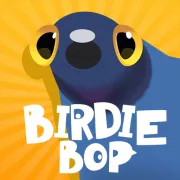




Birdie Bop
Play Birdie Bop online for free. No download, no sign-up. Peck the safe food, leave the bad pieces alone, and help the bird get through each short level.
Game info
| Item | Details |
|---|---|
| Genre | Casual arcade, reaction game |
| Platform | Browser, desktop, mobile if supported by the embedded build |
| Play time | Short level-based rounds |
| Price | Free |
| Controls | Mouse click or tap |
| Best skill | Waiting for a safe peck instead of rushing |
| Similar to | One-button arcade games, food-avoidance games, quick reaction challenges |
What is Birdie Bop?
Birdie Bop is a light arcade game about a hungry bird with one simple problem: some food is safe, and some of it will end the level. Each stage puts food and hazards in front of the bird. You wait for the right moment, peck the good pieces, and stop yourself before the bad ones.
It looks gentle at first. Then you miss one timing window and the round is gone. That is the hook. Birdie Bop is not about clicking as fast as possible. It is about waiting just long enough, then committing to the peck.
The embedded build opens on a menu with Play, Game Modes, skin buttons, and level progress. Public game information lists more than 300 levels across multiple groups, plus bird skins that unlock with collected worms.
How to play Birdie Bop
- Press Play and wait for the first level to begin.
- Watch the food or object in front of the bird before clicking.
- Peck when the target is safe to eat.
- Avoid rotten, dangerous, or harmful pieces that can end the level.
- Collect worms only when the timing is safe.
- Clear all edible pieces to finish the level and move forward.
Patience matters more than speed. If a food piece looks unsafe, wait. If a worm appears in a risky spot, skip it. Finishing the level cleanly is better than losing because you tried to grab one extra reward.
Controls
Desktop
- Peck: left click at the right moment.
- Choose menu buttons: left click.
- Restart, settings, or skins: use the visible in-game buttons.
Mobile
- Peck: tap at the right moment if the embedded build works on your device.
- Choose menu buttons: tap.
- Best approach: keep the game in a stable view and check the next food piece before tapping.
Birdie Bop tips
Wait before the first peck
Do not start a level by clicking immediately. Look at the pattern first. The first safe peck usually tells you how fast the rest of the level wants to move.
Treat every peck like a commitment
There is no reward for tapping blindly. Once you click, the bird goes for it. If you are not sure the item is safe, wait for the next clean moment.
Skip risky worms
Worms help with skin unlocks, but they are not worth a failed level. If a worm sits too close to a bad piece, let it go.
Learn the timing before chasing speed
Later levels get faster and busier. Get comfortable with the timing first. Cleaner clears will speed up on their own.
Watch the object, not the score
The small score and reward indicators can pull your eyes away from the next peck. Watch the food and hazards first. Check progress after the safe action is done.
Use failed runs as pattern practice
When a level ends suddenly, remember what caused it. On the next attempt, wait through that same bad window instead of forcing the peck earlier.
Game elements
| Element | Role in game | Player tip |
|---|---|---|
| Bird | The character that pecks food pieces | Click only when the next target is safe. |
| Safe food | Items needed to clear the level | Finish these steadily instead of rushing every piece. |
| Harmful pieces | Bad objects that can end the round | Wait them out or avoid pecking when they are active. |
| Worms | Collectibles used for skin unlocks | Take them only when the timing is clean. |
| Skins | Cosmetic bird looks unlocked through progress | Treat them as a bonus, not a reason to risk a level. |
| Level groups | Sets of stages with rising difficulty | Expect tighter timing as you move deeper into the game. |
Why players like Birdie Bop
- The control scheme is easy to understand: click or tap to peck.
- Short levels make a bad peck easy to shake off.
- The cartoon look keeps the game light even when the timing gets tight.
- Worms give you a small risk choice in the middle of a clean level.
- You are learning restraint and timing, not a long control list.
More games like Birdie Bop
If you like simple inputs with real timing pressure, try Brush Jjaemu next. It also asks you to act during safe moments and stop before one extra move ruins the run.
For a different quick skill challenge, Wacky Steps turns a single action into a careful rhythm game. If you want something more puzzle-like, Arrow Escape is about choosing the right move order instead of reacting quickly.
FAQ
Is Birdie Bop free to play online?
Yes. Birdie Bop runs as a free browser game on this page. You do not need to install an app first.
What type of game is Birdie Bop?
Birdie Bop is a casual arcade reaction game about pecking safe food, avoiding harmful pieces, and clearing short levels with careful timing.
How do you control Birdie Bop?
Click with the mouse on desktop to peck. On mobile, tap when the embedded build works smoothly on your device.
What do worms do in Birdie Bop?
Worms help unlock bird skins. They can appear in risky food pieces, so it is usually better to skip one than lose the level.
How do I avoid failing a Birdie Bop level?
Watch the next food piece before you peck. Wait through unsafe timing, and skip a worm if grabbing it would send the bird into a bad object.
Why is Birdie Bop not loading?
Refresh the page, give the game frame a moment, and check whether your browser allows third-party iframe game content. Birdie Bop is a Unity WebGL build, so it may need time to load its data, framework, and WebAssembly files.
Last updated
Last updated: June 30, 2026. Game availability, iframe behavior, controls, and level details can change if the host updates the embedded build.