

Tap Road
Play Tap Road online for free. No download, no sign-up. The ball rolls on its own; click or tap to change lanes, miss the obstacles, and beat your last distance.
Game info
| Item | Details |
|---|---|
| Genre | 3D arcade, endless runner |
| Platform | Browser; desktop click and touch controls |
| Play time | Short runs that end when the ball hits an obstacle |
| Price | Free |
| Controls | Click or tap to switch lanes |
| Main goal | Keep the ball moving and improve your distance |
What is Tap Road?
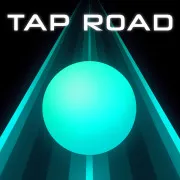
Tap Road sends a glowing ball down a two-lane neon road. You cannot slow it down or steer freely. Each click or tap moves it to the other lane, and hitting an obstacle ends the run.
The ball picks up speed the farther you travel. That leaves less time to spot a blocked lane and move across. Gems along the road can unlock different ball looks and track themes, but you can leave one behind if the other lane is safer.
How to play Tap Road
- Start a run in the game frame above. The ball rolls forward by itself.
- Watch both lanes. When an obstacle blocks yours, click or tap to move across.
- Check the next obstacle before switching back. The open lane may only be clear for a moment.
- Take gems that lie on a safe path. Leave the ones that require a late switch.
- After a collision, start again and adjust the move that caught you.
When your lane is clear, let the ball stay there. An extra tap can send it straight into the next block.
Controls
Desktop
- Left mouse click inside the game frame: switch to the other lane.
- On-screen buttons: start or restart a run and open any available menus.
Mobile
- Tap inside the game frame: switch lanes.
- Touch support is part of the game controls, but performance in this embed can vary by device and browser.
Tap Road tips
Look beyond the first block
The first open lane is not always the one you want. Look at the obstacle behind it too, especially when two blocks arrive close together. That gives you time to decide whether you will need another switch.
Switch before the gap closes
As the ball speeds up, the same late click that worked at the start may cause a crash. Switch while the obstacle is still ahead of the ball.
Let a clear lane stay clear
Every click changes lanes. Clicking again right after a safe move puts the ball back where it started, so wait until the road calls for another switch.
Treat gems as a bonus
Pick up a gem if it is already in your lane or you can reach it before the next obstacle. If the pickup sits beside a block, keep the safe lane and pass it by.
Learn from the collision
After a crash, think back to the last switch. Was it late, or did it place the ball in front of the next block? Make that move earlier on the next run.
Game elements
| Element | Role in the game | Player tip |
|---|---|---|
| Rolling ball | Moves forward automatically | Watch the road ahead instead of staring at the ball. |
| Two lanes | Give you one alternate path | Check the next obstacle in the lane you plan to enter. |
| Obstacles | End a run on contact | Change lanes while there is still room. |
| Gems | Help unlock ball looks and track themes | Pick them up only when the route remains safe. |
Why players like Tap Road
You can start another run soon after a crash and try the same stretch again. The controls stay the same while the road gets faster, so each new distance asks you to read a little farther ahead.
More games like Tap Road
Tap Road 2 brings back the neon ball and lane switching, with additional modes to try. In Jelly Hop, a click or tap sends a jelly through opening platforms. Slope Rider gives you a longer route to read as you steer past hazards.
FAQ
Is Tap Road free to play online?
Yes. You can play Tap Road in your browser on this page without downloading a separate app.
How do you control Tap Road?
Click inside the game frame on desktop or tap the screen on a supported touch device to switch the ball between the two lanes. The ball rolls forward automatically.
What is the goal in Tap Road?
Avoid the obstacles and keep the ball rolling as far as possible. A collision ends the run, so choose a clear lane before the next hazard reaches you.
What are gems for in Tap Road?
Gems collected along the road can unlock different ball looks and track themes. Skip a gem when reaching it would put the ball into an obstacle.
Can I play Tap Road on mobile?
Tap Road has tap controls. Whether the embedded game runs well on a particular phone or tablet depends on its browser and the game build.
Why is Tap Road not loading?
Reload the page and give the game frame time to start. If it still does not load, check that your browser allows embedded game content and try a current browser.
Last updated
Last updated: October 6, 2026. Game availability and embedded controls can change when the game build is updated.