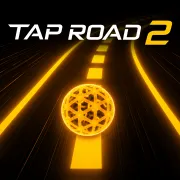
Tap Road 2
Play Tap Road 2 online for free. No download or sign-up. A glowing sphere rolls along a neon road. Click at the right moment to change lanes, miss the obstacles, and push your distance a little farther.
Game info
| Item | Details |
|---|---|
| Genre | 3D arcade, endless runner |
| Platform | Browser, desktop; touch support depends on the embedded build |
| Play time | Short attempts built around a distance score |
| Price | Free |
| Controls | Click to switch lanes; hold during Gravity Shift |
| Main goal | Stay on the road and beat your last distance |
| Similar to | One-input reflex games and fast obstacle runners |
What is Tap Road 2?
Tap Road 2 moves fast, but the controls stay simple. The sphere rolls forward on its own. You decide when to switch lanes, and a late move can put you straight into the next obstacle.
The road gets quicker as you go. One crash ends the run. Gems unlock new sphere designs, though chasing a gem with no room to spare is usually how a good attempt ends early.
Challenge mode changes the usual rhythm. Gravity Shift asks you to hold the input, Double Lane puts two spheres on screen, and the other challenges make the road harder to read. Start with a regular run. Once the lane changes feel natural, the on-screen prompts will tell you what each challenge needs.
How to play Tap Road 2
- Press Play and wait for the game frame to load.
- Begin with a regular run, then try the Challenge menu when you want a different rule set.
- The sphere rolls forward by itself. Look a few obstacles ahead instead of staring at it.
- Click once to move into an open lane before the blocked lane closes.
- Pick up gems only when they are already on the route you need.
- When you crash, restart and make that same lane change earlier next time.
A second, panicked click can turn a safe move into a crash. Move early, then let the sphere settle into the new lane before deciding what comes next.
Controls
Desktop
- Click: switch lanes.
- Hold during Gravity Shift: lift the sphere.
- Buttons in the game frame: choose a mode or restart.
Mobile
Touch play may work, but it depends on the embedded build, browser, and device. This page only confirms desktop mouse controls.
Tap Road 2 tips
Watch the road, not the score
Keep your eyes a few obstacles ahead. The lane near the sphere can look clear while the route after it is already closing. Pick the lane that gives you somewhere to go next.
Use one deliberate switch
Rapid clicking is a trap. One well-timed switch is usually enough. If you click again immediately, the sphere can drift back toward the block you just avoided.
Leave risky gems behind
Gems unlock sphere designs, not extra lives. Take the easy ones that sit in your lane. Leave a gem behind if getting it means cutting across a closing path.
Learn one challenge at a time
Each challenge changes a different part of the run. Learn them separately before opening Ultimate. You will have a better idea whether the problem was timing, visibility, or the control change itself.
Reset the same mistake
After a crash, think about the one move that caused it. On the next attempt, adjust that move first. Reworking every click at once makes the pattern harder to learn.
Game elements
| Element | Role in game | Player tip |
|---|---|---|
| Glowing sphere | Rolls forward for the whole run | Change lanes before the next blocked path reaches it. |
| Neon road | Holds the obstacles and gems | Look past the first open lane to see what follows it. |
| Obstacles | End the run on contact | Switch early, then avoid clicking back and forth. |
| Gems | Unlock new sphere designs | Take them only when they sit on an open route. |
| Gravity Shift | Lets you hold to lift the sphere | Hold only when the prompt calls for it. |
| Double Lane | Puts two spheres under your control | Learn the standard rhythm before trying it. |
| Blackout, Orbit Run, and Ghost Trail | Restrict vision, rotate the view, or hide the sphere | Follow the road pattern instead of clicking in a rush. |
| Ultimate | Combines the other challenge rules | Leave it until the separate challenges make sense. |
Why players like Tap Road 2
Every run has one clear goal: travel farther than before. When it ends, you can usually point to the lane change that went wrong. Challenge mode changes the pressure without making you learn a different game from scratch.
More games like Tap Road 2
Slope Rider also asks you to read the route early and make small corrections before the next hazard arrives.
Jelly Hop puts the same pressure on a single input, but its timing comes from moving platforms. Wacky Steps is slower and wobbly, though overcorrecting can still ruin an attempt.
FAQ
Is Tap Road 2 free to play online?
Yes. Tap Road 2 runs in your browser, so there is no separate app to install.
What type of game is Tap Road 2?
Tap Road 2 is a 3D endless runner with arcade controls. A glowing sphere races along a neon road, and you switch lanes before it hits an obstacle.
How do you control Tap Road 2?
Click in the game frame to switch lanes on desktop. In Gravity Shift, hold the input to lift the sphere. The buttons inside the frame handle modes and restarts.
What is the goal in Tap Road 2?
Stay on the road as long as you can. Avoid obstacles, take safe gems, and try to beat your last distance.
What are the Challenge modes in Tap Road 2?
The Challenge menu has Gravity Shift, Double Lane, Blackout, Orbit Run, Ghost Trail, and Ultimate. Each mode changes the road, what you can see, or how you control the sphere.
Can I play Tap Road 2 on mobile?
Touch play may work, but it depends on the embedded build, browser, and device. This page only confirms desktop mouse controls.
Why is Tap Road 2 not loading?
Reload the page and give the game frame a moment to start. If it still does not load, check whether your browser allows embedded game content and try a current desktop browser.
Last updated
Last updated: August 5, 2026. Game availability, browser behavior, and controls can change when the embedded build is updated.