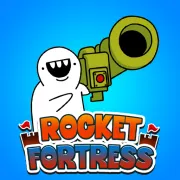





Rocket Fortress
Play Rocket Fortress online for free. No download, no sign-up. Keep the missiles coming, stop each demon wave, and spend the payout before the next fight gets out of hand.
Game info
| Item | Details |
|---|---|
| Genre | Clicker RPG, defense game |
| Platform | Browser; mouse, keyboard, and tap input |
| Play time | Short stages with long-term upgrades |
| Price | Free |
| Controls | Left click, tap, or Spacebar to fire; mouse or tap for menus |
| Main goal | Stop demons, destroy portals, and defeat stage bosses |
| Similar to | Clicker games, incremental upgrades, and wave defense games |
What is Rocket Fortress?
Rocket Fortress puts your launcher on the left side of the battlefield and sends demons in from portals on the right. Click, tap, or hit Spacebar to fire a holy missile. Clear the enemies and break the portal before anything reaches your defense.
At first, most of the damage comes from you. Each fight pays out resources for harder-hitting missiles, better launchers, and Marines that fire on their own. Those Marines become useful when a wave has too many targets for manual shots to cover comfortably.
The pace catches up quickly. Portals grow tougher, ordinary demons linger longer, and bosses expose weak upgrades. When a stage fails, look at what was still alive. One durable target points toward missile damage; a crowded field suggests that the Marines need help.
How to play Rocket Fortress
- Press Play and give the game frame time to load.
- Tap or use the left mouse button to launch a holy missile. On a desktop keyboard, Spacebar fires too.
- Keep shooting until the demons and their portal are gone.
- Spend the resources from the fight on missile damage, a better launcher, or a Marine.
- Start the next stage and watch which enemies take longest to clear.
- Before a boss, upgrade the part of your defense that struggled in the previous fight.
Spend with the last battle in mind. A small damage boost can carry the early stages, while later waves usually need a stronger mix of manual fire and Marine support.
Controls
Desktop
- Launch a missile: left mouse button or Spacebar.
- Buy an upgrade or recruit support: use the left mouse button on the visible control.
- Navigate menus and restart a stage: use the visible buttons in the game frame.
Touch devices
- Launch a missile: tap the game area.
- Buy upgrades and use menus: tap the visible controls.
Tap support is built into the game. On a small screen, the battlefield and upgrade controls have less room, so a wider display is easier to read. Loading speed still depends on the browser and device.
Rocket Fortress tips
Get through the first stages before saving too much
Spend enough to keep the early stages moving. A cheap damage increase that shortens every fight usually repays itself faster than currency sitting in the bank.
Add automatic fire when manual shots stop keeping up
If a full round of manual fire still leaves several enemies on screen, recruit or improve a Marine. Their shots continue while you use the upgrade controls or focus on a tougher target.
Upgrade the problem that ended the stage
Watch what is left when the defense collapses. A single high-health enemy calls for more direct damage. A cluster near the line means the support fire is falling behind.
Use Spacebar for a steadier firing rhythm
Repeated mouse clicks can get tiring in a long fight. On desktop, Spacebar gives you the same firing action and leaves the mouse ready for menus.
Treat portals as part of the damage check
After the nearby demons go down, keep firing until the portal falls. If breaking it takes most of the stage, increase your damage before a boss appears.
Build before the boss becomes the wall
Slow regular stages are the warning. Upgrade the launcher or Marines while those fights are manageable. Going into a boss with the same weak setup rarely works out.
Retry with one clear change
Change one thing after a loss, then replay the stage. You will see whether the new damage or support solved the problem, and you avoid spreading resources across several weak upgrades at once.
Weapons, units, and enemies
| Element | Role in the game | Player tip |
|---|---|---|
| Holy missiles | Your manual attack against enemies and portals | Fire steadily and use the pauses between stages for upgrades. |
| Launchers | Increase the firepower you bring into a stage | Upgrade when ordinary fights start dragging on. |
| Marines | Attack automatically during battle | Add them when manual fire leaves too many enemies active at once. |
| Demons | Move toward your side and threaten the defense | Their remaining health shows whether your damage is keeping pace. |
| Portals | Produce enemies and must be destroyed to finish the fight | Save enough firepower to break the portal after clearing the crowd. |
| Bosses | Put more health and pressure into a single stage | Arrive with recent upgrades; faster clicking may not cover a weak setup. |
| Battle resources | Pay for missiles, launchers, and support | Spend them on whatever slowed the last fight. |
Why players like Rocket Fortress
Every click, tap, or Spacebar press sends out a missile, so the game feels responsive from the first stage. Upgrades are easy to read too: stronger missiles cut down durable targets, while Marines thin out the crowd on their own.
That gives the clicker loop some shape beyond repeated firing. Manual shots get a run started, and automatic support handles more of the routine as enemy health rises. When progress slows, the last fight usually tells you what to buy.
Bosses and tough portals give those purchases a clear test. A stronger setup gets through; an underpowered one stalls, pays out resources, and sends you back to the upgrade screen.
More games like Rocket Fortress
Plants vs Brainrots is a good next pick if you like watching automatic units carry more of the fight after each purchase.
Garfield War has similar pressure around holding a line, recruiting companions, and buying support before a wave breaks through.
Undead Corridor offers closer control over the shooting, with weapon upgrades and increasingly dangerous zombie waves.
Shell Survivor uses automatic weapons instead of repeated firing, so the challenge shifts to movement, material collection, and building a loadout across 20 waves.
Pizza Clicker keeps the same earn, spend, and automate rhythm in a game without combat. Popslime takes the upgrade loop into slime battles and a skill tree.
FAQ
Is Rocket Fortress free to play online?
Yes. You can play Rocket Fortress in your browser on this page without downloading a separate app.
What type of game is Rocket Fortress?
Rocket Fortress is a clicker RPG and defense game. Fire holy missiles at demons and portals, earn resources, recruit Marines, and improve your firepower for tougher stages and bosses.
How do you control Rocket Fortress?
Use the left mouse button or press Spacebar to launch missiles. Use the mouse to choose upgrades and interact with the visible game controls.
What is the goal in Rocket Fortress?
Destroy the demons, portals, and bosses before they break through your defense. Clear stages, then spend the resources you earn on stronger missiles, launchers, and support units.
What do Marines do in Rocket Fortress?
Marines add automatic fire to your defense. They keep dealing damage between your manual missile launches and become more useful as enemy waves grow harder to clear.
Can I play Rocket Fortress on a touch device?
The game uses tap input for firing and on-screen controls. Loading speed and layout can still vary by browser and device, so a wider screen may be easier for managing upgrades.
Why is Rocket Fortress not loading?
Reload the page and give the game frame time to download its files. If it still does not start, check that your browser allows embedded game content and try a current browser.
Last updated
Last updated: October 28, 2026. Game availability, browser behavior, controls, and upgrade balance can change when the embedded build is updated.