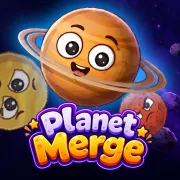





Planet Merge
Play Planet Merge online for free. It starts in your browser, with no download or sign-up. Drop matching planets into the container, make bigger bodies, and work toward the Sun before the pile gets too high.
Game info
| Item | Details |
|---|---|
| Genre | Physics merge puzzle |
| Platform | Browser, desktop, phone, and tablet |
| Play time | Short score-chasing rounds |
| Price | Free |
| Controls | Mouse on desktop; touch controls on compatible mobile browsers |
| Main goal | Merge matching planets, reach the Sun, and raise your score |
| Similar to | Container merge games and space-themed physics puzzles |
What is Planet Merge?
Planet Merge is a drop-and-merge puzzle played inside a small container. Each turn gives you one planet above the board. Pick a spot, release it, and let it fall. Two planets of the same kind combine into the next body in the chain and add to your score.
Gravity is what makes a simple rule set tricky. A planet can roll into a good match, fall into a bad gap, or break up a pair you were saving. Bigger planets score more but take up more room. Once the stack reaches the upper boundary, the round is over. Reaching the Sun takes more than one lucky merge. You have to keep the board playable while the chain grows.
How to play Planet Merge
- Press Play and wait for the game frame to load.
- Look at the current planet above the container and choose a clear place for it.
- Move the mouse left or right, then click to release it.
- Bring two matching planets together to merge them into the next body in the chain.
- Check the next-planet preview before a risky drop.
- Keep small planets reachable so you can make pairs instead of stacking them higher.
- Continue merging toward the Sun while keeping the stack below the upper boundary.
Take a moment before each drop. Moving a little to one side can put a planet beside its match instead of sealing the only open lane. If a drop leaves an awkward gap, use the next few turns to clear it. Adding another planet on top usually makes the problem worse.
Controls
Desktop
- Choose a drop position: move the mouse left or right above the container
- Release a planet: click the left mouse button
Mobile
- Choose a drop position: use the on-screen touch controls
- Release a planet: tap to place the current planet
Planet Merge tips
Keep the biggest planets low
Large planets barely move once they settle. Put them low, preferably near a corner or another stable spot. That gives smaller planets room to roll into each other and keeps the top of the container clear for longer.
Build pairs, not isolated singles
Do not scatter every small planet across the container. When two matches are already close, try to finish that merge before the area gets blocked. One quick merge removes an object and gives you a little more room to work with.
Read the next-planet preview
The next-planet preview matters most when the board is uneven. If a matching planet is coming, leave it a path. If not, put the current one somewhere it will not trap a pair you want to use later.
Leave the middle as a working lane
The middle lets a falling planet reach either side. It is also where one collision can set off another merge. Do not build a tall wall there unless it finishes a match right away. A gap in the middle is often worth more than one more unmatched planet on top.
Stop a bad stack before it reaches the boundary
If one side is climbing faster than the other, clear it with the next match you can make. A long shot from the opposite side can miss and make the stack less stable. Make space first, then go after the bigger merge.
Game elements
| Element | Role in the game | Player tip |
|---|---|---|
| Current planet | The planet waiting to be dropped | Put it near a match when there is a safe path. |
| Matching pair | Two identical planets that can combine | Keep pairs reachable instead of burying one under a larger planet. |
| Next-planet preview | The planet coming next | Decide whether to save a gap or finish a merge now. |
| Container boundary | The line that ends a crowded round | Clear a rising stack before it reaches the top. |
| Sun | The final merge target | Work toward it without giving up all your space. |
Why players like Planet Merge
- One careful drop can create a match, while a bad one can clog the board.
- A pair that lands well can free space and set off another merge.
- Rounds are short, so it is easy to restart after a crowded run.
- The Sun is the last target in the merge chain.
More games like Planet Merge
- Merge Brainrot uses the same drop-and-combine idea with a different theme.
- 合成大算力 also asks you to choose each drop carefully and keep room open.
- Italian Brainrot 2048 puts the merge challenge on a grid.
- Brainrot Park combines matching finds in a more open collection game.
FAQ
Is Planet Merge free to play online?
Yes. Planet Merge opens in your browser, so you do not need a separate download.
What type of game is Planet Merge?
Planet Merge is a physics merge puzzle. Drop planets into a container and bring matching pairs together to make the next body in the chain.
How do you control Planet Merge?
On desktop, move the mouse left or right to choose a drop position, then click to release the planet. Compatible phones and tablets can use touch controls.
What is the goal in Planet Merge?
Build the merge chain toward the Sun without letting the container fill before the next drop.
How do I get a higher score in Planet Merge?
Keep matching planets close, leave the middle open, and check the next-planet preview before a difficult drop.
Can I play Planet Merge on mobile?
Yes. Planet Merge supports touch controls on compatible mobile browsers.
Why is Planet Merge not loading?
Refresh the page and give the game frame a moment to start. If it still does not load, make sure your browser allows embedded game content and try a current browser.
Last updated
Last updated: August 19, 2026. Game availability and embedded controls can change if the game is updated.