


Walkable Cities
Play Walkable Cities online for free. No download or sign-up. Press Space to move through a 2D puzzle about city designs that put pedestrians first. Press R to start over.
Game info
| Item | Details |
|---|---|
| Genre | 2D top-down puzzle |
| Platform | Browser, desktop |
| Play Time | Short sessions |
| Price | Free |
| Controls | Space to walk, R to restart |
| Main Focus | Pedestrian-focused city design |
| Similar To | Walking challenges and compact puzzle games |
What is Walkable Cities?
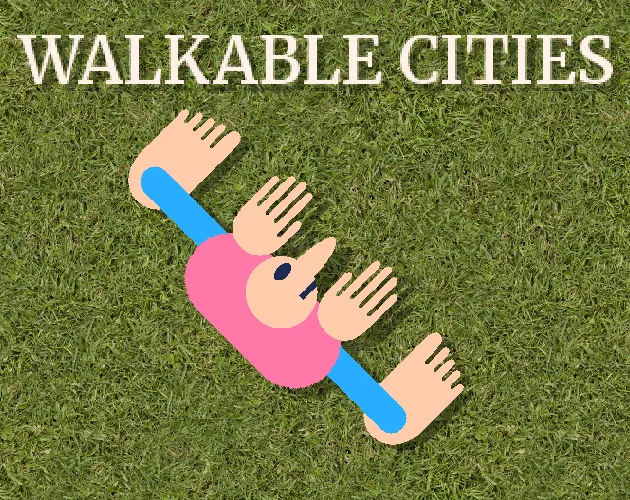
Walkable Cities is a 2D top-down puzzle game about city designs built around people on foot. Space makes your character walk. R restarts the game.
That is the whole control scheme. You can start quickly, see what happens on screen, and restart without digging through menus.
How to play Walkable Cities
- Press Play and wait for the browser build to load.
- Click inside the game frame so it receives keyboard input.
- Press Space to walk.
- Watch the scenario on screen as you move.
- Press R when you want to restart.
If a key does not work, click the game frame again before trying it.
Controls
Desktop
- Walk: Space
- Restart: R
Mobile
Walkable Cities uses keyboard controls. The desktop browser version is the best-supported option, and touch controls have not been confirmed.
Tips for Walkable Cities
Give the game frame keyboard focus
Click inside the playable area before using Space or R. If Space scrolls the page, the game frame does not have keyboard focus yet.
Keep the restart key in mind
R starts the current attempt again. Use it when you want another look at the same scenario.
Start with the confirmed controls
The browser version only confirms Space for walking and R for restarting. Start there instead of guessing at extra controls.
Game elements
| Element | Role in game | Player tip |
|---|---|---|
| Walking | The main action, triggered with Space | Click the game frame first, then use Space to walk. |
| Restart | Starts the current attempt again | Press R when you want to see the scenario from the start. |
| Pedestrian-focused city design | The game’s theme | Notice how the scenario frames movement through the city. |
Why players like Walkable Cities
The game uses a simple setup: a 2D view, a city-design theme, and two keys. R makes it easy to restart, so it suits players who want to try the same scenario again without a long reset.
More games like Walkable Cities
Wacky Steps also makes walking the main action, but its challenge comes from unstable physics and timing.
For another browser puzzle, try Arrow Escape, which is about reading paths and choosing the right move order.
FAQ
Is Walkable Cities free to play online?
Yes. Walkable Cities runs in your browser for free, with no separate app to download.
What type of game is Walkable Cities?
Walkable Cities is a 2D top-down puzzle game about city designs that put pedestrians first.
How do you control Walkable Cities?
Press Space to walk. Press R to restart.
Can I play Walkable Cities on mobile?
Walkable Cities uses keyboard controls. The desktop browser version is the best-supported option, and touch controls have not been confirmed.
Why is Walkable Cities not loading?
Refresh the page, then click inside the game frame before using the keyboard. Check that your browser allows embedded game content. If it still does not start, try a current desktop browser.
Last updated
Last updated: July 29, 2026. Game availability, browser behavior, and controls can change when the embedded build is updated.