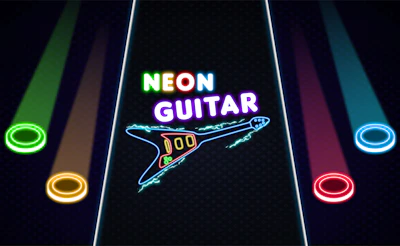






Neon Guitar
Play Neon Guitar online by matching A, S, K, and L to four lanes of falling notes. Hit each note when it reaches its button and keep time as the patterns change.
Game info
| Item | Details |
|---|---|
| Genre | Rhythm, music, skill |
| Platform | Web browser |
| Keyboard | A, S, K, L, from left to right |
| Touch | On-screen lane buttons |
| Difficulty | Easy, Normal, Hard |
| Goal | Hit notes in time with the song |
What is Neon Guitar?
Neon Guitar is a song-based rhythm game with four note lanes. The buttons at the bottom show where to hit each note. You’ll follow individual notes as well as combinations across lanes.
Consecutive hits build your score, and too many misses end the attempt. Work on finishing a song with steady timing. Once the lane positions feel familiar, try a higher difficulty.
How to play Neon Guitar
- Choose a song and difficulty setting.
- Place your fingers over A, S, K, and L.
- Watch the notes approach the buttons at the bottom of the lanes.
- Press each matching key when its note arrives.
- Keep following the pattern after a miss so it does not disrupt the rest of the song.
Controls
From left to right, the lanes use A, S, K, and L. Click inside the game if the keys aren’t responding. With touch input, tap the corresponding button beneath each lane.
Neon Guitar tips
Learn the lane positions on Easy
Keep each finger in the same position throughout the song. If you keep looking down to find the keys, practice on Easy until you can match them to the lanes comfortably.
Watch slightly above the buttons
Look a little above the buttons so you can see which lane comes next. Watching only the hit area gives you less time to prepare when the pattern moves across the lanes.
Recover on the next note
After a miss, read the next incoming note and get back in time with the song. Trying to catch a note that has already passed can throw off the next press.
More music games
Try Bardbeat for another four-lane chart where your hits play a generated melody. Magic Piano Music is a falling-tile melody challenge. Robot Band lets you experiment with music controls at your own pace. Browse the Music Games collection for more.
FAQ
How do you play Neon Guitar?
Choose a song and hit each falling note as it reaches the matching button at the bottom of its lane. Keep matching notes to continue the song and build your score.
What are the Neon Guitar keyboard controls?
The four lanes use A, S, K, and L from left to right. Press the key for the lane when its note reaches the matching button.
Does Neon Guitar have difficulty settings?
Yes. Songs have Easy, Normal, and Hard settings. Start on Easy to learn the lane positions before trying denser patterns.
Can I use touch controls in Neon Guitar?
The game provides on-screen buttons for touch input. Tap the button beneath the matching lane when its note arrives. Screen fit and performance depend on the device and browser.