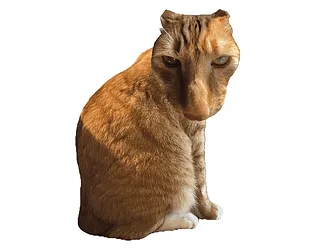






Brush Jjaemu
Play Brush Jjaemu online for free. No download, no sign-up. Brush Jjaemu the cat while it is safe, stop the instant he turns around, and try to push your score without getting caught.
Game Info
| Item | Details |
|---|---|
| Genre | Casual arcade, reflex game |
| Platform | Browser, desktop, mobile if supported by the embedded build |
| Play Time | Short score-chasing rounds |
| Price | Free |
| Controls | Mouse drag, touch input on supported mobile browsers |
| Developer | artbyeori |
| Similar To | Red Light, Green Light reflex games, quick cat games, short arcade score challenges |
What Is Brush Jjaemu?
Brush Jjaemu is a compact browser reflex game about grooming a moody orange cat named Jjaemu. The setup looks gentle at first: drag the brush, earn points, and keep the brushing motion going while the cat is calm. The tension comes from one rule. When Jjaemu turns around, you need to stop immediately.
That tiny rule gives the game its whole rhythm. You are rewarded for brushing quickly, but punished for staying greedy after the warning moment appears. The best runs feel calm for a few seconds, then suddenly turn into a test of restraint. One late stroke can end a score that looked safe.
How To Play Brush Jjaemu
- Press Play and wait for the game frame to load.
- Start brushing Jjaemu when the cat is facing away or appears calm.
- Keep the brush moving to build score during safe moments.
- Watch Jjaemu more than the score counter.
- Stop brushing the moment Jjaemu turns toward you.
- Retry after a failed run and aim for a cleaner, calmer score.
The objective is not to brush nonstop. The real goal is to score during safe windows and leave those windows before they close. If you only focus on speed, you will usually lose to one extra stroke.
Controls
Desktop
- Brush: Hold and drag with the mouse.
- Stop: Release the mouse button or stop the brushing motion when Jjaemu turns.
- Best focus: Keep your eyes on Jjaemu’s face and body movement instead of staring only at the cursor.
Mobile
- Brush: Use touch input if the embedded build works on your device.
- Stop: Lift your finger or stop moving as soon as Jjaemu reacts.
- Note: The official page warns that mobile play may have bugs, so desktop is the steadier choice if the frame feels inconsistent.
Tips And Strategies
Brush In Short Bursts
Short strokes are easier to cancel than one long drag. If you are still learning the timing, use smaller brushing windows and accept a slower score climb.
Stop Before You Feel Certain
The safest stop is slightly early. Waiting until you are completely sure Jjaemu has turned can be too late, especially once you are already moving quickly.
Watch The Cat, Not The Score
Score chasing is the trap. A good run usually ends because the player looks at the number and tries to squeeze in one more point. Keep your attention on Jjaemu’s reaction cues first.
Do Not Restart In A Panic
After a sudden fail, give the next run one calm second before brushing again. Rushing into the first safe window often creates another quick loss.
Keep Your Drag Smooth
Sharp, frantic movement makes it harder to stop cleanly. A steady brushing rhythm gives your hand a better chance to release as soon as the cat turns.
Treat Greed As The Main Enemy
The game is simple enough that most losses are not caused by confusing controls. They come from staying active for a fraction too long. When a run feels good, become more cautious, not less.
Game Elements
| Element | Role In Game | Player Tip |
|---|---|---|
| Jjaemu | The cat you are trying to brush without being caught | Read Jjaemu’s turn immediately and stop before finishing the stroke. |
| Brush | Your scoring action during safe windows | Use controlled drags so you can cancel quickly. |
| Score | The reward for successful brushing | Let the score grow naturally; chasing one extra point is the common mistake. |
| Turn reaction | The danger cue that changes the round from safe to unsafe | Stop as soon as the turn starts, not after the animation fully settles. |
| Retry loop | Short sessions built around quick restarts | Use failed runs to learn timing instead of immediately speeding up. |
Why Players Like Brush Jjaemu
- The rule is clear within seconds: brush when safe, freeze when Jjaemu looks back.
- Short rounds make failure funny instead of exhausting.
- The cat theme makes the game cute on the surface while the timing pressure stays sharp.
- Each run creates a clean personal challenge because one better stop can mean a new score.
- The browser format makes it easy to play a few attempts without installing anything.
More Games Like Brush Jjaemu
If you like quick timing challenges, try Wacky Steps next. It also turns a simple action into a careful rhythm game where overcommitting usually causes failure.
For another short casual challenge with immediate pressure, Escape Tsunami for Brainrots focuses on route choices and fast reactions. If you want a darker click-and-risk loop, Bloodmoney Harvey and Human Expenditure Program lean more into uncomfortable clicking pressure than cute reflex timing.
FAQ
Is Brush Jjaemu free to play online?
Yes. Brush Jjaemu is embedded as a free browser game, so you can play online without downloading a separate app.
What type of game is Brush Jjaemu?
Brush Jjaemu is a short reflex arcade game where you brush Jjaemu the cat for points and stop immediately when he turns around.
How do you control Brush Jjaemu?
On desktop, hold and drag with the mouse to brush, then release or stop moving when Jjaemu turns toward you. On mobile, use touch input if the embedded build works on your device.
Who created Brush Jjaemu?
Brush Jjaemu and lists the cat as Jjaemu.
Why does Brush Jjaemu end so suddenly?
The run ends when you keep brushing after Jjaemu turns around. The challenge is to stop early enough instead of trying to squeeze in one more stroke.
Why is Brush Jjaemu not loading?
Refresh the page, wait a few moments for the embedded game frame, and check whether your browser allows third-party game content. If the mobile frame fails, try a desktop browser because the official page notes possible mobile issues.
Last Updated
Last updated: May 28, 2026. Game availability, iframe behavior, controls, and mobile support can change if the host updates the embedded build.