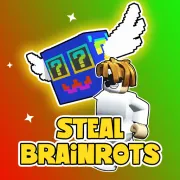




Steal Brainrots
Play Steal Brainrots online for free. No download or sign-up. Put Brainrots in your base to earn cash, then decide whether to buy another one or risk stealing from a rival.
Game info
| Item | Details |
|---|---|
| Genre | 3D collection, base raid, idle progression |
| Platform | Browser, desktop recommended |
| Play time | Collection and raids at your own pace |
| Price | Free |
| Controls | Keyboard and mouse, with in-game prompts |
| Main loop | Buy or steal Brainrots, take them home, collect cash, and secure the base |
| Similar to | 3D collection, base raid, and upgrade games |
What is Steal Brainrots?
Steal Brainrots is a 3D collection game. Brainrots at your base earn cash. You can use that cash to buy another one, pick an upgrade, or save it for a raid.
Other players can raid an unsecured base. The more your collection earns, the more you have to protect. Stealing from a rival can speed up progress, but you still need to get the Brainrot home before anyone takes it back.
The browser build also has base locks, protection, upgrades, and a rebirth option. Check the cost and effect shown in the game before you spend your cash or reset progress.
How to play Steal Brainrots
- Start the browser game and wait for the 3D world to finish loading.
- Buy an available Brainrot when you have enough cash.
- Take the Brainrot back to your base so it can earn cash.
- Spend that cash on another Brainrot or an upgrade shown in the game.
- Watch your base lock and protection as your collection grows.
- If a rival base is open, grab a Brainrot and return home with it.
- Keep building your cash income while making sure your own base is not an easy target.
A new Brainrot only helps after it is safely in your collection. Cash matters, but so does getting home with it.
Controls
Desktop
- Movement and actions: Use the keyboard and mouse. The game shows a prompt for the action in front of you.
- Return home after a lockout: Press G when the game tells you that you are locked out.
- Settings: Use the in-game settings button or Esc when available.
Mobile
The game opens in a browser, but this build uses keyboard and mouse controls. Desktop is the better option because touch support is not confirmed.
Steal Brainrots tips
Get some income running first
Buy a few Brainrots that earn cash before you chase a difficult raid. If a raid goes wrong, the base can still fund your next purchase.
Take stolen finds straight home
Do not hang around after you pick up a Brainrot. Take it back to your base first. A second steal is not worth losing the one you already have.
Leave locked bases alone
If a base is locked, press G to return home when the game offers it. Check your cash or protect your own collection instead of waiting outside.
Protect the Brainrots that pay
More Brainrots bring in more cash, but they also make your base a better target. Do not leave a useful find exposed just to chase another raid.
Do not rush a rebirth
The build has a rebirth option. Read the cost and reward on the screen before you use it, especially if your current collection is earning well.
Brainrots, bases, and progression
| Element | Role in game | Player tip |
|---|---|---|
| Brainrots | Collectible units that earn cash at your base | Get a few earning first, then decide whether a raid is worth the risk. |
| Base | The place that holds your collection | Bring stolen finds back before looking for another target. |
| Cash income | Money earned by Brainrots in your base | Use it for the purchase or upgrade that helps your current setup. |
| Base lock and protection | Systems that limit access to a base | If access changes, protect your own collection or plan the next route. |
| Upgrades | Progress options shown in the game | Compare the live cost with the cash your base earns. |
| Rebirth | An optional reset in the browser build | Read the on-screen reward before resetting a collection that is still working. |
Why players play Steal Brainrots
- Each Brainrot adds to the cash your base earns.
- Raids have a clear risk because your own collection can be stolen too.
- The 3D world makes the route back to your base part of every raid.
- You can make progress in a short session by buying one Brainrot or saving for an upgrade.
More games like Steal Brainrots
Try Lucky Brainrot Blocks Online for another 3D Brainrot collection game. You open blocks, collect Brainrots, and improve a base instead of raiding rival collections.
Escape Tsunami for Brainrots also has Brainrot collecting and trips back to base, with survival routes and incoming waves. Brainrot Park is an idle merge game, while Merge Brainrot is about managing a board and matching pieces.
FAQ
Is Steal Brainrots free to play?
Yes. You can play Steal Brainrots free in your browser without downloading a separate app.
What type of game is Steal Brainrots?
Steal Brainrots is a 3D collection and base raid game. Buy or steal Brainrots, take them to your base, collect the cash they earn, and keep rivals out.
How do you control Steal Brainrots?
The browser build uses a keyboard and mouse. Follow the prompts shown in the game for movement and actions. Press G when the game tells you that you are locked out.
How do you make money in Steal Brainrots?
Buy a starter Brainrot and take it to your base. It earns cash there, which you can spend on more Brainrots or upgrades. Keep the collection protected because rivals can steal an unsecured find.
Can I play Steal Brainrots on mobile?
The game opens in a browser, but this build uses keyboard and mouse controls. Desktop is the better option because touch support is not confirmed.
Why is Steal Brainrots not loading?
Refresh the page and give the Unity WebGL build time to load. If it still will not start, allow embedded game content in your browser and close other heavy tabs before trying again.
Last updated
Last updated: August 1, 2026. The host can change availability, controls, or progression in a later build.