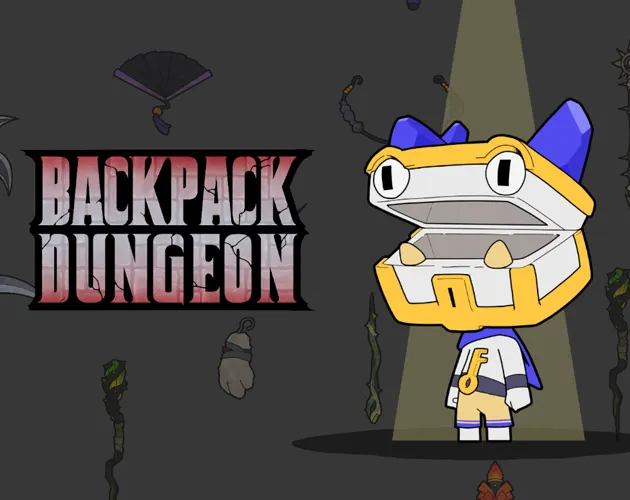


Backpack Dungeon
Play Backpack Dungeon online for free. No download, no sign-up. Move through the dungeon, open your backpack, and arrange weapons and accessories to build the combat stats you need.
Game info
| Item | Details |
|---|---|
| Genre | Roguelike, dungeon crawler, inventory strategy |
| Platform | Browser, desktop |
| Play Time | Varies by run |
| Price | Free |
| Controls | WASD, Tab, left mouse button, right mouse button, Esc |
| Main Focus | Backpack arrangement and player stats |
| Similar To | Strategy roguelikes, inventory-management games, dungeon crawlers |
What is Backpack Dungeon?
Backpack Dungeon is a dungeon crawler roguelike where you arrange your equipment inside a backpack. Move with WASD, open or close the pack with Tab, and drag items into place with the mouse.
Weapons attack. Accessories add player stats, which can change weapon damage, attack speed, critical-hit rate, and critical-hit damage. The decision is usually simple: keep the weapon you want to use, then pick accessories that help it.
You can rotate an item while holding it. If you want to stop and rethink the layout, press Esc to pause first.
How to play Backpack Dungeon
- Press Play and wait for the browser build to load.
- Use WASD to move through the dungeon.
- Press Tab to open the backpack.
- Hold the left mouse button to drag a weapon or accessory.
- Right-click while holding an item to rotate it.
- Use accessories to improve the stats that support your weapon.
- Press Esc to pause before changing several items.
When an item does not fit at first, rotate it before setting it aside. A small adjustment can leave the pack easier to manage.
Controls
Desktop
- Move with WASD.
- Press Tab to open or close the backpack.
- Hold the left mouse button to drag an item.
- Right-click while holding an item to rotate it.
- Press Esc to pause.
Mobile
The confirmed control scheme uses a keyboard and mouse. A desktop browser is the best-supported way to play this embedded version.
Tips for Backpack Dungeon
Use Tab when the build changes
Tab opens and closes the backpack. Use it whenever you want to compare items or make room for a different setup.
Rotate an item before moving on
Right-click while holding an item to turn it. Try that before deciding it will not fit where you want it.
Match accessories to the weapon
Weapons handle attacks. Accessories add player stats, so use them to support the weapon you have chosen. Depending on the setup, that may mean more damage, faster attacks, or better critical hits.
Check the full damage value
Final attack damage is weapon damage plus the player’s attack-damage stat. Compare both numbers when you choose between two setups.
Pause before reshuffling several items
Press Esc before changing several parts of the pack. It gives you a moment to review the layout without moving at the same time.
Items and game elements
| Element | Role In Game | Player Tip |
|---|---|---|
| Weapon | Used to attack | Compare its damage with the stats that support it. |
| Accessory | Adds player stats | Choose accessories that help the weapon you plan to use. |
| Player Stats | Can add weapon damage, attack speed, critical-hit rate, and critical-hit damage | Check which stat you want before rearranging the pack. |
| Backpack | Holds the items in your build | Open it with Tab, then rotate held items if they need a different position. |
| Pause | Stops the game while you review the current state | Press Esc before changing several items. |
Why players like Backpack Dungeon
The game keeps movement simple, then lets the backpack carry the planning. You can move with the keyboard, stop to open the pack, and sort out a different setup with the mouse.
Weapons and accessories do different jobs, which makes stat choices easy to read. Rotation also gives you a practical way to test a tighter fit before you abandon an item.
More games like Backpack Dungeon
Thung Wars is another strategy game, but it focuses on units, upgrades, and lane timing instead of backpack items.
Brainrot Park has its own space-management decisions. In Italian Brainrot 2048, each move changes how much room you have for later merges.
FAQ
Is Backpack Dungeon free to play online?
Yes. You can play the embedded browser version of Backpack Dungeon for free without downloading a separate app.
What type of game is Backpack Dungeon?
Backpack Dungeon is a dungeon crawler roguelike built around backpack management. You move through the dungeon, arrange weapons and accessories, and use the resulting stats for combat.
How do you control Backpack Dungeon?
Use WASD to move, Tab to open or close the backpack, the left mouse button to drag an item, the right mouse button while holding an item to rotate it, and Esc to pause.
Can I play Backpack Dungeon on mobile?
The confirmed controls use a keyboard and mouse, so a desktop browser is the best-supported way to play this embedded version.
What do weapons and accessories do in Backpack Dungeon?
Weapons are used to attack. Accessories add player stats, which can improve weapon damage, attack speed, critical-hit rate, and critical-hit damage.
Why is Backpack Dungeon not loading?
Refresh the page, wait for the browser build to finish loading, and check whether your browser allows embedded game content. If the game still does not start, close heavy tabs and try again in a current desktop browser.
Last updated
Last updated: July 25, 2026. Game availability and browser behavior can change when the embedded build is updated.